Spotify is one of the most popular music streaming apps, giving users instant access to millions of songs with just one tap. It offers both free and premium plans, making it easy for everyone to enjoy music anytime, anywhere. The main reason people love platforms like Spotify is the seamless experience and huge music library they provide.
If you’re planning to create a Spotify alternative, there are several important things to keep in mind. You’ll need to focus on must-have features, secure proper music licenses, choose the right platform, and use the best technologies to make your app stand out. Partnering with a trusted mobile application development company can make the process faster, smoother, and more successful. In this guide, we’ll walk you through the steps to design and launch your music streaming app like Spotify.
Are Music Streaming Apps Worth Investing In?
The music streaming industry is growing faster than ever and shows no signs of slowing down. With millions of people choosing apps to listen to their favorite tracks, this market is expected to see massive growth. Research shows that over 14% of users stream music several times a day, and the global music streaming market is predicted to grow at a CAGR of 14.9% from 2025 to 2030. This makes music streaming apps a smart investment for entrepreneurs looking to tap into a booming industry.
When it comes to music streaming, Spotify remains the top leader in the market. Other big names include Apple Music, Amazon Music, YouTube Music, Tencent Music, Deezer, NetEase, and Yandex.
Additionally, advanced technologies like 5G, AI, AR, VR, and more are transforming the way people experience music. For example, MelodyVR allows users to enjoy live concerts through VR headsets, offering a unique and immersive experience. This opens up huge opportunities for businesses with innovative ideas to create the next big thing in music streaming.
Spotify’s Business Model
Spotify was launched in 2006 as a solution to the rising issue of music piracy. Founders Daniel Ek and Martin Lorentzon aimed to create a platform where users could listen to their favorite songs online, legally and easily. Today, Spotify has grown into the world’s leading music streaming service. Here’s the market share of popular music streaming apps:
- Spotify: 31%
- Apple Music: 15%
- Amazon Music: 13%
- Tencent Music: 13%
- YouTube Music: 8%
Spotify follows a freemium model, offering both a free, ad-supported version with limited features and a paid premium subscription with unlimited, ad-free streaming. Since its start, Spotify has paid nearly $10 billion in royalties to music labels. The platform has also managed to grow its premium subscriber base significantly, jumping from 10% in 2011 to 46% by 2018.
The key to Spotify’s success is its ability to convert free users into paid subscribers by offering extra features like offline listening and ad-free music. Premium subscribers now generate 90% of Spotify’s total revenue, while the churn rate for premium users dropped to a record low of 4.6% in 2019. Spotify shares around 52% of its streaming revenue with record labels, and over 85% of this goes to the four biggest labels. In 2018, Spotify paid €3.5 billion in royalties for premium users and €0.5 billion for free users, which made up 74% of total costs.
By shifting the focus from downloads to streaming, Spotify has disrupted platforms like Apple iTunes and changed the music industry forever. In 2019, the company reported its first-ever profit, marking a major milestone in its growth journey.
Key Features of a Music Streaming App like Spotify
A music app similar to Spotify needs to have features that make listening easy and enjoyable, along with extra perks like smart recommendations and custom playlists. Here are some must-have features:
Easy Sign-Up and Login
Getting started with a music streaming app should be quick and simple. Let users create a free account, personalize their profile, and connect their social media accounts for faster sign-ups. This also makes it easy for them to find and follow friends who are already using the platform.
User Profile
The user profile stores all essential account details, including login credentials like email and password. Platforms like Spotify also allow basic customization, such as adding a profile picture. For premium subscribers, this section securely saves payment information for easy plan renewals and upgrades.
Audio Streaming
Audio streaming lets users play music or any audio content directly over the internet without needing to download it first. This means listeners can enjoy their favorite songs instantly without waiting for files to load.
The process works by dividing the audio file into small parts, which are sent to the user’s device one after another. As one part is played, the next one is already being delivered. This ensures smooth, real-time playback, even when the internet connection isn’t very fast.
Playlists
Users should be able to explore ready-made playlists while also creating and managing their own collections of favorite songs. A playlist feature gives them the convenience of organizing music for different moods or occasions and enjoying non-stop playback.
Spotify’s success is partly due to its curated playlists like Discover Weekly and Release Radar, which use smart algorithms to suggest new tracks based on the listener’s taste and preferences.
Search
The search feature helps users quickly find music in the app’s large library. Users can look for songs, albums, artists, playlists, and podcasts. They can also narrow down their results by filters like popularity, release date, or music genre to find exactly what they want.
Push Notifications
Spotify uses push notifications to keep users informed about new songs from their favorite artists, upcoming concerts, and personalized music suggestions based on their listening habits. These alerts help users stay connected with the latest music and discover new tracks they might like.
Push notifications can also remind users about important account updates, such as subscription renewals, payment info, and other service-related messages.
Download
With the download feature, Spotify Premium users can save songs, albums, playlists, and podcasts directly to their devices. This lets them listen to their favorite music even when they don’t have an internet connection.
Once downloaded, the audio files are stored on the device and can be played anytime, making it easy to enjoy music offline while traveling or in areas with poor internet.
Features to Make Your Music App Stand Out
To give your music streaming app an advantage over others like Spotify, consider adding these special features:
Lyrics Display
Adding song lyrics to your music app can make listening more fun and interactive for users. Showing the words as the music plays helps people connect better with their favorite tracks. While Spotify uses Mixmatch licensing for this, you can also use AI technology to provide real-time lyrics, keeping users engaged and enjoying the app even more.
Music Events Calendar
This feature lets users keep track of upcoming live shows, podcasts, and events from their favorite artists. It helps them stay informed so they never miss a live performance or special broadcast. Having a calendar like this encourages users to keep coming back to your music streaming app.
Video Streaming
Since April 2022, Spotify started offering video podcasts. Adding video streaming to your music app like music videos or live concert broadcasts can make it more attractive and competitive. Keep in mind, including videos means you’ll need extra technology and resources.
How to Create a Spotify Alternative in 7 Easy Steps
Creating a music app like Spotify requires a few important steps. Here’s a simple guide to help you get started:
Step 1: Plan Your Spotify Alternative App
Start by deciding what features and functions your app will offer. Think about how users will interact with it and what kind of experience you want to provide. It’s also very important to know who your target users are, so you create an app that truly meets their needs.
Step 2: Choose the Best Business Model
To make money from your app, you need to understand what makes it special and valuable to users. This will help you pick the right way to charge for your service. There are many pricing options available, and you can even get creative with your approach. If you want, we have a helpful article about different SaaS pricing models to guide you.
Step 3: Handle Music Licensing Properly
To create a music streaming app like Spotify, you must have the legal rights to use the songs. If you plan to operate in the US, you’ll need licenses called Public Performance Rights from organizations like ASCAP or BMI. For Europe, you’ll need to get permission from groups like the European Stage Authors and Composers. Spotify also made direct deals with big record companies such as Universal Music Group and Sony Music to secure more music.
Step 4: Pick the Right Technology
Spotify doesn’t share all the details about the technology it uses, but to build a similar music app, you can use some popular tools and platforms like these:
- Cloud services such as AWS or Google Cloud
- Content Delivery Network (CDN) like Amazon CloudFront
- Backend programming languages like Node.js, Java, or Python
- Databases such as MongoDB, MySQL, PostgreSQL, or Cassandra
- Search engines like Elasticsearch or Solr
- Frontend frameworks like React or Angular
- Container tools like Docker and Kubernetes
- Messaging systems like Kafka or RabbitMQ
- Streaming servers such as Wowza or Red5
- Payment processors like Stripe or PayPal
Choosing the right tech stack is important for building a fast, reliable, and scalable music app.
Step 5: Focus on the Design
This step is about making the app look and feel good by creating wireframes, mockups, and other visual parts. A smooth and simple user experience is very important to attract users and keep them coming back. Spotify’s design is clean and easy to use, helping new users get started quickly. You should aim for a similar clear design. Also, a good onboarding process will help users understand your app better and stay engaged.
Step 6: Build the App
This step means writing the code for your app. You can use programming languages like Swift for iOS, Kotlin for Android, or React Native if you want one app for both platforms. It’s important to test your app carefully to fix bugs and make sure everything works well.
If your budget allows, you can hire a mobile app development company in Chicago. But outsourcing the work is often cheaper because you don’t have to hire permanent staff. At MMC Global, we offer professional app developers who can help bring your project to life.
Step 7: Launch and Maintain Your App
The final step is to publish your app on platforms like the App Store or Google Play. After launch, you’ll need to keep updating the app with new features, fix any issues, and provide customer support.
These steps are just an overview each one has many smaller tasks and requires teamwork between designers, developers, testers, and project managers. Creating a Spotify alternative also needs strong resources, good funding, and careful planning to handle things like high traffic, sound quality, and a large music library.
9 Best Spotify Alternatives in 2025
1. Apple Music
Google Play Store Rating: 3.7/5
Apple App Store Rating: 4.6/5
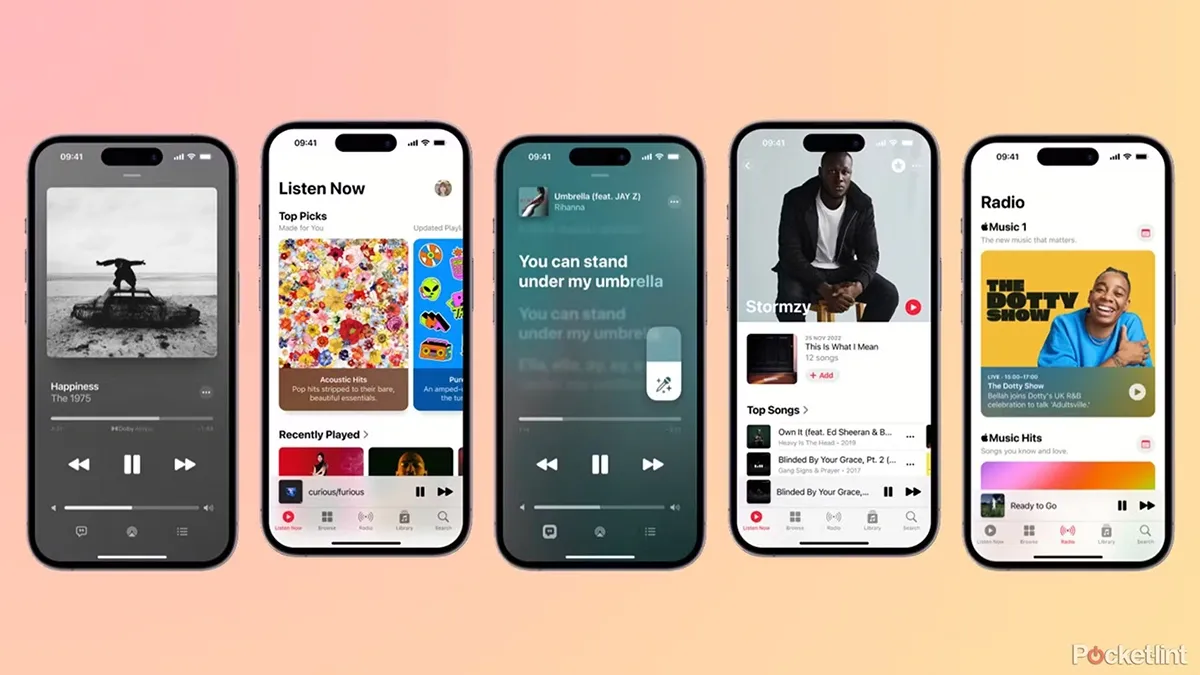
Apple Music is a premium music streaming service that offers high-quality sound, curated playlists, and exclusive content. It’s perfect for Apple users who want a smooth music experience across all their devices. With over 90 million tracks, live radio stations, and features like Apple Music Sing (karaoke mode), it delivers more than just basic music streaming.
Pros and Cons
| Pros | Cons |
| High-quality lossless and spatial audio | No free ad-supported version |
| Seamless sync with iPhones, iPads, and Macs | Limited features for Android users |
| Curated playlists and exclusive releases | No yearly payment option |
| Apple Music Replay feature for yearly stats |
Plans & Pricing
- Voice Plan: $4.99/month
- Student Plan: $5.99/month
- Individual Plan: $10.99/month
- Family Plan: $16.99/month
- Apple One Bundle: $19.95/month (includes Apple Music, Apple TV+, iCloud+, and more)
Key Features
- Lossless Audio & Spatial Sound: Delivers studio-quality sound with Dolby Atmos for an immersive experience.
- Huge Music Library: 90+ million songs, curated playlists, and personalized recommendations.
- Apple Ecosystem Integration: Works perfectly with iPhone, iPad, Mac, and Apple Watch.
- Live Radio & Replay: Access live radio and review your top tracks anytime.
- Exclusive Content: Music videos, live performances, and unique tools like Apple Music Sing for karaoke fans.
2. Amazon Music
Google Play Store Rating: 4.2/5
Apple App Store Rating: 4.5/5
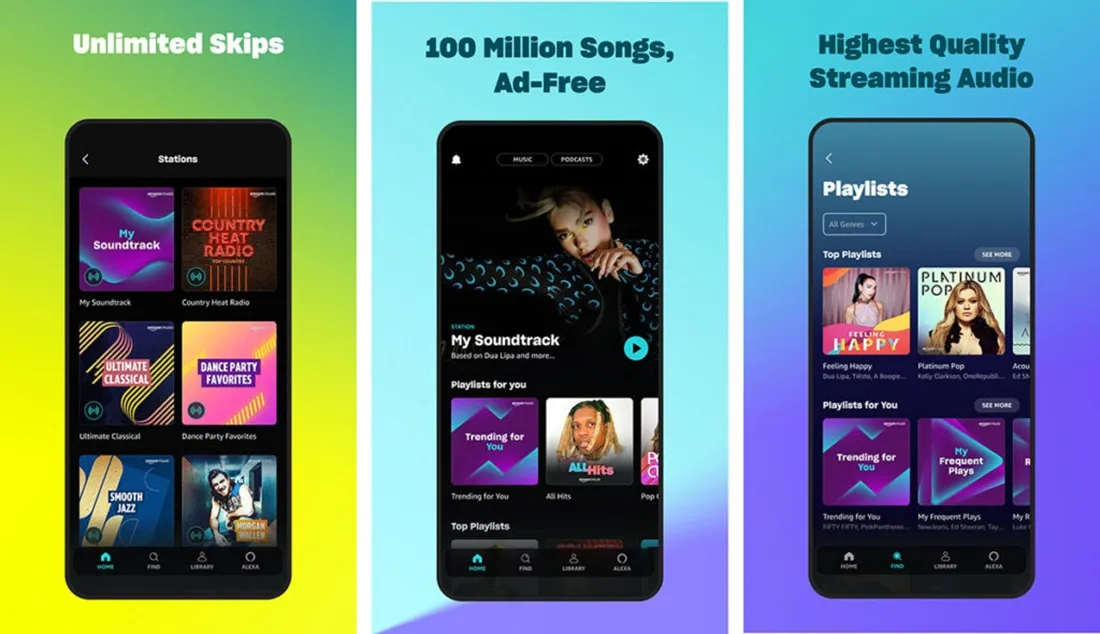
Amazon Music is a great option for anyone looking for high-quality audio at an affordable price, especially for Amazon Prime members. With over 100 million songs, HD and Ultra HD sound, and built-in Alexa support, it’s designed to work perfectly within the Amazon ecosystem. The platform also offers personalized playlists, spatial audio with Dolby Atmos, and easy access to podcasts, making it a solid choice for music lovers.
Pros and Cons
| Pros | Cons |
| HD and Ultra HD lossless audio | Limited exclusive releases |
| Free ad-supported tier available | App interface can be clunky |
| Great value for Prime members | Recommendation engine isn’t as advanced as Spotify |
| Works seamlessly with Alexa devices |
Plans & Pricing
- Prime Music: Free with Amazon Prime
- Unlimited Individual Plan: $9.99/month (Prime members), $10.99/month (non-members)
- Unlimited Single Device Plan: $5.99/month (Echo devices)
- Unlimited Student Plan: $5.99/month
- Unlimited Family Plan: $16.99/month
Key Features
- HD & Ultra HD Lossless Audio: Supports FLAC with bitrates up to 9216 kbps for crystal-clear sound.
- Huge Music Library: 100+ million tracks with curated playlists and podcast access.
- Alexa Integration: Hands-free controls for playback, stations, and music casting.
- Spatial Audio with Dolby Atmos: Creates immersive listening experiences.
- Offline Listening: Download songs and playlists for on-the-go playback.
3. Tidal
Google Play Store Rating: 4.1/5
Apple App Store Rating: 4.6/5
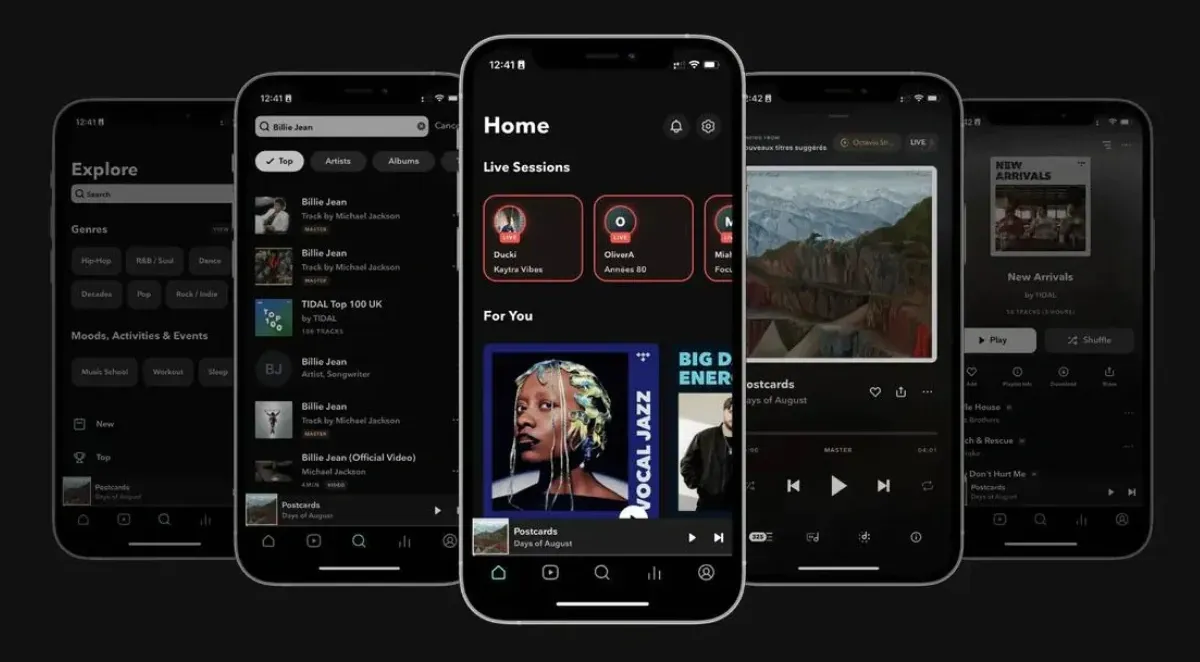
Tidal is built for true music lovers who care about high-fidelity sound and a deeper connection with their favorite artists. With over 110 million tracks, HiRes FLAC audio, and immersive Dolby Atmos sound, it delivers one of the best audio experiences available today. Tidal also supports rising artists through Tidal Rising and offers personalized playlists, live sessions, and offline playback all without ads.
Pros and Cons
| Pros | Cons |
| HiRes FLAC and Dolby Atmos for premium sound | Higher subscription cost compared to competitors |
| Strong artist-first royalty model | Needs stable internet for HiFi streaming |
| Personalized mixes and curated playlists | Smaller niche library than Spotify |
| Offline listening and live session features | No yearly music stats like Spotify Wrapped |
Plans & Pricing
- Individual Plan: $10.99/month
- Family Plan: $16.99/month
- Student Plan: $5.49/month
- DJ Extension: $9/month
Key Features
- HiRes FLAC & Dolby Atmos Audio: Studio-quality sound with bitrates up to 24-bit/192 kHz for an immersive experience.
- Dolby Atmos Playlists: Enjoy music with spatial effects across genres like hip-hop, pop, and classical.
- 110+ Million Tracks: A massive music library featuring both global hits and indie gems.
- Tidal Rising: Discover and support emerging artists worldwide.
- Personalized Playlists & Live Sessions: Tailored recommendations and real-time music sharing.
- Offline Mode: Download songs and playlists for uninterrupted listening anytime.
Bonus Read: Apps Like Airbnb
4. YouTube Music
Google Play Store Rating: 4.2/5
Apple App Store Rating: 4.5/5
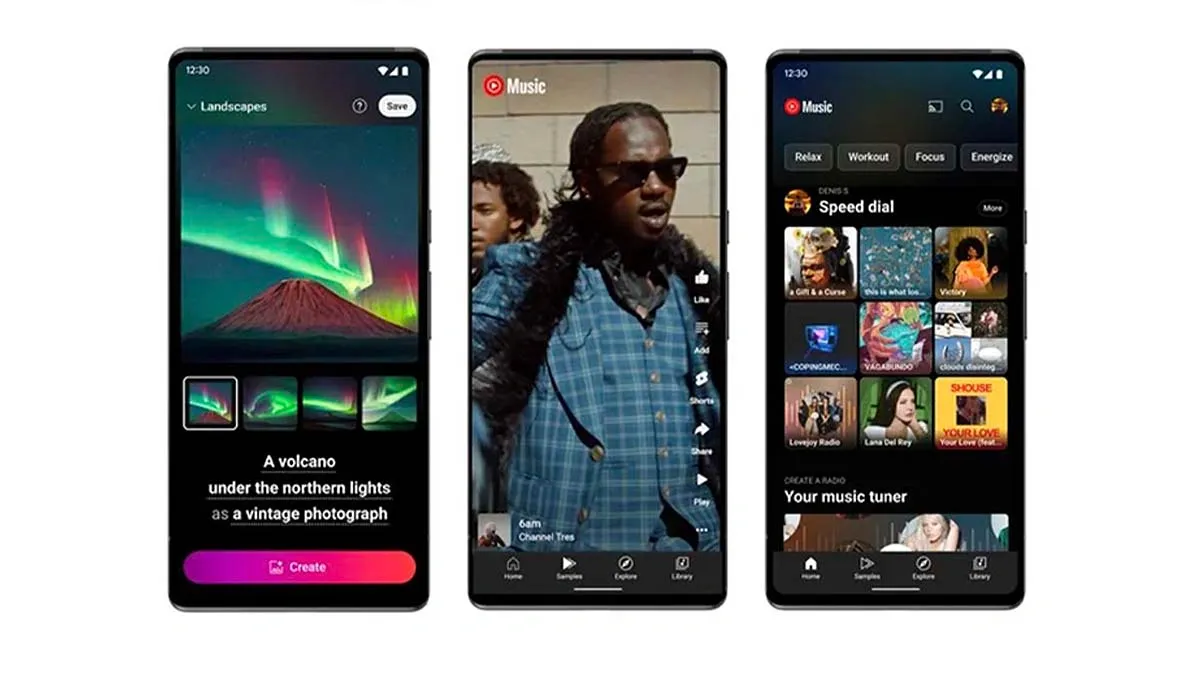
YouTube Music combines audio and video streaming, giving users access to music videos, live performances, and exclusive remixes along with over 100 million songs. It’s ideal for people who want more than just audio tracks. With YouTube Premium, you get ad-free streaming, offline downloads, and background listening for a smooth, uninterrupted experience.
Pros and Cons
| Pros | Cons |
| Combines music and video content | Audio quality is lower compared to Tidal |
| Huge library with remixes, covers, and live performances | Free version includes ads |
| Perfect for YouTube Premium subscribers | Limited exclusive artist content |
| Offline and background playback available |
Plans & Pricing
- Individual Plan: $10.99/month or $109.99/year
- Family Plan: $16.99/month
- Student Plan: $5.49/month
Key Features
- Expansive Music Library: 100+ million songs, plus remixes, live concerts, and rare covers.
- Audio & Video Integration: Switch between music videos and audio-only with a single tap.
- Ad-Free Premium: Enjoy ad-free playback, offline downloads, and background listening.
- Personalized Recommendations: AI-powered playlists and suggestions based on your listening habits.
- Offline Mode: Download songs and playlists for on-the-go listening.
5. Deezer
Google Play Store Rating: 4.2/5
Apple App Store Rating: 4.6/5
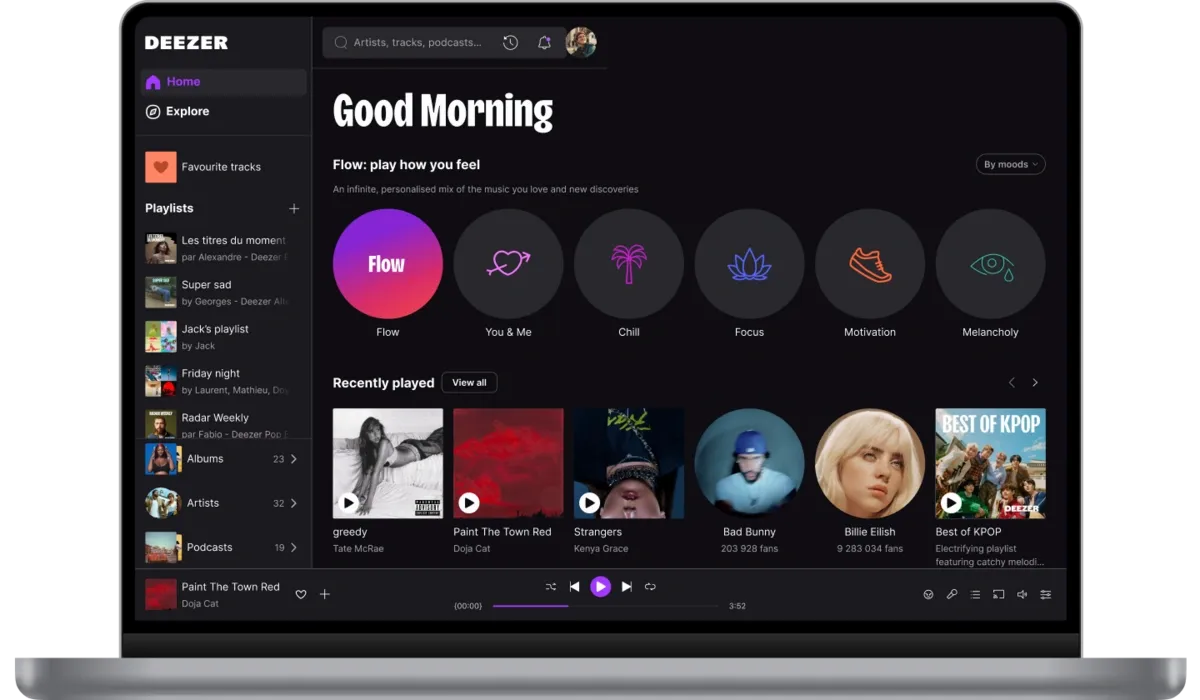
Deezer is a music streaming platform designed to offer a personalized experience with a massive 120+ million song library. With features like Flow (a never-ending personalized playlist), SongCatcher (song identification), and HiFi lossless audio, Deezer ensures that every listener enjoys high-quality sound and easy music discovery. It also includes synchronized lyrics with translations, offline listening, and support for multiple devices.
Pros and Cons
| Pros | Cons |
| HiFi FLAC sound for premium audio | Free plan includes ads |
| Flow feature for personal music mixes | Interface design feels slightly outdated |
| SongCatcher identifies songs instantly | Limited exclusive content compared to Spotify |
| Large global music catalog |
Plans & Pricing
- Free Plan: Ad-supported
- Premium Plan: $11.99/month
- Duo Plan: $15.99/month
- Family Plan: $19.99/month
Key Features
- Flow – Personalized Playlist: Combines your favorite songs with new recommendations tailored to your mood.
- HiFi Lossless Audio: FLAC streaming for clear, studio-like sound.
- SongCatcher: Identifies songs playing nearby or even ones you hum.
- Lyrics & Translations: Synchronized lyrics with the option to see translations.
- Global Music Library: 120+ million tracks across genres and languages.
- Offline & Multi-Device Support: Listen without internet and connect to TVs, speakers, or desktops.
6. SoundCloud
Google Play Store Rating: 4.5/5
Apple App Store Rating: 4.6/5
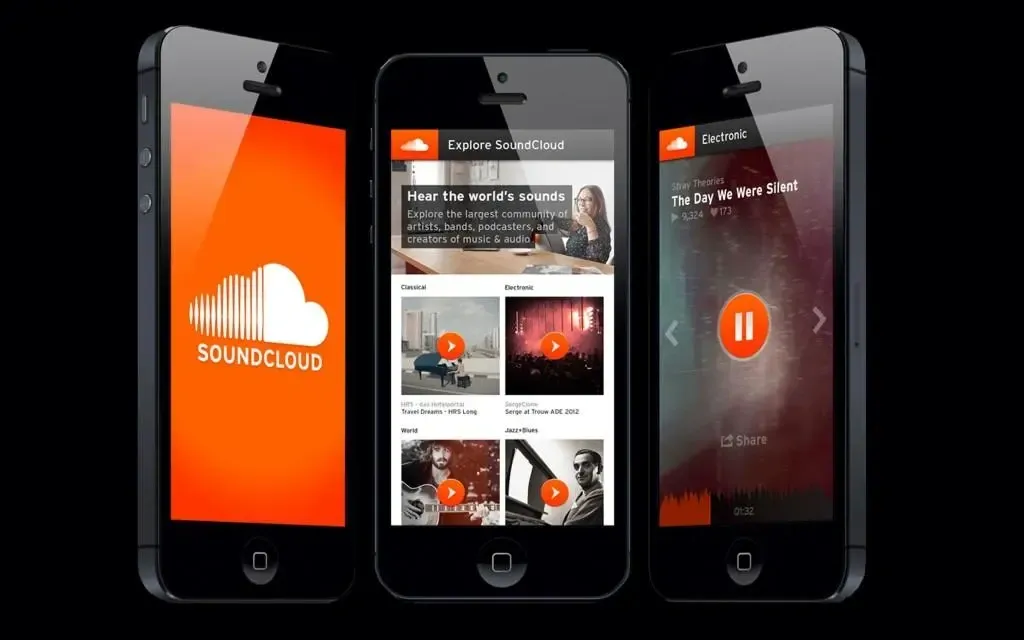
SoundCloud is a platform built for both music creators and listeners, with a focus on independent artists and user-generated content. Offering access to over 400 million tracks, including remixes, indie music, and exclusive uploads, SoundCloud is perfect for discovering new talent and connecting directly with creators. It’s a hub for music exploration and community-driven engagement.
Pros and Cons
| Pros | Cons |
| Great for discovering indie and emerging artists | Free plan has ads |
| Community interaction through comments and messages | Sound quality may vary |
| Artist-friendly tools and royalty payments | Smaller library of mainstream hits |
Plans & Pricing
- Free Plan: $0/month (ad-supported)
- SoundCloud Go: $4.99/month
- SoundCloud Go+: $10.99/month
Key Features
- 400+ Million Tracks: Includes indie music, remixes, and exclusive user-generated content.
- Creator Tools: Upload your own music, interact with fans, and earn via Fan-Powered Royalties.
- Community Engagement: Listeners can like, share, and comment directly on tracks.
- Curated Playlists & Recommendations: Personalized mixes to help you find fresh music.
- Offline Listening: Premium plans let you download tracks for offline playback.
Want to learn more? Read our detailed blog on best TikTok alternatives here:
7. Pandora
Google Play Store Rating: 4.3/5
Apple App Store Rating: 4.7/5
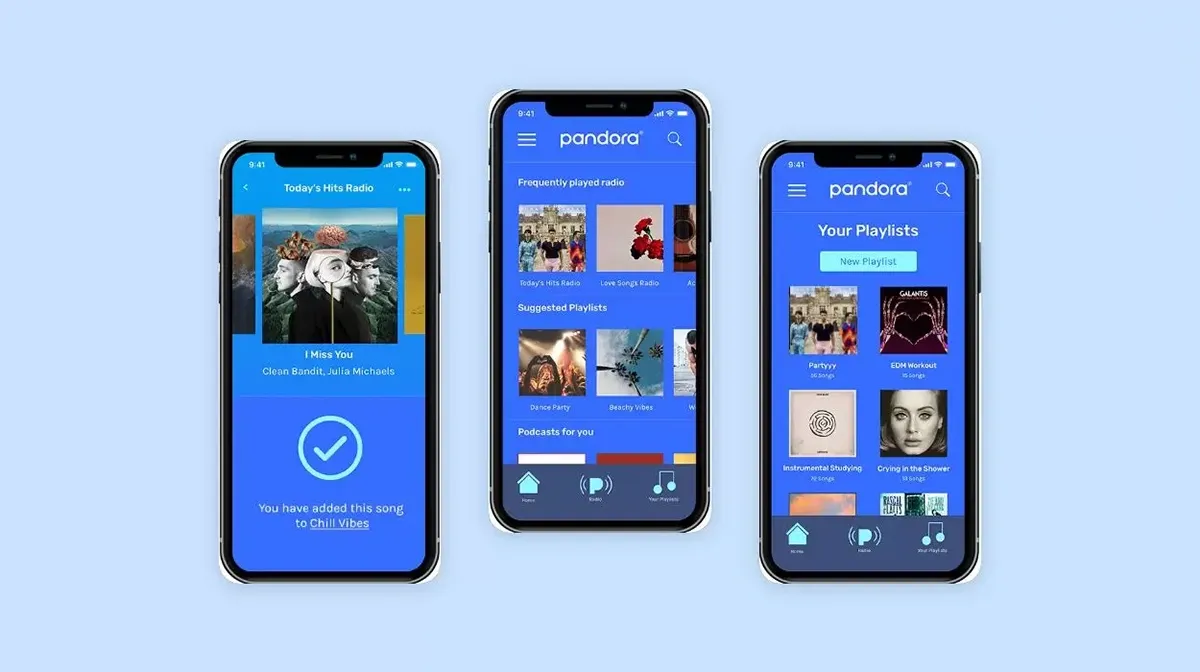
Pandora, owned by SiriusXM, is one of the most popular ad-supported audio streaming services in the U.S. Known for its Music Genome Project, Pandora delivers highly personalized music stations and playlists based on your preferences. It’s ideal for users who want a mix of AI-driven and hand-curated recommendations, along with podcasts and comedy shows.
Pros and Cons
| Pros | Cons |
| Highly personalized stations and playlists | Free plan includes ads |
| Flexible plans for different needs | Offline listening only with premium plans |
| Includes podcasts and comedy content | Skips can be limited due to licensing |
Plans & Pricing
- Free Plan: $0/month (ad-supported)
- Pandora Plus: $4.99/month
- Pandora Premium: $10.99/month
Key Features
- Music Genome Project: Analyzes nearly 500 musical traits to create stations tailored to your taste.
- Personalized Listening: Combines AI and expert curation for music, playlists, and podcasts.
- Podcast Genome Project: Delivers podcast recommendations customized to your interests.
- Offline Mode: Premium users can download songs and playlists for on-the-go listening.
- Unlimited Skips: Skip as many tracks as you like with Pandora Premium.
- Wide Device Integration: Works on 2,000+ devices, from mobile apps to home audio systems.
8. iHeartRadio
Google Play Store Rating: 4.4/5
Apple App Store Rating: 4.6/5
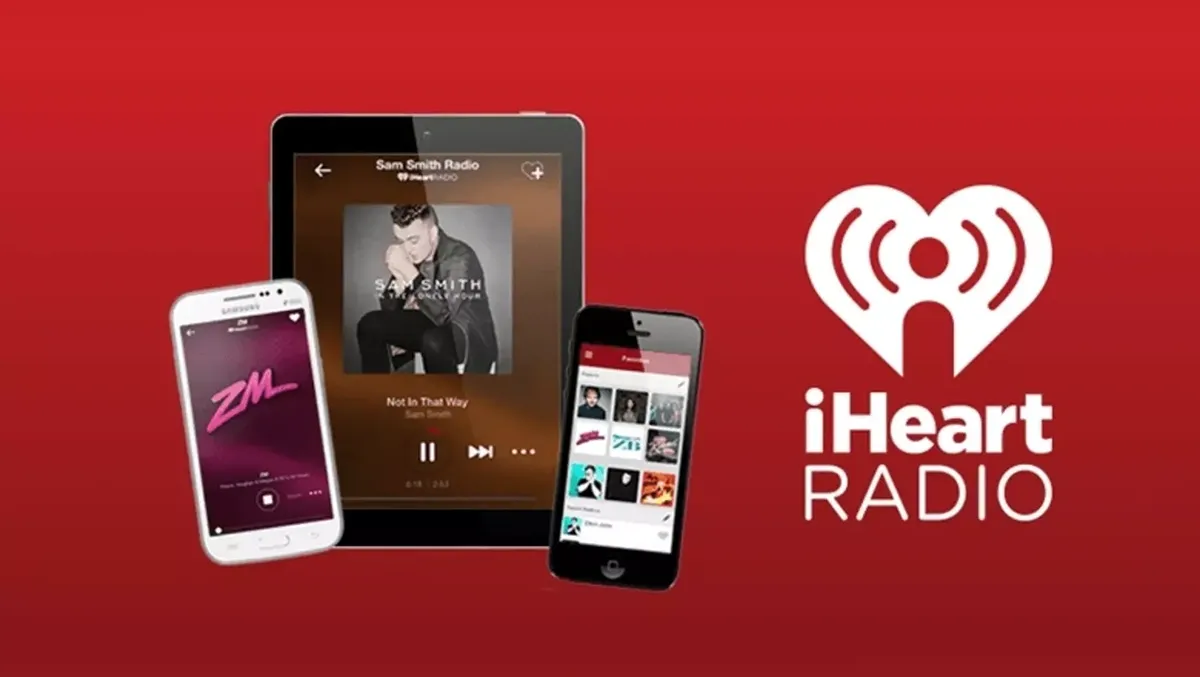
iHeartRadio is a versatile audio streaming platform that combines live radio, podcasts, and personalized music stations. With free access to thousands of AM and FM stations, curated playlists, and trending podcasts, it’s perfect for listeners who enjoy a mix of music and spoken content. Premium plans like iHeartRadio Plus and All Access unlock ad-free listening, unlimited skips, and offline playback.
Pros and Cons
| Pros | Cons |
| Free access to thousands of live radio stations | Premium features require a subscription |
| Huge podcast collection | Fewer exclusive music releases |
| Personalized music stations and curated playlists | |
| Affordable premium options |
Plans & Pricing
- Free Plan: $0/month
- iHeartRadio Plus: $4.99/month
- iHeartRadio All Access: $9.99/month
- Family Plan: $14.99/month
Key Features
- Live & Local Radio: Tune into thousands of AM/FM radio stations worldwide, including news, sports, and talk shows.
- Podcast Library: Stream popular shows from NPR, TED, Wondery, and more. Download episodes for offline listening.
- Personalized Music Stations: Create custom artist stations or enjoy “Favorites Radio” for all your liked songs.
- Curated Playlists: Explore playlists by mood, genre, or decade, plus the “Weekly Mixtape” feature.
- Premium On-Demand Features: With paid plans, play specific songs, save tracks, and download for offline playback.
9. Qobuz
Google Play Store Rating: 4.2/5
Apple App Store Rating: 4.5/5
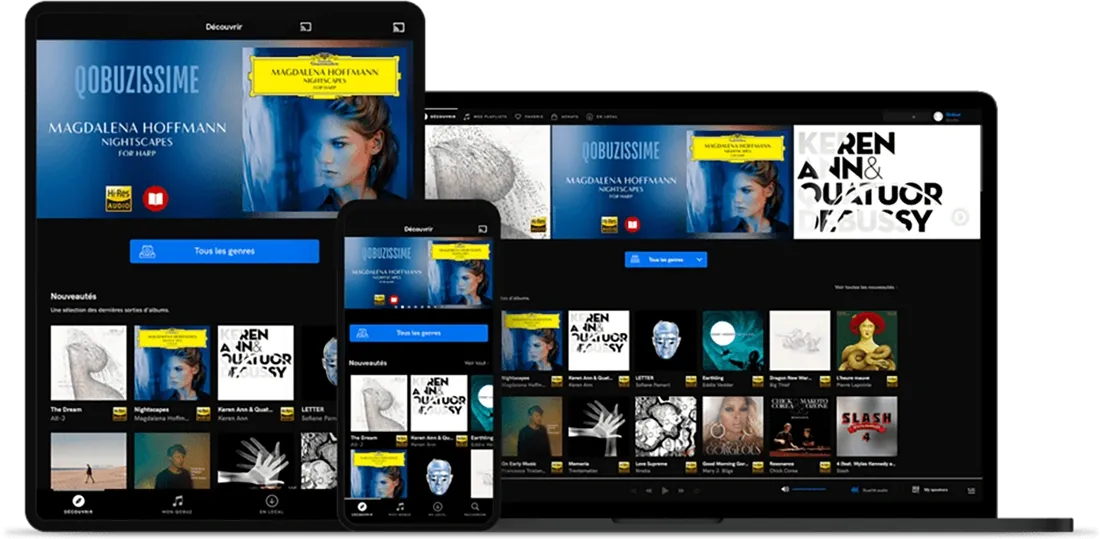
Qobuz is built for audiophiles and music lovers who want studio-quality sound and in-depth music knowledge. It offers the largest Hi-Res audio catalog in the world, with tracks in FLAC 24-bit/192 kHz. Beyond streaming, Qobuz doubles as a music download store and features editorial content like reviews, artist interviews, and curated recommendations. It’s perfect for fans of classical, jazz, and other high-quality music genres.
Pros and Cons
| Pros | Cons |
| Unmatched Hi-Res audio quality (FLAC 24-bit/192 kHz) | No free tier available |
| Expert editorial content and artist reviews | Pricier than most competitors |
| Extensive catalog of classical and jazz | Limited mainstream hits |
| Discounts on Hi-Res music downloads (Sublime Plan) |
Plans & Pricing
- Studio Plan: $10.83/month
- Sublime Plan: $14.99/month
Key Features
- Hi-Res Audio Streaming: Studio-level quality with FLAC 24-bit/192 kHz streaming.
- 100+ Million Tracks: Includes the world’s largest Hi-Res collection, perfect for classical and jazz fans.
- Offline Mode: Download albums and tracks to listen offline without losing quality.
- Editorial Content: 500,000+ reviews, artist interviews, and features in Qobuz Magazine.
- Expert Curation: Handpicked playlists, exclusive “Qobuzissimes” artist spotlights, and iconic album collections.
Music Streaming App Like Spotify Features and Estimated Development Costs
The cost to create a music streaming app like Spotify depends on many things such as which platforms you want (iOS, Android, or both), how complex the app is, the design, the development team’s rates, location, and more.
| Feature | What It Does | Estimated Cost (Approx.) |
| User Registration | Lets users sign up, log in, and manage their profiles. | $3,000 – $6,000 |
| Music Streaming | Core feature to stream and play songs with controls. | $5,000 – $10,000 |
| Search & Discovery | Enables searching for songs, artists, and playlists. | $3,000 – $7,000 |
| Playlists & Library | Allows users to create, manage, and share playlists. | $6,000 – $10,000 |
| Offline Mode | Lets users download music to listen without internet. | $4,000 – $8,000 |
| Social Features | Adds features like following friends, sharing music, and commenting. | $5,000 – $10,000 |
| Personalization | Suggests music based on user preferences and habits. | $7,000 – $12,000 |
| Music Licensing | Covers legal permissions to stream music in your app. | Varies |
| Payment Integration | Supports subscriptions and in-app purchases. | $4,000 – $8,000 |
| Admin Panel | A web dashboard to manage users and app content. | $6,000 – $12,000 |
| Notifications | Sends push alerts about new songs, playlists, and updates. | $3,000 – $6,000 |
| User Analytics | Tracks user activity to improve the app experience. | $4,000 – $8,000 |
| Cross-Platform | Builds the app for both iOS and Android devices. | $5,000 – $15,000 |
| Security & Privacy | Protects user data and ensures app security. | $4,000 – $8,000 |
| App Design | Creates a user-friendly and attractive interface. | $5,000 – $15,000 |
| Testing & QA | Checks the app for bugs and ensures smooth performance. | $4,000 – $8,000 |
| Deployment & Launch | Publishes the app on stores and manages the release. | $3,000 – $6,000 |
| Maintenance & Support | Ongoing updates and fixing issues after launch. | Varies |
Keep in mind, these costs are approximate and depend on your team, location, and project details. When budgeting, also consider the ongoing cost to develop a mobile app, including maintenance and support after launch, to keep it running smoothly and updated.
Cost of Hiring Developers for a App Like Spotify
The cost of hiring app developers can vary based on the app’s complexity, the developer’s experience, location, and the hiring model you choose. Here’s a quick breakdown:
| Hiring Model | What It Means | Estimated Cost |
| In-house Team | Developers directly employed by your company. | Around $50/hour per developer |
| Outsourcing | Hiring an external agency or app development company. | $100 – $150/hour |
| Freelancers | Independent developers working on specific tasks. | $30 – $70/hour |
| Offshore Team | A development team located in another country. | $120,000 – $300,000 total |
Creating a Spotify Alternative with MMC Global
Creating a music streaming app like Spotify is not an easy task. It requires a lot of time, money, and technical expertise. Features like video streaming, large-scale scalability, and proper music licensing make the process even more complex.
To succeed in this competitive market, you need to find a unique angle or feature that sets your app apart. Partnering with skilled professionals can help you avoid common pitfalls and build a product that stands out.
If you want expert guidance in building a music streaming platform, feel free to reach out to us at MMC Global, and we’ll help you bring your idea to life.
Frequently Asked Questions
Which Spotify Alternative Offers the Best Sound Quality?
If sound quality is your top priority, Tidal and Qobuz are the best options for high-resolution audio.
Both platforms stream music in lossless FLAC format, which delivers studio-quality sound with every detail preserved. Tidal offers HiFi and Master Quality tracks, along with Dolby Atmos for an immersive 3D-like experience.
Qobuz goes even further by offering the largest Hi-Res music catalog in the world, with audio quality up to 24-bit/192 kHz for a truly premium experience.
For audiophiles or anyone who wants crystal-clear sound, these services provide far better audio quality compared to standard streaming platforms.
Are There Free Alternatives to Spotify?
Yes, there are several music streaming platforms that offer free plans with ads, making them great options for users who don’t want to pay for a subscription.
YouTube Music gives free access to a huge library of songs, music videos, and remixes, though background play and some features are limited.
SoundCloud is another great option, featuring millions of tracks from independent artists and creators, perfect for discovering new and unique music.
Deezer also provides a free ad-supported plan, offering curated playlists, personalized recommendations, and access to its large music catalog.
While free plans come with ads and certain restrictions, they are still excellent choices for enjoying music without spending money.
Can I Move My Playlists to a Spotify Alternative?
Yes, you can easily transfer your playlists to other music streaming platforms using tools like Soundiiz and Tune My Music.
These services let you move playlists, favorite songs, and albums between platforms like Tidal, Apple Music, Deezer, YouTube Music, and more.
With simple, user-friendly interfaces, you can transfer your playlists in just a few clicks, saving time and keeping your music library intact.
If you’re worried about losing your playlists when switching from Spotify, these tools make the process smooth and stress-free.