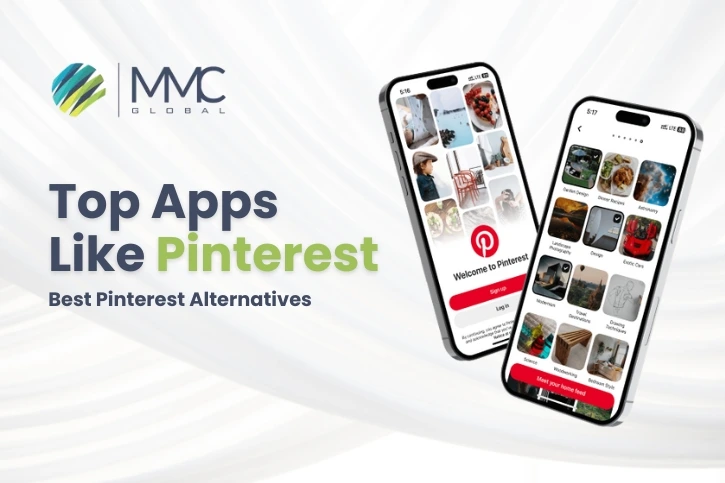
In today’s digital world, Pinterest stands out as a favorite hub for discovering creative ideas, visual storytelling, and aesthetic inspiration. With millions of users browsing daily for DIY projects, home décor tips, fashion trends, and more, the demand for platforms like Pinterest has skyrocketed.
Even though Pinterest generated a remarkable $3.6 billion in revenue in 2024 and attracted over 522 million monthly active users, many users feel the experience is becoming repetitive. As a result, a growing number of people are searching for apps that offer similar features but with a fresh twist.
While Pinterest remains a powerful tool for creativity, some users encounter limitations—whether it’s the struggle to uncover truly new content, the challenges of sorting through an endless stream of pins, or the need for more tailored, niche experiences.
That’s why alternatives to Pinterest are gaining popularity. They offer better content discovery, focused communities, and a more personalized approach to visual inspiration.
In this blog, we’ve rounded up the Top 10 Best Apps Like Pinterest that are worth exploring in 2025. And if you’re considering building your own visual discovery app, our mobile app development experts can help turn your vision into reality.
Whether you’re a designer, photographer, hobbyist, or just someone who loves collecting ideas, these Pinterest alternatives offer new ways to explore, organize, and get inspired.
List of 10 Best Apps Like Pinterest You Should Explore in 2025
1. We Heart It
Our first pick as a Pinterest alternative is We Heart It. It’s a fun and friendly app where you can find, save, and share beautiful images and short videos.
This app is perfect for people who love to collect pretty visuals, quotes, and creative ideas. It’s especially popular among teenagers and young adults who enjoy sharing memories and inspirations in a stylish way.
What makes We Heart It stand out is its positive, community-driven vibe. You can follow users who share similar interests, like their posts, and build your own personal gallery of creative content.
It also comes with simple photo editing tools like filters, text, and stickers so you can personalize your images before posting.
If you’re searching for an uplifting platform to explore dreamy photos or get inspired for your next project, this one’s worth checking out.
Key Features of We Heart It
- Discover and save inspiring photos, quotes, and videos
- Edit your pictures with filters, stickers, and text
- Build and customize your own collection of content
- Join a positive and supportive community
| Pros | Cons |
| Huge library of aesthetic content | Limited to photo and video content |
| Very easy to use | Fewer social features than other platforms |
| Built-in photo editing tools | Some tools require in-app purchases |
| Friendly and safe environment | Not ideal for professional creatives |
Also Read: Top 20 Apps Like Instacart– Best Instacart Alternatives in 2025.
2. Instagram
Next up is Instagram, one of the most popular visual-sharing platforms out there. Although it’s more known for social networking, it has become a great place for visual inspiration, just like Pinterest.
On Instagram, users can follow creators, brands, or topics they love, and scroll through endless photos and short videos on everything from fashion to food to art.
The “Save” feature lets users create their own private collections of posts, similar to Pinterest boards. Hashtags and the Explore page make it easy to discover new content daily.
It’s also a great space for creators to build a following and share their work with a global audience. Whether you’re looking for motivation, trends, or creative ideas, Instagram has something for everyone.
Key Features of Instagram
- Share and save high-quality images and videos
- Discover trending content using hashtags and Explore
- Build custom collections by saving posts you love
- Follow creators, brands, and influencers for inspiration
| Pros | Cons |
| Huge variety of content and users | Highly competitive space |
| Save and organize content easily | Ads can interrupt browsing |
| Ideal for discovering trends | Less focused on creativity, more on social media |
| Strong creator tools | Limited customization for collections |
3. Tumblr

Tumblr is a creative platform that blends blogging with visual sharing. It’s one of the oldest Pinterest alternatives and still loved by those who enjoy posting and finding unique, artsy content.
Users can share photos, GIFs, quotes, text posts, and even audio – making it much more flexible than Pinterest. You can follow blogs you like, reblog content to your own feed, and even create themed pages.
Tumblr is especially good for people who want to build a mood board or aesthetic blog around specific topics. Plus, it’s a great place to connect with niche communities.
If you’re into fandoms, vintage style, or want to express yourself creatively, Tumblr is a fantastic place to do that.
Key Features of Tumblr
- Post and share a mix of photos, quotes, text, and audio
- Customize your blog with themes and layouts
- Follow others and reblog their content
- Join communities focused on shared interests
| Pros | Cons |
| Creative and personal blogging space | Can be confusing for new users |
| Supports many content types | Less structured than Pinterest |
| Deep niche communities | Lower moderation compared to bigger apps |
| High customization | Not as popular with general users today |
4. Pexels
Pexels is a popular app for finding high-quality, royalty-free images and videos. While it’s not a social media platform like Pinterest, it’s an amazing place to collect and explore stunning visuals for personal or professional use.
From nature photography to modern design, Pexels offers thousands of beautiful images you can save, download, and use freely. You can also follow creators and create your own collections to keep your favorite visuals in one place.
It’s a go-to app for designers, marketers, bloggers, and anyone who needs eye-catching content without worrying about copyright issues.
Key Features of Pexels
- Huge library of free stock images and videos
- Ability to create collections and follow photographers
- Simple download and sharing options
- No login required for most features
| Pros | Cons |
| Free, high-quality content | Limited editing tools |
| Easy to search and organize | Not focused on community or interaction |
| No copyright worries | No original content creation within the app |
| Great for professionals and creatives | Less personalization than Pinterest |
Also Read: Top 20 Apps Like TikTok – Best TikTok Alternatives in 2025.
5. Depositphotos
Depositphotos is another excellent app for discovering professional photos, vectors, and illustrations. It’s mainly used by businesses, designers, and content creators who need high-quality visuals for commercial use.
Unlike Pinterest, Depositphotos offers a more polished and commercial look. While many of the best images require a subscription, you can still browse and get inspired by thousands of creative visuals across different themes.
It’s a perfect platform for those who want a more professional visual discovery experience.
Key Features of Depositphotos
- Access to over 200 million creative files
- High-quality stock photos, vectors, and videos
- AI-based search for smart browsing
- Tools for licensing and downloading images
| Pros | Cons |
| Wide range of professional content | Most high-quality images are paid |
| Great for business and design use | Less user-generated content |
| Easy licensing process | No social or community interaction |
| Organized, searchable categories | Not ideal for casual browsing |
6. Flickr
Flickr is a long-time favorite among photography lovers. It lets users upload, organize, and explore millions of high-resolution photos from photographers around the world.
While it started as a photo storage site, it now works as a community-driven platform where users can follow others, join interest-based groups, and comment on photos.
If you’re into photography or simply want to explore real, high-quality visuals beyond Pinterest-style graphics, Flickr is a great option.
Key Features of Flickr
- Upload and organize high-resolution photos
- Explore themed groups and collections
- Follow photographers and share feedback
- Free storage for your own photo gallery
| Pros | Cons |
| Massive collection of real-life photography | Interface feels a bit outdated |
| Strong photographer community | Less modern aesthetic than Pinterest |
| Ability to comment and interact | Some features require Pro account |
| Ideal for photo organization | Not focused on inspirational quotes or graphics |
Also Read: Top 10 Apps Like Snapchat – Best Snapchat Alternatives in 2025.
7. DeviantArt

DeviantArt is a popular online community for artists and designers. It’s perfect for people who love digital art, anime, fan art, and original illustrations.
The app allows users to share their artwork, discover others’ creations, and connect with fellow artists. It’s more than just image-sharing—it’s a space where creativity is celebrated, and feedback is encouraged.
If Pinterest feels too general and you’re looking for deeper artistic content, DeviantArt is a great platform to explore.
Key Features of DeviantArt
- Share and showcase original artwork
- Connect with artists through comments and messages
- Follow favorite creators and join themed groups
- Access digital drawing tools
| Pros | Cons |
| Rich artistic community | Less casual browsing experience |
| Great for digital art and illustrations | Some content may be niche or adult-themed |
| Interactive and supportive space | Not focused on lifestyle or daily inspiration |
| High-level creative work | Can be overwhelming for casual users |
8. VisualizeUs
VisualizeUs is a minimalist visual bookmarking platform that works a lot like Pinterest. It focuses on helping users save and organize images from across the internet.
You can create your own collections or “visual boards” based on themes you love. The app focuses on simplicity and visual clarity, which makes it a good choice for creatives who want clean, distraction-free inspiration.
Though less popular than Pinterest, it’s a neat tool for organizing your creative vision.
Key Features of VisualizeUs
- Save and bookmark images from websites
- Organize content into themed boards
- Minimalist interface for easy browsing
- Explore collections made by other users
| Pros | Cons |
| Very simple and clean design | Smaller community |
| Easy bookmarking from any site | Limited features compared to Pinterest |
| Great for curating inspiration | Few updates in recent years |
| Private and public boards | Less content variety |
Also Read: How To Build Apps Like Wizz & What Is The Cost?
9. Juxtapost

Juxtapost is another visual discovery platform that works similarly to Pinterest. It lets users collect, save, and organize images into themed collections. What makes Juxtapost unique is its focus on collaboration and easy content export.
If you’re planning a group project, wedding, or home renovation, this platform allows you to share and collaborate with others smoothly.
It’s a Pinterest-like experience but with more focus on private sharing and teamwork.
Key Features of Juxtapost
- Save and organize visual bookmarks
- Share collections with friends or team members
- Export content easily to Excel or spreadsheets
- Explore trending and category-based images
| Pros | Cons |
| Easy collaboration features | Smaller user base |
| Export tools for planning projects | Less polished interface |
| Great for team mood boards | Limited social interaction |
| Good Pinterest alternative for planning | Not mobile-first in design |
10. FoodGawker
If you love food photography, recipes, and cooking inspiration, FoodGawker is a must-try. It’s a Pinterest-style platform focused completely on food visuals curated from top food bloggers.
Users can browse by ingredients, meals, diets, and more. Each post includes a beautiful food photo and a link to the full recipe.
If Pinterest is your go-to for recipes, FoodGawker takes it to the next level with quality visuals and expert content.
Key Features of FoodGawker
- Explore beautiful food photography and recipes
- Filter content by category or diet
- Follow bloggers and save favorite recipes
- Submit your own food content
| Pros | Cons |
| High-quality food visuals | Focused only on food content |
| Great recipe discovery tool | Fewer features outside food niche |
| Well-organized and easy to browse | No social interaction tools |
| Curated content from real bloggers | Smaller library than Pinterest |
Also Read: 10 Apps Like Instagram That You Must Know About.
How to Pick the Perfect Pinterest Alternative for Your Creative Needs
Choosing the best Pinterest alternative depends on what you’re looking for. Some people want a place to save beautiful photos, others need a platform to share their designs, and some just want fresh inspiration every day.
To help you decide, here are a few easy things to think about:
1. Know What You Want
Start by asking yourself:
Are you using the app for fun, for work, or both?
If you just want inspiration, apps with lots of creative content like quotes, pictures, or recipes are perfect. But if you’re a designer or photographer, you might need an app with tools for sharing or editing your work.
2. Look at the Type of Content
Some apps focus on photos, others on videos, art, or even food.
Choose one that shows the kind of content you love. If you enjoy fashion, cooking, or DIY projects, make sure the app supports and promotes that type of content.
3. Check the User Interface
The app should be easy to use. You should be able to search, save, and organize things without getting confused. A clean design and smooth navigation can really make your experience better.
4. Explore Community and Interaction
Do you want to talk to other users, share ideas, or get feedback?
Look for apps that have a supportive and active community. Being part of a group of like-minded people can be motivating and fun.
5. Think About Privacy and Control
Make sure the app lets you control what you share. Some people like to keep their collections private, while others want to show them off. Check if the app has privacy settings and content control options.
6. Compare Free and Paid Features
Some apps are totally free. Others give extra features if you pay. Look at what you get for free and what comes with a paid plan. Only pay if those extras are really helpful to you.
7. Check Compatibility and Support
Make sure the app works well on your phone or tablet. It’s also good to know if there’s help available in case you get stuck or need support.
8. Read Reviews and Feedback
Before downloading, read what other users are saying. Real reviews can tell you a lot about how the app works and if it’s worth your time.
9. Look for Unique Features
Some apps offer special tools like photo editing, AI suggestions, or collection sharing. These can make your experience even better and more enjoyable.
Tip: Always try a few apps before choosing your favorite. Everyone’s creative needs are different, so take your time to find the perfect match for you.
Also Read: Apps Like Dave – Best Alternatives For Small Amount Cash Advance.
Our Top Picks – Best Pinterest Alternatives Like Instagram & Tumblr
While all the apps we listed are great Pinterest alternatives, Instagram and Tumblr are two of our top favorites—and for good reasons.
Instagram – Best for Visual Creators and Influencers
Instagram is one of the best platforms for people who love to share creative content, whether it’s photography, art, fashion, or short videos. It’s perfect for influencers, content creators, and brands who want to grow their audience.
You can upload high-quality images and videos, use filters, and share stories that disappear after 24 hours. With features like reels, highlights, and shopping tags, Instagram offers endless ways to express creativity and connect with followers.
What makes Instagram extra special is its huge, active community. You can follow people with similar interests, use hashtags to explore content, and get likes and comments that help you grow.
Many small businesses, artists, and influencers also use Instagram to build their brand, promote their work, and even earn money through collaborations and sales.
Overall, Instagram is more than just a photo-sharing app—it’s a visual inspiration hub and a powerful marketing tool.
Tumblr – Best for Personal Expression and Mixed Content
Tumblr is another great alternative to Pinterest. It lets you post all kinds of content—photos, videos, text, quotes, and even music. That means you can get creative in many different ways.
It’s easy to personalize your page with unique themes and colors. You can really make your Tumblr blog feel like your own.
The platform also has a friendly social side. You can follow other blogs, like posts, and leave comments. The hashtag system makes it simple to explore topics you care about—whether it’s art, fashion, memes, or poetry.
Tumblr is perfect for anyone who wants more freedom to share ideas, express creativity, and be part of a fun online community.
Final Thoughts
Whether you’re a designer looking for professional exposure or just someone who enjoys creative content, Dribble and Tumblr are amazing options to try.
If you’re planning to build an app like Pinterest or need help with mobile app development, our team at MMC Global is here to help. We offer affordable iOS and Android app development services that fit your goals perfectly.
Frequently Asked Questions About Pinterest Alternatives in 2025
What are some popular apps like Pinterest?
Some of the most popular Pinterest alternatives include Instagram, Dribble, Tumblr, and We Heart It. These apps let you find and save creative content. For example, We Heart It is great for images and quotes, while Tumblr combines blogging with visuals. Dribble is perfect for designers who want to share their work and get noticed.
How do apps like Pinterest help with visual inspiration?
Apps like Pinterest help you explore and save images, videos, and ideas that match your interests. You can create boards or collections to organize content by topic—like home decor, fashion, travel, or art. This makes it easy to plan projects, gather ideas, or just enjoy visual creativity.
Are there apps like Pinterest for specific interests like fashion or home decor?
Yes! Some apps focus on specific niches.
- For home decor, Houzz is a great choice—it offers design ideas, shopping options, and even connects you with professionals.
- For fashion, apps like Lookbook and ShopStyle are amazing for discovering styles and shopping for outfits.
Can I use Pinterest alternatives for business or marketing?
Yes, many apps like Pinterest are great for business and marketing.
You can use them to showcase your products, build a brand, and drive traffic to your website. Posting quality visuals with the right tags helps attract your target audience. Platforms like Instagram and Dribble are often used for personal branding, business promotions, and networking.
What features should I look for in a Pinterest alternative?
When choosing an app like Pinterest, look for features like:
- Easy-to-use content boards or galleries
- High-quality visuals (images and videos)
- Good search and discovery tools
- Sharing and collaboration options
- Active user communities
- Mobile and desktop compatibility
- Customization for feeds and profiles
These features will make your experience more enjoyable and help you stay organized and inspired.