Entertainment has come a long way from black and white silent films to colorful movies with sound.
This big change didn’t stop there. Today, people have moved from watching movies on TV to using streaming apps. These apps are easy to access and offer more control. Viewers no longer want to sit through long ad breaks or wait for their favorite shows. That’s why more people now use free streaming apps like Tubi.
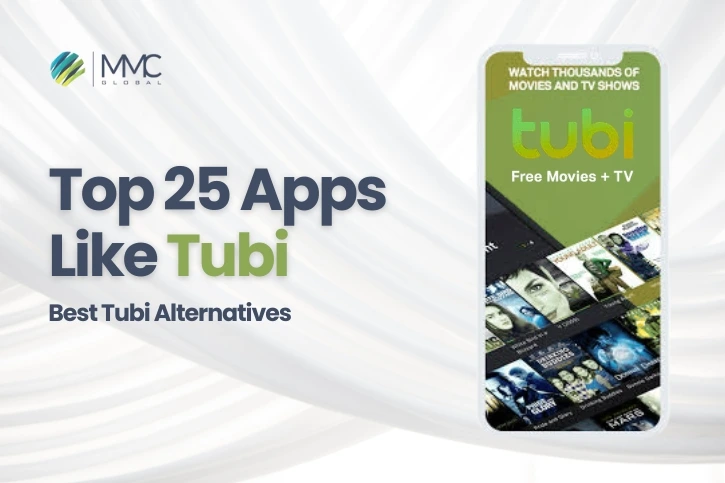
Streaming apps like Tubi give users what they want instant access and full control. Unlike television, streaming lets you pause, rewind, or skip content anytime. With short attention spans and fast-changing tech, people want quick, on-demand entertainment. That’s why Tubi and other Tubi alternatives are growing fast. If you’re thinking of creating an app like Tubi, working with a trusted app development company can make the process smooth and successful. Tubi is one of the most popular free movie apps available today.
It offers over 50,000 movies and TV shows, including classics and new favorites. The platform also uses smart streaming technology and gives you personalized recommendations. Yes, Tubi is free but it does show ads. Still, it’s a great choice if you enjoy old shows or classic films and want a no-cost way to watch them. The popularity of Tubi has grown fast, and the numbers show it.
According to a report by Statista, Tubi had around 74 million monthly active users worldwide in 2023. That’s a huge number. Many users now prefer streaming apps like Tubi over cable or satellite TV. If you’re searching for good Tubi alternatives in 2025, this blog lists 25 top apps where you can stream your favorite content for free.
25 Best Apps Like Tubi That People Love in 2025
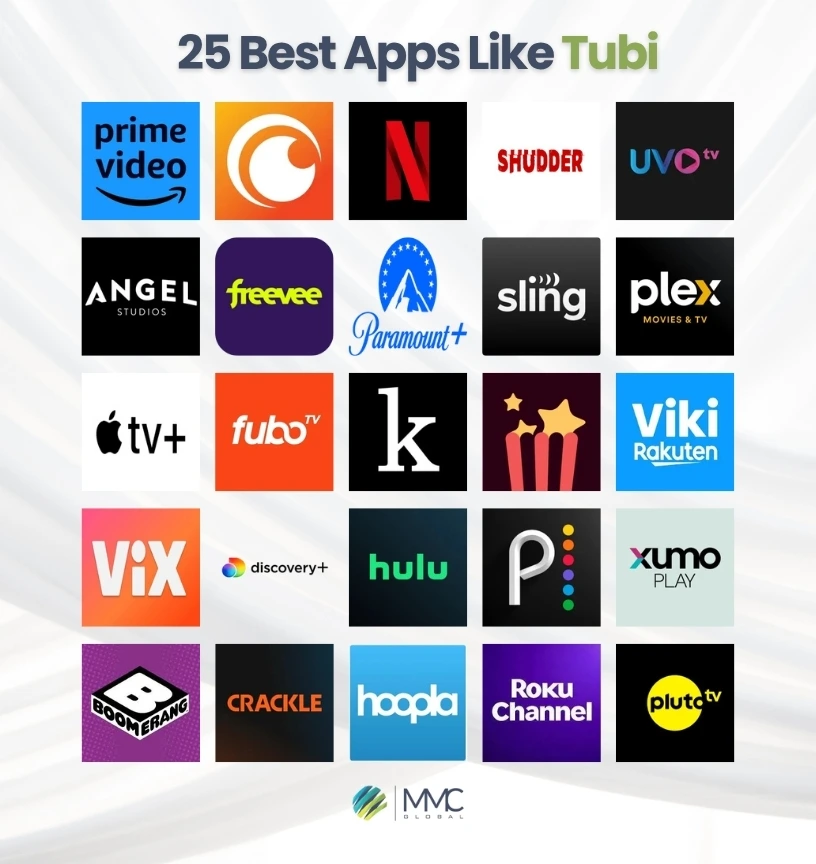
Want to stream your favorite movies and shows without paying? You’re in the right place. We’ve put together a list of the top free streaming apps like Tubi that are trending right now. These apps offer a wide range of content from classic movies to the latest TV shows all in one place.
1. Netflix
Netflix is one of the most popular video streaming platforms in the world. With over 269 million paid users in more than 190 countries, it offers a wide variety of shows, movies, and original content in many languages.
In 2023, Netflix ranked as the 24th most-visited website globally, with most visitors coming from the U.S., UK, and Brazil. It also received 103 Emmy nominations that year, showing its growing success in the entertainment industry.
Netflix gives you access to all types of content action, drama, comedy, anime, reality shows, kids’ content, and more. It has also started offering mobile games for free as part of its subscription plans.
Here’s a quick look at the pros and cons of using Netflix:
| Pros | Cons |
| Smart recommendations for what to watch next | Monthly plans can be costly |
| Works smoothly on many devices | Content varies depending on your location |
| Huge content library with something for everyone | Some shows don’t release new episodes right away |
Price: Starts at $7/month
Supported Devices: Amazon Fire TV | Apple TV | Chromecast | LG | Samsung | Sony | Hisense | Roku | TCL | Vizio | Panasonic | Philips | Sharp | Vestel
Download the App:
Google Play | Apple App Store
2. Amazon Prime Video
Amazon Prime Video is a popular streaming app that lets users watch over 4,000 movies and 17,000 TV shows in high quality. It features a mix of Amazon Originals, licensed content, and movies made by MGM Studios in the U.S.
The app also gives access to content from other providers, live sports, and even lets you rent or buy movies and shows. If you’re searching for apps like Tubi with more variety, Prime Video is a solid option. And if you enjoy short videos, you can try apps like TikTok for fun, user-made content.
As per Statista, Amazon Prime Video had more than 167 million users in the U.S. alone in 2023. Amazon also mixes e-commerce with its video service, giving it a unique edge in the market. If you’re planning to build an app like Amazon Prime, working with a trusted ecommerce app development company can help you get started the right way.
Although available worldwide, in some countries like Australia, India, Canada, and Italy you may need a full Prime membership and use a dedicated website to access it.
Here’s a quick look at the pros and cons:
| Pros | Cons |
| Supports 4K, HDR, offline downloads, and profiles | Monthly cost is higher than some other platforms |
| Lets you rent or buy extra content easily | Some ads can be long and distracting |
| Works well across many smart devices |
Price: Starts at $9/month
Supported Devices: Android | iOS | Amazon Fire TV | PlayStation 4 & 5 | Xbox One & Series X/S | Roku | Samsung | Sony | LG Smart TVs
Download the App:
Google Play | Apple App Store
Also Read: Top 20 Apps like CapCut
3. Hulu
Hulu is a top-rated streaming app from the U.S. that offers a huge collection of new and classic TV shows and movies. It has become one of the biggest platforms in the country, with more than 50 million users around the world.
With over 2,500 movies and 40,000+ episodes to watch, Hulu also gives users access to live TV through its Hulu Plus Live TV plan. If you’re looking for streaming apps like Tubi with both on-demand and live TV options, Hulu is a strong choice.
In 2024, US News & World Report named Hulu one of the best streaming services available. Its growing popularity and rich content library have helped it stay ahead of many free platforms like Tubi.
Thinking of building an app like Hulu? You can explore the latest app development cost guides online to learn how much it might take based on today’s trends.
Let’s take a closer look at Hulu’s key benefits and downsides:
| Pros | Cons |
| Huge on-demand content library | Add-ons can get expensive |
| Access to local live channels | No free trial for Hulu + Live TV |
| Includes bundle options like Disney+ and ESPN+ |
Price: Starts at $8/month
Supported Devices: Android | iOS | Amazon Fire TV | PlayStation 4 & 5 | Xbox One & Series X/S | Roku | Samsung | Apple TV | Chromecast | LG WebOS | Vizio | Xfinity Flex | Echo Show | Xumo TV | Contour 2 & Stream Player Boxes
Download the App:
Google Play | Apple App Store
4. Pluto TV
Pluto TV is a free streaming app supported by ads and owned by Paramount Global. It works with more than 170 content partners and offers over 250 live channels. These include big names like Comedy Central, MTV, Nickelodeon, AMC, and even news networks like NBC, CBS, and CNN. You can watch everything on both Android and iOS devices.
If you’re thinking of building a streaming app like Pluto TV and want to understand the cost of Android app development, you can check out our detailed blog. It breaks down the pricing and helps you plan better with the help of a professional Android app development company.
Sports fans will love Pluto TV’s lineup of sports channels, including CBS Sports HQ, Fox Sports, NFL Channel, MLB Channel, and Impact Wrestling.
Recently, Pluto has also added channels focused on Korean dramas and Black culture, giving users more options to explore.
Still unsure if Pluto TV is a good Tubi alternative? Here are the pros and cons to help you decide:
| Pros | Cons |
| 100% free with no sign-up needed | Doesn’t offer many major cable channels |
| Huge mix of live TV, news, sports, and movies | Frequent ads during streaming |
| Easy access without creating an account | New episodes of popular shows may be limited |
Price: Free
Supported Devices: Android | iOS | Amazon Fire TV | Roku | Xbox One & Series X/S | LG Smart TVs | Samsung TVs | Pluto TV
Download the App:
Google Play | Apple App Store
5. Crunchyroll
Crunchyroll is a popular streaming app made especially for anime fans. It offers over 1,300 anime series along with many simulcast shows that air shortly after they are released in Japan.
Besides watching anime, Crunchyroll also has a manga section where you can read your favorite comics. The free plan lets you enjoy basic features, but to get alerts for new manga or save your favorite pages, you’ll need a paid subscription.
If you’re interested in building an anime streaming app like Crunchyroll, you can use our app development cost calculator to estimate how much it might cost to create a similar app that fits your needs.
Let’s check out the main pros and cons of this great Tubi alternative:
| Pros | Cons |
| Huge library of popular anime series | Only anime content is available |
| Offers both dubbed and subtitled versions | No parental controls available |
| Free plan available to start with | Limits one user profile per account |
Price: Starts at $8/month
Supported Devices: Android | iOS | Amazon Fire TV | PlayStation 4 & 5 | Xbox | Roku | Samsung | Sony | LG Smart TVs | Apple TV | Chromecast | Google TV
Download the App:
Google Play | Apple App Store
6. The Roku Channel
The Roku Channel is a free streaming app managed by Roku Inc. It’s one of the best apps like Tubi and is available in the U.S., Canada, the U.K., and Mexico. In 2023, it had about 120 million viewers, making it one of the top free, ad-supported TV platforms in the U.S.
This platform offers over 80,000 movies and TV shows, 400+ live channels, 80+ Roku Originals, and 250+ music video playlists. The best part? You don’t need to pay or sign up for a subscription to access this content.
Now let’s take a look at the pros and cons to help you decide if The Roku Channel is right for you:
| Pros | Cons |
| All content is free to watch | No option to watch without ads |
| Big collection of on-demand TV and movies | No support for offline downloads |
| Includes free live TV streaming |
Price: Free
Supported Devices: Android | iOS | Amazon Fire TV | Roku | Samsung | Apple TV | Chromecast | Google TV | Android TV
Download the App:
Google Play | Apple App Store
7. Rakuten Viki

Rakuten Viki is a top video streaming app based in San Mateo, California, and it’s a great Tubi alternative especially if you love Asian entertainment. If you’re into Korean dramas like The Glory or Business Proposal, you’ll find a huge collection here, available with subtitles in over 200 languages.
Viki is popular for bringing people closer through its diverse shows from Korea, China, Taiwan, Japan, and other Asian countries. For users who are interested in connecting across cultures in other ways, there are also apps like Tinder that help people meet and form global connections.
Rakuten Viki has a free plan, though it comes with ads and some limits. To unlock more content and enjoy ad-free viewing, you can subscribe to the premium version.
Let’s explore the main pros and cons of Rakuten Viki:
| Pros | Cons |
| Subtitles and dubbing available in 200+ languages | Only available in selected regions |
| Includes exclusive access to Korean content like Kocowa | Focused mainly on Asian shows only |
| Great streaming quality and user interface |
Price: Free (Basic Plan)
Supported Devices: Android | iOS | Android TV | Google TV | Apple TV | Amazon Fire TV | Roku | Chromecast | LG Smart TVs | Samsung TVs
Download the App:
Google Play | Apple App Store
8. Freevee
Freevee is a free, ad-supported streaming app from Amazon, similar to Tubi. It works both as part of the Amazon Prime Video interface and as a standalone app, so even users without a Prime membership can enjoy its content.
This platform is currently available in the U.S., the U.K., and Germany. You can access it through Amazon, IMDb’s websites, or Amazon Fire devices.
Freevee’s free plan includes useful features like volume control, video quality settings, subtitle options, and 10-second rewind or skip buttons. While its TV show library is smaller than other apps, you’ll still find well-known movies and good-quality shows.
If you’re planning to build a streaming app like Freevee and are unsure which mobile platform to choose especially if you’re based in Dubai it’s important to compare your options based on your business goals and app features.
Let’s take a look at the pros and cons of Freevee:
| Pros | Cons |
| Large selection of free movies | Limited number of original shows |
| Reliable video playback on most devices | Smaller TV show library |
| Compatible with many smart devices | Website navigation can be confusing |
Price: Free
Supported Devices: Amazon Fire TV | Android TV | Apple TV | Google TV | Echo Show | LG | Samsung Smart TV | Roku | PlayStation 4 & 5 | Xbox | Xfinity Flex
Download the App:
Google Play | Apple App Store
9. Peacock
Peacock is a fast-growing streaming app owned by Peacock TV LLC, which is part of NBCUniversal Media Group. According to a 2024 report from Statista, Peacock reached 34 million paid subscribers in the first quarter of the year.
The app offers a variety of content, including Universal Studios movies, NBC TV shows, and live sports. If you’re someone who enjoys cricket updates, there are other great apps like Cricbuzz that give live scores, match updates, and ball-by-ball commentary.
Peacock also features a special section for WWE fans. Here, you can stream exclusive shows like Friday Night SmackDown, Steve Austin: The Broken Skull Sessions, and Table for 3.
Let’s go over the pros and cons of using Peacock as one of the best apps like Tubi:
| Pros | Cons |
| Huge library of movies and shows | Free accounts are no longer available for new users |
| Includes live NBC news and some live TV | Full access requires a subscription |
| Allows multiple user profiles | Not all plans include downloads or 4K HDR quality |
Price: Starts at $6/month
Supported Devices: Android | iOS | Android TV | Apple TV | Roku | LG Smart TVs | Xbox | PlayStation | Vizio TV | Echo Show
Download the App:
Google Play | Apple App Store
10. Boomerang TV

Boomerang TV is a U.S.-based streaming app owned by Warner Bros. It focuses on animated content, featuring classic shows from Warner Bros., Hanna-Barbera, and old-school Cartoon Network favorites. It’s a fun and safe place mainly for kids aged 4 to 7.
The platform gives children access to a large collection of cartoons with no ads and lets them enjoy full episodes in high quality. However, Boomerang is currently only available in the United States.
If you’re planning to create a kids’ streaming app like Boomerang, and want to know the cost to design an app, factors like app features, platform choice, design complexity, and development location will affect your budget.
Let’s take a look at the pros and cons of Boomerang TV for a clearer picture:
| Pros | Cons |
| Offers classic and new cartoons for kids | Some well-known cartoons are still missing |
| Supports major platforms like iOS, Android, and Roku | Only available for U.S. users |
| More affordable than many other streaming apps | No “skip intro” button, which can be annoying |
Price: Free (Basic Plan)
Supported Devices: Android | iOS | Roku | Apple TV | Kindle | Amazon Fire TV
Download the App:
Google Play | Apple App Store
Read more: Top 20 Apps Like Instacart
11. Sling TV
Sling TV is a live TV streaming app based in the U.S. and operated by Sling TV LLC, a part of Dish Network. It was named Editor’s Choice for offering one of the best budget-friendly live TV services.
The platform provides flexible options like channel add-ons, premium upgrades, DVR Plus, and more. Sling TV is known for its variety, and it also includes international content for viewers from Asia, Europe, Latin America, and the Middle East.
According to Statista, over 2 million people subscribed to Sling TV in 2023, making it a strong alternative to other live streaming platforms.
Curious if Sling TV is the right fit for you? Here’s a look at its pros and cons:
| Pros | Cons |
| Offers many live TV channels and movies | Monthly cost is rising over time |
| Flexible plans for different needs | Limited access to local and regional sports channels |
| Option to rent or buy movies |
Price: Starts at $40/month (Blue or Orange Plan)
Supported Devices: Android | iOS | Amazon Fire TV & Fire Tablet | Apple TV | Chromecast | Roku | Google TV | LG Smart TV | Samsung TV | TiVo | Vizio | Xbox | Xfinity Flex | Cox | Air TV
Download the App:
Google Play | Apple App Store
12. Popcornflix

Popcornflix is a free streaming app supported by ads, offering a wide range of movies, TV shows, and cult classics. It’s currently available in the U.S. and Canada, with plans to expand to more countries in the future.
The platform is completely free, meaning there’s no need for a subscription. You’ll find content across many genres like drama, sci-fi, horror, martial arts, comedy, and more.
Interested in knowing if Popcornflix is a good fit for you? Let’s take a quick look at the pros and cons:
| Pros | Cons |
| 100% free to stream | Some movies and shows are outdated |
| No sign-up required to start watching | Frequent ads can interrupt the experience |
| Includes a strong collection of indie films | Limited availability outside North America |
Price: Free
Supported Devices: Android | iOS | Apple TV | Android TV | Amazon Fire TV | Roku | Xbox One
Download the App:
Google Play | Apple App Store
Also Read: Apps Like Airbnb
13. Angel Studios

Angel Studios is a U.S.-based streaming platform that offers faith-based content to viewers around the world. It focuses on Christian-inspired movies, shows, and documentaries that promote messages of hope, guidance, and family values.
One of the best things about Angel Studios is that you can watch content for free. The shows and films are original and not available on other platforms, making it a unique space for uplifting and spiritual entertainment.
The platform runs on a crowdfunding model, where the audience helps fund new content. This allows fans to be part of the creative journey. While many features are free, some require a subscription to unlock additional perks.
Here’s a quick look at the pros and cons of Angel Studios:
| Pros | Cons |
| Offers clean, family-friendly content with no violence or nudity | Content library is small |
| Lets users interact with creators and the fan community | Available in only a few regions |
| Great for faith-based and spiritual storytelling | Video quality can vary from show to show |
Price: Free
Supported Devices: Android | iOS | Apple TV | Roku | Chromecast | Google TV | Android TV | Amazon Fire TV | Fire Tablets | Samsung Smart TV
Download the App:
Google Play | Apple App Store
14. UVOtv
UVOtv is a free, ad-supported (AVOD) streaming platform designed to serve expat communities in North America. It focuses on delivering indie films and international shows from users’ home countries, helping people stay connected to their roots.
You can stream all movies and shows for free, including a wide range of independent films made by talented creators who don’t usually get featured on big platforms.
UVOtv celebrates cultural identity and offers content in many different languages, especially for those missing the stories from back home.
Want to know if UVOtv is right for you? Here’s a quick look at its pros and cons:
| Pros | Cons |
| Gives indie filmmakers direct access to their audience | Only available in select countries/regions |
| 100% free access to all shows and movies | Fewer customization options for users |
| Uses AI to recommend content based on your interests |
Price: Free
Supported Devices: Android | iOS | Roku | Apple TV | Amazon Fire TV
Download the App:
Google Play | Apple App Store
15. Crackle
Crackle is a free, ad-supported streaming platform owned by Chicken Soup for the Soul Entertainment. It offers around 700 movies and over 100 TV series from different genres, all available without needing to pay. Whether or not you create an account, the number of ads shown during playback stays the same.
At the moment, Crackle is only available in the U.S., but the platform is planning to expand to Canada and Latin American countries soon.
Crackle has licensing deals with top entertainment companies like Sony Pictures, MGM, Lionsgate, CBS Media Ventures, Universal Pictures, Columbia Pictures, Warner Bros., and more—so you can enjoy well-known films and shows.
Let’s explore the pros and cons of Crackle to help you decide if it’s the right app for you:
| Pros | Cons |
| 100% free access with no subscription needed | Long ads may play before the content starts |
| Wide selection of on-demand shows and movies | Limited library for kids’ content |
| Includes original series with Hollywood talent | Doesn’t support live TV streaming |
Price: Free
Supported Devices: Android | iOS | Amazon Fire TV & Fire Stick | Apple TV | Chromecast | LG Smart TVs | Samsung TVs | Vizio | Roku | Google TV | PlayStation | Xbox | Xbox One
Download the App:
Google Play | Apple App Store
Also Read: Top 20 Popular Apps Like Dave
16. Hoopla Digital
Hoopla Digital is a streaming platform connected with libraries that lets you enjoy audiobooks, comics, e-books, movies, music, and TV shows. It offers more than 500,000 titles in six different formats, including a collection of 25,000 comics.
You can watch or listen online, or download content to enjoy offline. The app works on many devices, making it easy to use wherever you go. If you’re thinking about building a streaming app and wondering whether to develop for Android or iOS, it’s important to compare their strengths and weaknesses.
Hoopla Digital is available not only in the U.S. but also in Canada, Australia, and New Zealand. It is provided by Midwest Tape, a company supplying media products like DVDs and audiobooks to libraries across North America.
Here are the main pros and cons of Hoopla Digital:
| Pros | Cons |
| Offers many customization options for a better user experience | Content availability depends on your location |
| Large collection of movies, books, and music | Borrowing limits apply for some books and audiobooks |
| Supports multiple devices so you can enjoy content anywhere | Some titles may have lower quality than expected |
Price: Free
Supported Devices: Android | iOS | Android TV | Chromecast | Amazon Fire TV | Roku | Apple TV | Lightning Digital AV Adapter
Download the App:
Google Play | Apple App Store
17. Kanopy

Kanopy is a popular streaming service that offers movies, documentaries, TV shows, and educational videos. With over 26,000 titles from different genres and regions, it’s a great platform for both learning and entertainment.
The app is widely used by schools and universities for class assignments and educational purposes. Kanopy features content from trusted sources like PBS, BBC, Criterion Collection, Media Education Foundation, and more. It also works with big names like A24, HBO Documentaries, Paramount, and Bleecker Street.
There’s also a special Kanopy Kids section that includes unlimited cartoons, storybooks, and fun educational videos for children. If you enjoy sharing what you watch on social media, you can use apps like CapCut to make short video reviews easily.
Let’s take a look at the pros and cons of using Kanopy:
| Pros | Cons |
| Watch thousands of shows and movies on demand | Limited number of monthly play credits for some content |
| Free access with a library card or university email | Mobile app doesn’t support offline downloads |
| Stream on multiple devices at the same time |
Price: Free
Supported Devices: Android | iOS | Fire Stick | Fire Tablet | Chromecast | Roku
Download the App:
Google Play | Apple App Store
18. Plex

Plex is a free, ad-supported streaming app that lets users watch over 50,000 TV shows and movies from around the world. It also offers hundreds of live TV channels and is available in more than 190 countries. In 2023, Plex became the second most popular streaming app among Millennials, with 16 million active users every month.
What makes Plex unique is its ability to connect with other major platforms like Netflix, Disney+, Prime Video, and HBO Max. This gives users easy access to a wide variety of content in one place. Plex has also partnered with top media companies like Warner Bros., NBC Universal, Lionsgate, AMC, A24, BBC, and more to expand its library.
Let’s take a quick look at the pros and cons of using Plex:
| Pros | Cons |
| Huge selection of free shows and movies | HTPC support is limited and handled only through forums |
| Strong integration with other popular paid streaming apps | Ads can be long and appear without warning |
| Growing collection of on-demand and live content | Some features like gaming and podcasts have been removed |
Price: Free (Basic Plan)
Supported Devices: Android | iOS | Android TV | Apple TV | Chromecast | Amazon Fire TV | LG Smart TV | Roku | Samsung | Xbox | PlayStation | Nvidia SHIELD | Oculus | Google Daydream
Download the App:
Google Play | Apple App Store
19. Vix
Vix is a popular streaming platform run by TelevisaUnivision. It first started as PrendeTV in 2021, then merged with TelevisaUnivision in 2022 to become Vix. The platform mainly focuses on Spanish-language content and is a great choice for Hispanic audiences in the U.S. and beyond.
Vix offers two viewing options: a free version with ads and a premium version with a monthly fee. You can enjoy over 75,000 hours of on-demand shows and movies, plus 7,000 hours of live sports, including Liga MX and UEFA Champions League matches.
Thinking of building a streaming app like Vix? If you’re saying to yourself, “I have an app idea,” now is a great time to explore our detailed guides to help you get started with your own app development project.
Let’s take a quick look at the pros and cons of using Vix:
| Pros | Cons |
| Perfect for watching Spanish-language shows and sports | Limited English subtitle options |
| Affordable subscription plans available | Some users report the app runs slowly |
| Offers exclusive access to live sports events | Lacks a watchlist or save-for-later feature |
Price: Free (Basic Plan)
Supported Devices: Android | iOS | Android TV | Apple TV (4th Gen & 4K) | Chromecast | Google TV | Amazon Fire TV & Fire Stick | Fire Cube | Echo Show | LG Smart TV | Roku | Samsung TV | Vizio | PlayStation 4 & 5 | Xbox One | Xbox Series X/S | TiVo Stream | Wii | NVIDIA SHIELD Pro | Nintendo Switch
Download the App:
Google Play | Apple App Store
20. Xumo Play
Xumo Play is a free streaming app based in the U.S. that offers both live TV and on-demand content. You can watch over 300 channels and enjoy 10,000+ movies and TV shows across different genres like comedy, music, sports, breaking news, and more.
The best part? You don’t need to sign up or create an account to start watching. In 2023, Xumo launched its own line of smart TVs called Xumo TV, made in partnership with Element Electronics, Hisense, and TCL. These TVs come with Xumo Play pre-installed.
The app is easy to use and works smoothly on many devices. Whether you’re into news, sports, music, or classic shows, Xumo Play gives you a wide range of entertainment—completely free.
Let’s explore the pros and cons of Xumo Play:
| Pros | Cons |
| Offers both live TV and on-demand shows | Some on-demand content may feel outdated |
| No account or sign-up required to start watching | Some channels only show short clips instead of full episodes |
| Favorites feature helps personalize your experience | Live TV can’t be paused or rewound |
Price: Free
Supported Devices: Android | iOS | Apple TV | Chromecast | Google TV | Amazon Fire TV & Fire Stick | Roku | Samsung | Sony | Vizio | Hisense Smart TV | Xumo TV | Xfinity X1 & Flex | Ignite Rogers TV | Cox Contour TV
Download the App:
Google Play | Apple App Store
21. FuboTV
FuboTV is a premium live TV streaming app made for sports lovers. Launched in 2015, it gives users access to over 100+ live channels, including popular sports networks, entertainment, and news. With a user base of around 1.5 million subscribers as of 2024, FuboTV is a solid choice if you’re searching for apps like Tubi but focused on live sports and cable-like experiences.
The platform lets you stream NFL, NBA, MLB, international soccer, and more. It also includes cloud DVR to record your favorite events and shows. FuboTV offers three plans: Pro, Elite, and Premier, depending on the channels and features you want.
If you’re ready to cut the cord but still want live TV, FuboTV gives you a flexible option—though at a higher price.
Let’s look at the pros and cons of FuboTV:
| Pros | Cons |
| Excellent streaming option for live sports lovers | More expensive than most other streaming services |
| Access to 100+ live TV channels | Doesn’t include Turner channels like TNT and TBS |
| Watch live sports, shows, and news | |
| Cloud DVR included to save your favorite moments |
Pricing:
- Pro Plan: $74.99/month
- Elite Plan: $84.99/month
- Premier Plan: $94.99/month
Device Compatibility: Web | Android | iOS | Android TV | Apple TV | Chromecast | Amazon Fire TV & Fire Stick | Roku | Samsung | LG Smart TVs | PlayStation | Xbox
Download the App:
Google Play | Apple App Store
22. Discovery+

Discovery+ is a streaming platform that focuses on reality shows, documentaries, and educational content. Launched in 2021, it has gained a large user base of over 20 million subscribers as of 2024. If you enjoy non-scripted, real-life shows, Discovery+ is one of the best apps like Tubi to explore in that category.
The app brings together popular content from Discovery, HGTV, Food Network, TLC, Animal Planet, and more all in one place. You can choose between two affordable plans: an ad-supported version or an ad-free option for uninterrupted viewing.
While Discovery+ doesn’t offer live TV or scripted movies, it’s perfect for binge-watching home makeovers, food shows, and nature documentaries.
Let’s check out the pros and cons of Discovery+:
| Pros | Cons |
| Massive library of reality TV and documentary shows | No option to watch live TV |
| Includes top content from Discovery, HGTV, TLC, and others | Mostly non-scripted content not ideal for drama or movie fans |
| Lets you mark favorite channels for quick access | |
| Ad-free plan available at a low cost |
Pricing:
- Ad-Supported Plan: $4.99/month
- Ad-Free Plan: $8.99/month
Device Compatibility: Android | iOS | Web | Android TV | Apple TV | Chromecast | Amazon Fire TV & Fire Stick | Roku | Samsung Smart TVs | LG | PlayStation | Xbox
Download the App:
Google Play | Apple App Store
23. Apple TV+
Apple TV+ is a premium streaming platform from Apple, launched in 2019. It offers award-winning original movies and shows with no ads. If you’re looking for apps like Tubi but want top-quality, exclusive content, Apple TV+ is worth checking out.
The platform focuses on original productions you won’t find third-party shows or live TV, but every title comes with top production quality. With around 25+ million paid users, it’s a growing platform for fans of drama, thrillers, and documentaries.
Apple TV+ offers a 7-day free trial, and after that, you can continue with a simple monthly subscription.
Let’s explore the pros and cons of Apple TV+:
| Pros | Cons |
| Features exclusive, award-winning shows and movies | The content library is smaller than other platforms |
| Enjoy a completely ad-free experience | No live TV or third-party licensed content |
| All content is available in high-definition and 4K quality |
Pricing: $9.99/Month (7-day free trial)
Device Compatibility: Web | iOS | Android (via browser) | Android TV (limited support) | Apple TV | Amazon Fire TV | Roku | Smart TVs | PlayStation | Xbox
Download Apps:
Google Play | Apple App Store
24. Shudder

Shudder is a streaming platform made for fans of horror, thriller, and supernatural content. Launched in 2015, it has gained a loyal user base of over 1 million subscribers worldwide. If you’re looking for apps like Tubi with a spooky twist, Shudder is a perfect choice.
The app offers a handpicked collection of classic horror films, original series, and cult favorites you won’t easily find elsewhere. It’s a go-to place for fans of scary content at an affordable monthly or yearly subscription plan.
Let’s check out the pros and cons of using Shudder:
| Pros | Cons |
| Focuses on horror, thriller, and supernatural content | It’s not suitable for viewers looking for general entertainment |
| Includes exclusive originals and cult classics | Limited availability in some countries |
| Affordable pricing plans |
Pricing: $5.99/Month or $56.99/Year
Device Compatibility: Android | iOS | Web | Android TV | Apple TV | Amazon Fire TV | Roku | Smart TVs
Download Apps:
Google Play | Apple App Store
25. Paramount+

Paramount+ is a popular streaming service that offers a wide variety of content, including live TV, sports, movies, and exclusive originals. It was rebranded from CBS All Access in 2021 and now has over 60 million subscribers globally.
With Paramount+, you can watch famous shows like the Star Trek series, Yellowstone spin-offs, live NFL games, and UEFA Champions League matches. You also get access to Showtime content if you subscribe to the premium plan.
Whether you’re into news, drama, comedy, or sports, this app has something for everyone.
Let’s take a look at the pros and cons of using Paramount+:
| Pros | Cons |
| Great mix of live sports, shows, and originals | The basic plan includes ads |
| Showtime bundle comes with the premium plan | Limited international content |
| Affordable compared to other platforms | |
| Offers CBS News streaming |
Pricing:
- Essential Plan: $5.99/Month (with ads)
- Showtime Plan: $11.99/Month (ad-free)
Device Compatibility: Android | iOS | Android TV | Amazon Fire TV | Roku | Apple TV | Smart TVs | Gaming Consoles | Web
Download Apps:
Google Play | Apple App Store
Subscription Plans for Apps Like Tubi
Before you pick a streaming app, check out this easy comparison of basic and ad-free plans, how many devices can stream at once, and if there’s a free trial:
| Streaming App | Basic Plan | Ad-Free Plan | Streams at Once | Free Trial |
| Netflix | $7/month | $15/month | 1–4 devices | No trial |
| Amazon Prime Video | $9/month | $12/month | Up to 3 devices | 30 days |
| Hulu | $8/month | $18/month | 2–5 devices | 30 days |
| Pluto TV | Free | Free | N/A | No trial |
| Crunchyroll | $8/month | $12/month | 1–4 devices | 7 days |
| The Roku Channel | Free | Free | N/A | No trial |
| Rakuten Viki | Free | $4.99/month | 1 device | 7 days |
| Freevee | Free | Free | N/A | No trial |
| Peacock | $6/month | $12/month | Up to 3 devices | No trial |
| Boomerang TV | Free | $5.99/month | 1 device | 7 days |
| Sling TV | $40/month (Blue or Orange)$55/month (Blue+Orange) | N/A | 2–4 devices | No trial |
| Popcornflix | Free | Free | N/A | No trial |
| Angel Studios | Free | Free | N/A | No trial |
| UVOtv | Free | Free | N/A | No trial |
| Crackle | Free | Free | N/A | No trial |
| Hoopla Digital | Free | Free | N/A | No trial |
| Kanopy | Free | Free | N/A | No trial |
| Plex | Free | $4.99/month | Up to 15 devices | 7 days |
| Vix | Free | $6.99/month | 1–3 devices | 30 days |
| Xumo Play | Free | Free | N/A | No trial |
| FuboTV | $74.99/month (Pro) | $94.99/month (Premier) | 3–6 devices | 7 days |
| Discovery+ | $4.99/month (Ad-supported) | $8.99/month (Ad-free) | 4 devices | No trial |
| Apple TV+ | $9.99/month | N/A | 6 devices | 7 days |
| Shudder | $5.99/month | N/A | 1–3 devices | No trial |
| Paramount+ | $5.99/month (Essential, ads) | $11.99/month (Premium, no ads) | 3 devices | No trial |
Build User-Friendly Streaming Apps Like Tubi with MMC Global
Live streaming is shaping the future of entertainment. The industry keeps growing fast, changing how people watch movies and TV shows. With so many streaming platforms available, picking the right one depends on the kind of content you want and your budget. There are many streaming apps like Tubi that offer millions of shows and movies worldwide (you can find some examples above).
If you want to create a video streaming app like Tubi, you’ll need a trusted app development partner. That’s where MMC Global comes in. Our skilled team of app developers specializes in creating top-quality mobile apps for clients around the world. We’ll help bring your streaming app idea to life with smooth and engaging features.
FAQs Related to Free Apps Like Tubi
Which Are the Top 3 Streaming Platforms?
The video streaming industry is growing fast, now worth more than $500 billion. In the US alone, there are over 800,000 different shows and movies available. Around 83% of US households have at least one streaming service subscription. Among the many streaming apps, these three are the most popular worldwide, similar to Tubi:
Netflix
Netflix is a giant in streaming with over 260 million subscribers as of 2024.
Disney+
Disney+ offers unlimited movies, TV shows, and original content in more than 17 languages. It had over 157 million subscribers in 2023.
Amazon Prime Video
Known globally, Amazon Prime Video gives access to millions of movies and TV shows and has more than 117 million subscribers.
Do Streaming Apps Use a Lot of Data?
Streaming apps don’t save videos on your phone, but they still use data like downloading does. For example, watching a 30-minute show on Netflix can use between 3 to 7 GB of data depending on the video quality.
If you’re curious whether apps like Tubi use less data, it depends. Many streaming platforms let you pick the video quality like Low, Medium, or High which affects how much data you use.
To avoid running out of data, it’s a good idea to check your usage regularly.
Are Streaming Sites Like Tubi Safe to Use?
Streaming apps have become very popular around the world. They let people watch thousands of movies and TV shows easily. Features like sharing streams with friends, ad-free viewing, and offline downloads make watching even better. If you want to create a community where people can share shows and chat, apps like Wizz can help you connect with others.
But, there are some risks to keep in mind:
- Using unsecured streaming sites can put your personal data at risk
- Some free streaming sites may have malware or viruses
- Less popular sites might have problems like buffering, poor video quality, or interruptions
The streaming platforms we talked about earlier are trusted and well-liked by users. You can try them for a safe and smooth streaming experience.
Which is Better: Tubi or Freevee?
Both Tubi and Freevee are popular free streaming platforms used by millions. While they don’t have the same reach as big names like Netflix, they offer great free options worth trying.
Freevee stands out with its original and licensed shows. It includes classic movies, hidden gems, and new releases. Being part of Amazon, Freevee also features some Prime Video titles with ads, giving viewers a premium feel.
On the other hand, Tubi shines with its simple and easy-to-use interface. It has one main menu where you can find everything genres, TV networks, collections, and more.
If you can’t find a movie on Netflix or other big services, you might discover it on Tubi. It even has a special section called “Not on Netflix.” That’s why many users like Tubi for its wide variety of content.
Can You Watch Movies and Shows for Free?
Yes, many streaming apps have free plans where you can watch a selection of movies and shows. But keep in mind, these free options often come with ads while you watch.
If you want to enjoy more premium content without ads, you’ll usually need to subscribe and pay a fee. Some popular free streaming apps like Tubi include Peacock, Freevee, Crackle, and others.