Social media has become more popular than ever, especially during and after the pandemic. According to recent stats from 2024, over 5 billion people around the world now use social media and on average, they spend more than 2 hours every day on these platforms.
With this growing trend, video editing apps like CapCut have become go-to tools for people who want to create fun, engaging, or professional-looking content.
As a trusted mobile app development company in Dallas, we believe that social media can help businesses grow fast if you use the right tools and smart strategies.
That’s why more users, influencers, and businesses are exploring video editing apps. Everyone wants to create content that grabs attention and stands out and that’s exactly what apps like CapCut help them do.
When it comes to simple and beginner-friendly video editing apps, CapCut is one of the top choices for many users. It’s a free, all-in-one video editor with tons of powerful features that make creating high-quality videos easy even if you’re just starting out.
One of the best parts? CapCut lets you add auto-captions in more than 90 languages, making your content accessible to a global audience. You also get access to stickers, transitions, filters, effects, music, and more everything you need to make your videos stand out.
Today, CapCut is widely used by influencers, small businesses, marketers, and content creators. People use it for YouTube intros, product videos, social media posts, ads, and more. But like any tool, CapCut may not be perfect for everyone.
If you’ve tried CapCut and feel it’s not quite right for your editing style or goals don’t worry, you’re in the right place.
In this blog, we’ll walk you through the best CapCut alternatives that work for all skill levels. Whether you’re a casual creator or a professional editor, this list will help you find the right app to edit your videos easily, quickly, and effectively.
20 Best Video Editing Apps Like CapCut to Try in 2025
Looking for apps like CapCut in 2025? You’re in the right place!
While CapCut is popular for quick and easy video editing, it may not work for everyone. Some users find it glitchy, lacking in templates, or want more advanced tools. So if CapCut doesn’t meet your needs, we’ve got you covered with this list of 20 video editing apps that work on PC and phones.
These apps cover all skill levels, from beginners to pros. Whether you’re making YouTube videos, business promos, or social media content, you’ll find the right match below.
| App Name | Supported Platforms | Skill Level | Pricing |
| Movavi Video Editor | Mac & Windows | Beginner – Advanced | Free with in-app purchases |
| KineMaster | iOS & Android | Beginner – Intermediate | Free with watermarks |
| OpenShot | Linux, Mac & Windows | Beginner – Advanced | Free and open-source |
| iMovie | Mac, iOS, iPadOS | Beginner – Advanced | Free to use |
| Adobe Premiere Pro | Mac & Windows | Intermediate – Professional | From $22.99/month |
| DaVinci Resolve | Linux, Mac & Windows | Intermediate – Professional | Free version available |
| Lightworks | Linux, Mac & Windows | Beginner – Advanced | Free version available |
| Biteable | Mac & Windows (via browser) | Beginner – Intermediate | Starts at $49/month (billed yearly) |
| InShot | iOS & Android | Beginner – Advanced | Free basic version, Pro from $3.99/month |
| Lumen5 | Browser (Mac, Windows, iOS, Android) | Beginner – Advanced | Free for 5 videos/month, Paid from $29/mo |
| Animoto | Mac, Windows & iOS | Beginner – Advanced | Free with watermark, Paid from $8/month |
| VivaVideo | iOS & Android | Intermediate – Professional | Free with watermark, in-app purchases |
| Filmora | Mac & Windows | Intermediate – Professional | From $69.99/year |
| VN Video Editor | iOS & Android | Intermediate – Professional | Free with in-app purchases |
| LightCut | iOS & Android | Beginner – Advanced | Free with in-app purchases |
| Camtasia | Mac & Windows | Intermediate – Professional | Paid, starts at $179.99 one-time license |
| VEED.IO | Browser (All devices) | Beginner – Intermediate | Free version available, Paid from $12/mo |
| Clipchamp | Windows & Web (Microsoft) | Beginner – Intermediate | Free with optional upgrades |
| Descript | Mac & Windows | Beginner – Intermediate | Free basic plan, Paid from $12/month |
| TikTok | iOS & Android | Beginner | Free with built-in editing tools |
Each of these apps has its own features, pros, and pricing plans, so you can choose the one that best fits your content goals. Whether you’re creating a short reel or a full video ad, there’s a tool here to help you edit faster and smarter.
In-Depth Look at the Top Video Editing Apps for PC and Mobile
Now that you’ve seen a quick list of video editing apps similar to CapCut, let’s dive deeper. Below, you’ll find more details about each app what it offers, who it’s for, and why it might be the right choice for your editing needs. Whether you’re using a PC, Mac, or phone, this section will help you understand what makes each tool unique.
1. Movavi Video Editor
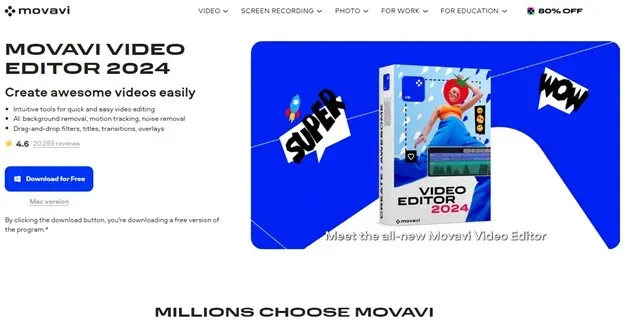
Movavi Video Editor is a great option for both beginners and experienced editors. It works on Windows, macOS, Android, and iOS, and comes packed with powerful tools for editing high-quality videos.
The app includes AI-powered features like background removal, motion tracking, and noise reduction. It also supports drag-and-drop editing, so you can easily add filters, text, overlays, and transitions without any hassle.
If you’re looking for a user-friendly alternative to CapCut, Movavi is definitely worth a try.
| Pros | Cons |
| Easy to trim, cut, and merge video clips | Free version has limited features |
| Simple music and audio adjustments | Some advanced tools require payment |
| User-friendly caption and text options | |
| Great choice for beginners and casual creators |
Notable Stats and Facts:
- Trusted by 70+ million users around the world
- Available in 190 countries and 13 different languages
- Downloaded over 120 million times globally
- More than 5.3 million visits to the official website in the past 3 months
- Ranked #83 in its category among editing tools
2. KineMaster
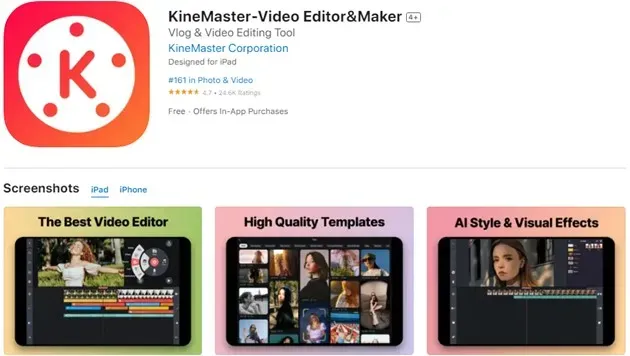
KineMaster is a feature-rich video editing app made for mobile users. It works smoothly on both iOS and Android devices and offers a clean, full-screen timeline making it easy to manage multiple video clips, layers, and effects.
You can add images, videos, text, and audio with ease, even in multi-layered projects. With tools like Chroma Key and AI-powered background removal, KineMaster is great for creators who want professional-quality videos on the go.
It’s especially useful for social media influencers, content creators, and anyone who loves to share creative videos even on apps like Tinder or TikTok.
| Pros | Cons |
| Supports green screen editing with Chroma Key | Free version adds a KineMaster watermark |
| Built-in AI tools to remove backgrounds and enhance visuals | Most premium features require a subscription |
| Can export videos in 4K quality | |
| Access to a library of royalty-free music and sound effects |
Notable Stats and Facts:
- Ranked #19 in its category
- Downloaded 600+ million times worldwide
- Annual revenue estimated at $1M–$2M (SimilarWeb, Feb 2024)
- Over 40 million monthly active users as of Q2 2022
3. OpenShot
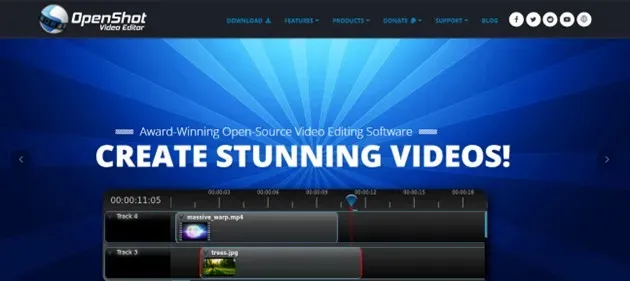
OpenShot is a free and open-source video editor designed for beginners and hobbyists who want to create professional-looking videos without spending money. It’s simple to use, quick to learn, and packed with helpful features.
Whether you’re making school projects, YouTube content, or personal videos, OpenShot gives you the tools to edit, animate, and customize with ease. It runs on Windows, macOS, and Linux, making it one of the best cross-platform editors available.
While it may not have every advanced feature, it’s a solid starting point for anyone new to video editing.
| Pros | Cons |
| Works on Windows, Mac, and Linux | May have performance issues on some devices |
| Easy to use with unlimited tracks and 3D animation support | Interface is not as modern or polished |
| Supports over 70 languages | Some advanced features are missing |
| Offers slow motion, time effects, and keyframe controls |
Notable Stats and Facts:
- The OpenShot Reddit community has over 12,000 members and ranks in the top 6% of Reddit groups
- OpenShot offers a full step-by-step user guide to help you get started
- OpenShot’s translation system supports 100+ languages, making it accessible worldwide
Also Read: Top 20 Apps Like Instacart to Check Out in 2025
4. iMovie
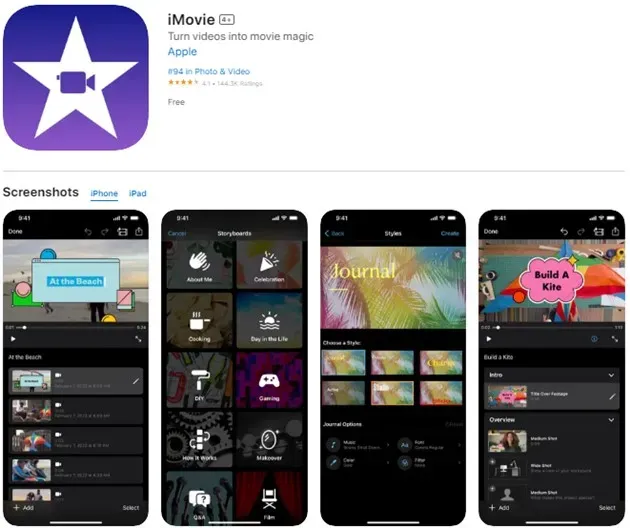
If you use an iPhone, iPad, or Mac, iMovie is a great easy-to-use video editor and a strong alternative to CapCut. It lets you quickly trim videos, add music and animations, and apply many of the same features you find in CapCut.
iMovie works well for all levels from beginners to experienced editors. It’s also useful for businesses wanting to create professional videos for social media or individuals making videos for apps like Instagram, or dating apps.
| Pros | Cons |
| Supports green screen, split-screen, and multi-screen editing | Only available on Apple devices |
| Allows editing and exporting in 4K quality | Requires a lot of storage space |
| Simple to use but still powerful | Large files can take a long time to process |
Notable Stats and Facts:
- Ranked #94 in the Photos & Videos category on the Apple App Store
- Received a 4.5-star rating on Capterra, praised for great value
- Available in English, Arabic, French, and 30+ other languages
Enlyft reports that 129 companies use Apple iMovie, with 17% being small businesses, 31% medium-sized, and 46% large companies.
You may also like: Best App Like Tabby in 2025
5. Adobe Premiere Pro
Adobe Premiere Pro is one of the most popular and long-standing video editing programs used by professionals around the world. Like CapCut, it lets you trim, cut, and add effects and transitions to your videos but with much more advanced tools to make your videos stand out.
Available on Windows and Mac, Premiere Pro is the go-to software for many filmmakers, content creators, and video editors. While it takes some time to learn, once you master it, it’s hard to find a better alternative.
If you want to connect with other video editors, there are apps like Wizz where you can join communities and share your passion.
| Pros | Cons |
| Industry-standard software used by professionals | Steeper learning curve requires time and effort |
| Hundreds of effects, smooth transitions, and advanced color tools | Can be expensive for some users |
| Built-in speech-to-text feature | Only available for Windows and Mac |
| AI-powered aspect ratio adjustments |
Notable Stats and Facts:
- Used by most YouTubers, holding over 45% market share in video editing
- Over 2 million paid subscribers worldwide
- More than 275,000 downloads in Q2 2023 alone
- Around 60% of users are based in the United States
6. DaVinci Resolve
If you want a free yet powerful video editor that’s similar to CapCut but with Premiere Pro-level features, DaVinci Resolve is a top choice. It combines video editing, color correction, motion graphics, and sound design into one professional-grade platform.
This software is widely used by content creators and businesses, especially in online shopping apps that create eye-catching promo and festive videos. While it may feel overwhelming at first, once you get used to the tools, it becomes a very effective editor even for film-quality projects.
| Pros | Cons |
| Trusted by many professional editors and filmmakers | Steep learning curve for beginners |
| Includes advanced features like YRGB color processing and 32-bit float editing | Needs a high-performance system to run smoothly |
| Uses DaVinci’s Emmy-winning image technology | Only available on PC and Mac (not on mobile) |
| One of the best free alternatives to CapCut on desktop |
Notable Stats and Facts:
- Over 5,000 companies use DaVinci Resolve (Enlyft report)
- Among those: 39% are small, 36% medium, and 25% large businesses
- Over 2 million downloads by the end of Q4 2023
- Around 50% of its users are based in the United States
7. Lightworks
Lightworks is a high-quality video editing software that works well as an alternative to CapCut especially for PC users. It supports Windows, macOS, and Linux, and comes with tools for video trimming, audio editing, effects, transitions, and color correction.
Lightworks is suitable for beginners and professionals, offering advanced tools while still being accessible to those just starting. One unique feature is its collaborative editing, which allows multiple users to work on the same project at once great for teams.
| Pros | Cons |
| Free version available for beginners | Steep learning curve for new users |
| Includes built-in effects, transitions, and color grading tools | Export options are limited in the free version |
| Allows team collaboration on the same file | |
| Supports third-party plugins for added functionality |
Notable Stats and Facts:
- Used by over 2 million creators worldwide
- Helped edit famous films like Pulp Fiction, The Wolf of Wall Street, and The King’s Speech
- Integrates with over 10 platforms, including Google Drive, Dropbox, Pexels, and Epidemic Sound
- The Lightworks Reddit community has 1.4K+ members, ideal for collaboration and tips
8. Biteable
Biteable is an easy-to-use online video editor that helps both beginners and professionals create eye-catching videos. Like CapCut, it offers a large library of templates, animations, transitions, and audio tools to help you build quality content fast.
It works right in your web browser on PC, so there’s no need to install software. With tons of built-in scenes, stock footage, and editing options, Biteable is perfect for quick promo videos, explainer clips, or social media content.
| Pros | Cons |
| Simple and beginner-friendly interface | Free version adds watermarks on videos |
| No software needed works online through your browser | Only supports certain browsers |
| Offers a wide range of templates, animations, and stock assets | Paid plan can be expensive for some users |
Notable Stats and Facts:
- Used by over 9 million people globally
- Trusted by 10,000+ companies for video creation
- Received 1.3 million+ website visits in February 2024
- 57.89% of users accessed Biteable via mobile, while 42.11% used desktop devices
Also Read: Apps Like Airbnb
9. InShot
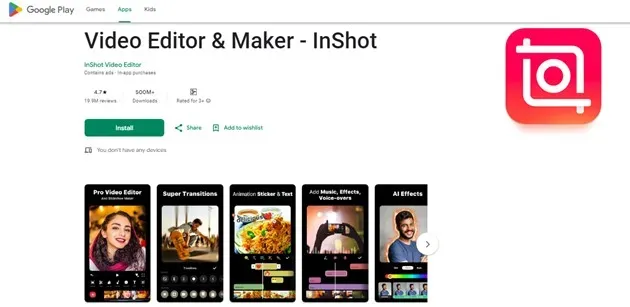
InShot is a popular all-in-one video editing app made for both beginners and casual creators. It comes packed with fun and creative tools like sky replacement, 3D transitions, outfit swaps, and slow-motion effects. You can also use features like auto captions, speed control, and object tracking, making it great for editing content on the go.
It’s perfect for creating videos for social media platforms like Instagram, TikTok, and YouTube, especially with built-in options to export in different sizes and 1080p quality.
| Pros | Cons |
| Offers a wide variety of effects, transitions, and 3D tools | Free version adds watermarks on videos |
| Comes with a big library of music, stickers, and text options | Shows full-screen ads, which can be distracting |
| Supports multiple aspect ratios and exports in high-quality (1080p) | Not ideal for complex, professional-grade editing projects |
Notable Stats and Facts:
- Ranked #3 in the Top Free Photography Apps on the Play Store
- Downloaded over 500 million times worldwide
- Has more than 9 million active users
- Scored a 99% mobile performance rating, showing top-level app speed and efficiency
10. Lumen5
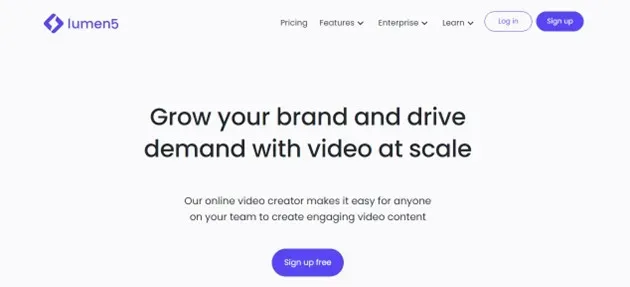
Lumen5 is an easy-to-use online video maker that works well for creators of all skill levels — just like CapCut. It’s known for its drag-and-drop editor and AI-powered automation, which helps turn text into videos with minimal effort.
You don’t need to be an expert to use Lumen5. Simply add your text, and the platform will help build a professional-looking video perfect for marketing content, social posts, and quick presentations.
| Pros | Cons |
| Very beginner-friendly easy to create videos with just text inputs | Doesn’t give full manual control over editing |
| Drag-and-drop interface makes building videos fast and simple | Requires a paid subscription for full features |
| Great for creating branded or storytelling-style content |
Notable Stats and Facts:
- Trusted by over 100,000 brands and businesses
- Reported annual revenue of $5M to $10M as of Feb 2024
- Received more than 500,000 visits from desktop and mobile last month
- Over 15% of total web traffic comes from the United States
11. Animoto
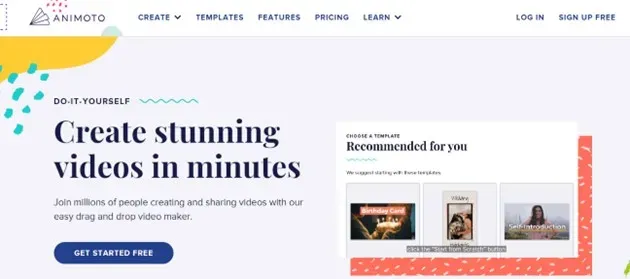
Animoto is a beginner-friendly online video editor that works a lot like CapCut. It’s perfect for those who are just starting out with video editing. You can use drag-and-drop templates to quickly create videos, and even invite others to leave time-stamped comments for feedback.
Once your video is done, you can download it in 1080p HD or share it straight to your social media. Animoto is great for making content like marketing videos, training material, or team updates.
| Pros | Cons |
| Simple and easy way to start making videos | Lacks some advanced editing features |
| Offers cloud storage, stock music, screen recording, and saved templates | Entirely web-based less control compared to installed apps |
| Good for marketing, education, and internal communication videos |
Notable Stats and Facts:
- Estimated revenue between $25M to $50M (as of Feb 2024)
- Ranked #190 in its software category in the U.S.
- Over 700,000 website visits last month
- 40%+ of traffic comes from users in the United States
Bonus Read: Top 10 Apps Like Dave
12. VivaVideo
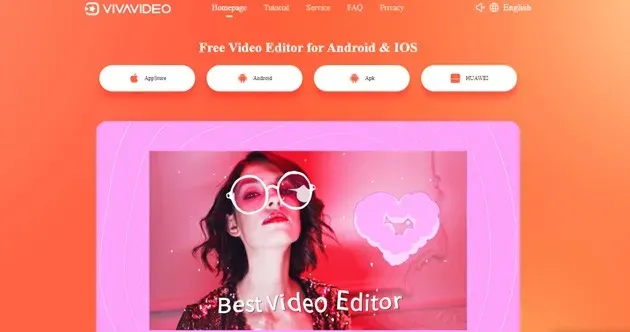
VivaVideo is an easy-to-use mobile video editing app designed for new users and casual creators. It lets you quickly edit videos, add fun effects, emojis, text, transitions, music, and even change video speed all from your phone.
With tons of templates and stock media, VivaVideo makes it simple to create videos for TikTok, Instagram, YouTube, or any other platform without needing editing experience.
| Pros | Cons |
| Great selection of themes and templates for social media content | Free version limits editing to only 5 minutes |
| Add filters and stickers with just a swipe | Some advanced tools are missing in the free plan |
| Easy font and style customization to personalize your videos |
Notable Stats and Facts:
- Ranks #2,288 overall in the U.S. for app usage
- Positioned at #104 on Google Play’s Video Players & Editors list
- Has over 1.1 million active users
- Scored 97 out of 100 for mobile performance
13. Filmora
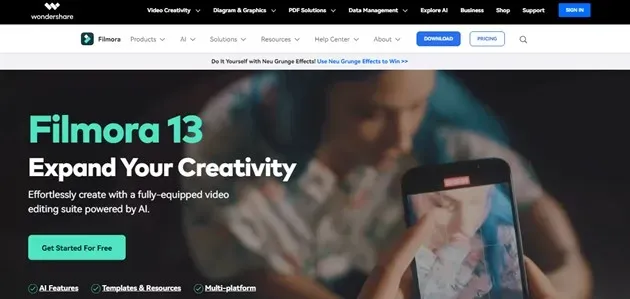
Filmora by Wondershare is a great video editing tool for both PC and mobile users who want something similar to CapCut. It’s perfect for anyone who wants to make professional-looking videos using a simple drag-and-drop interface.
With Filmora, you can easily cut, trim, add music, adjust colors, and apply cool effects without needing advanced editing skills. For mobile users, there’s FilmoraGo, which brings the same easy-to-use experience to your phone.
| Pros | Cons |
| Comes with AI features like smart cut-out, audio cleanup, and silence detection | Some users may find it a bit expensive |
| Huge library with 200+ presets and access to 10 billion+ stock media items | |
| Simple interface with professional-grade plugins and tools |
Notable Stats and Facts:
- Recognized by G2 Crowd, GetApp, and the Shorty Awards as one of the best editing tools
- Offers 200+ YouTube tutorials and 50+ hours of expert training content
- Used by over 1,200 companies around the world
- 30% of users are from the United States, 15% from India, and 6% from France
14. VN Video Editor
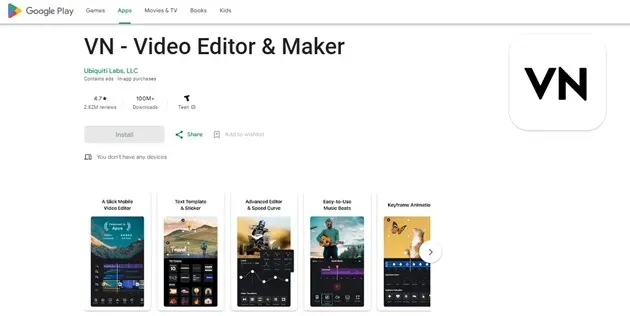
VN Video Editor is an easy and powerful app for editing videos great for beginners and casual users. Even if you’ve never edited a video before, VN makes it simple to turn your photos and music into beautiful content. It’s a solid and beginner-friendly alternative to CapCut.
The app supports multiple video formats, offers creative tools like text styles, stickers, speed control, and even lets you preview your video in full-screen before saving it.
| Pros | Cons |
| Includes varied text formats, stickers, speed tools, and music tuning | Some users have reported lag and performance issues |
| Offers a simple, clean interface | |
| Supports multiple video formats and full-screen previews |
Notable Stats and Facts:
- Ranked #2,601 in overall app usage
- Sits at #64 on Google Play’s Video Players & Editors list
- Downloaded over 150 million times worldwide
- Also ranked #65 in the same video editing category for Android users
Read more: Top 10 Apps Like Snapchat
15. LightCut
LightCut is a mobile video editor that uses AI to help you create amazing videos with just a few taps. It’s made for beginners and casual users who want quick and stylish results. The app supports various video formats, including drone footage, and comes with plenty of ready-made templates to get started right away.
Whether you’re making a travel vlog, product highlight, or social media reel, LightCut makes editing fast, fun, and beginner-friendly.
| Pros | Cons |
| Super easy to use, even for complete beginners | Doesn’t offer full control for customizing templates |
| Offers tips and guides to improve your video style | Template options are somewhat limited |
| Supports drone videos and multiple video formats |
Notable Stats and Facts:
- Downloaded over 1 million times
- Ranked #131 in Google Play’s Video Players & Editors category
- Received over 26,000 user ratings
- Got 110,000+ new downloads recently
16. Camtasia
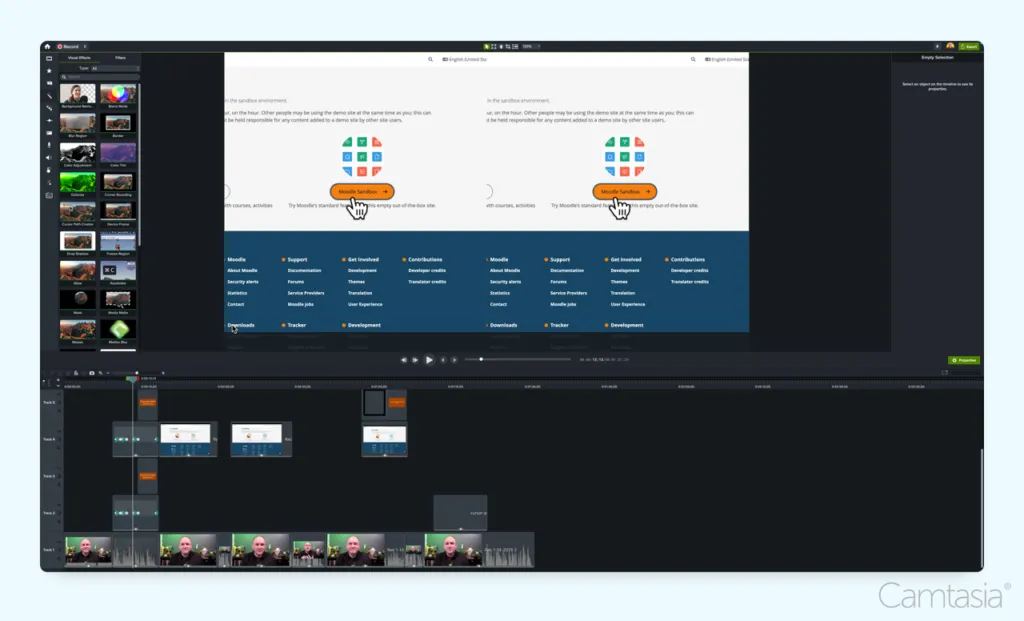
Camtasia is a desktop video editor that’s great for beginners but also powerful enough for pros. It offers easy drag-and-drop editing, screen recording, transitions, and callouts to help you create polished videos fast. The app comes with many customizable templates and animations so you don’t have to spend hours editing manually.
It works on both Windows and Mac, and there’s a free version available that adds a watermark. Camtasia is perfect for making tutorials, marketing videos, or YouTube content that looks professional without much hassle.
Whether you want to record on your phone and edit on your computer or just need more control than mobile apps offer, Camtasia lets you work smoothly and create high-quality videos with ease.
| Pros | Cons |
| Beginner-friendly with powerful editing features | Free version adds a watermark |
| Includes screen recording and multi-track editing | Desktop app only, no mobile version |
| Lots of customizable templates and animations | Can take some time to learn fully |
Notable Stats and Facts:
- Trusted by millions of creators worldwide
- Works on both Windows and Mac
- Highly rated on G2 and other review platforms
17. VEED
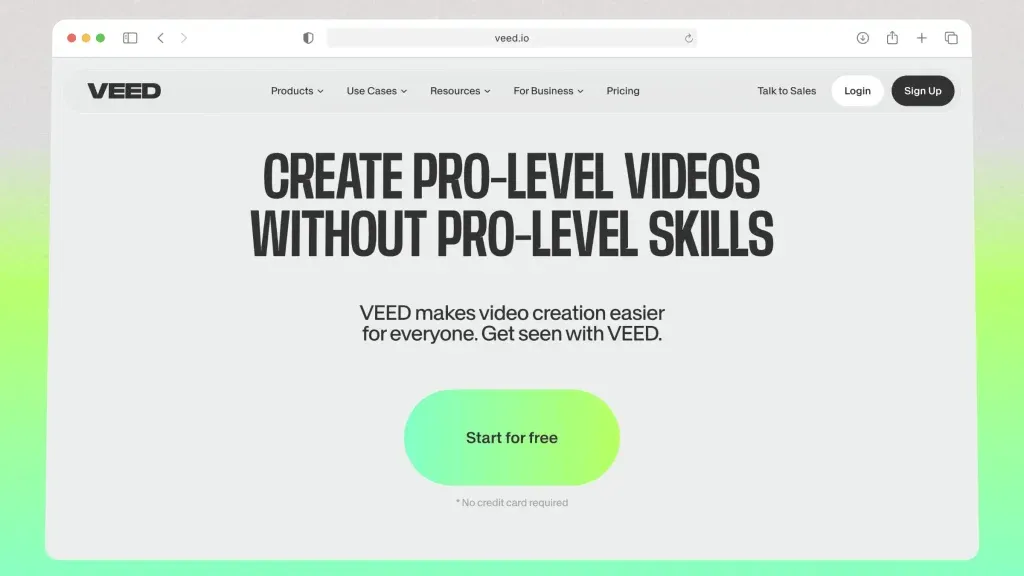
VEED is an online video editor with many useful tools for both beginners and experienced users. It has an easy-to-use interface and features like automatic subtitles, making it a great choice for creating social media videos quickly.
You can work with your team using its collaboration features, and it also offers good templates to speed up your editing process. Since it’s web-based, you’ll need a stable internet connection to use it well.
| Pros | Cons |
| Easy and clean interface | Limited advanced editing features |
| Automatically generates subtitles | Can be slow when processing large files |
| Collaboration tools for teams | Some useful features require paid plans |
| Offers ready-made templates | Requires a good internet connection |
Notable Stats and Facts:
- Popular for subtitle and transcription tools, team collaboration, and fast templates
- Offers a free plan, with paid plans starting at $18/month
- Ideal for social media content creators and marketing teams
Also Read: Top 10 Apps Like Pinterest
18. Clipchamp
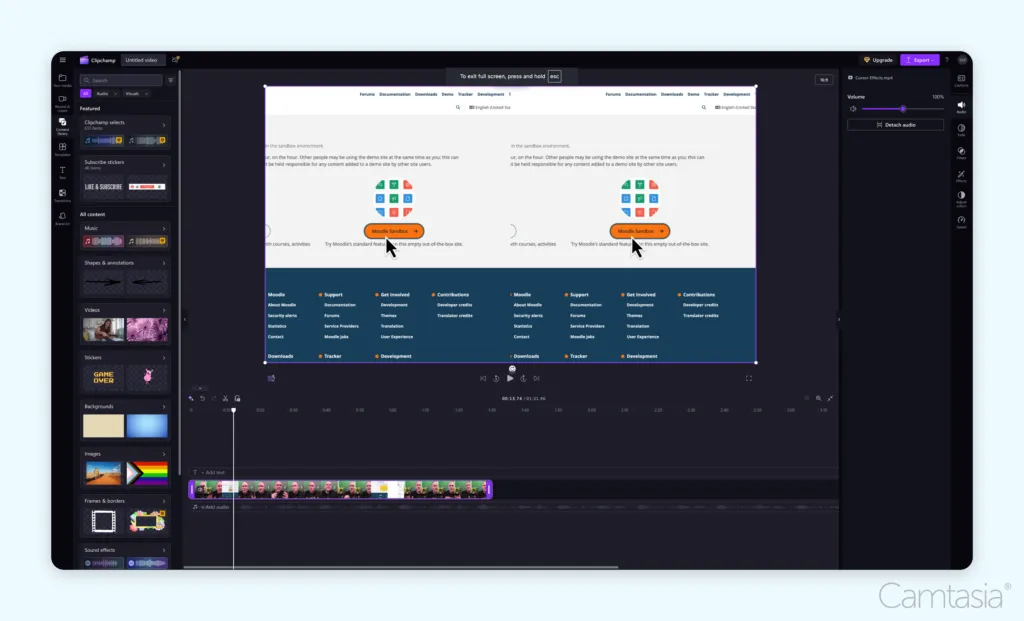
Clipchamp is a beginner-friendly video editor now owned by Microsoft. It’s perfect for users who are just starting out with editing and want an easy and clean interface. Whether you’re making a short video for social media or editing a presentation, Clipchamp makes the process simple.
It offers drag-and-drop editing, AI-powered auto captions, and works smoothly with Microsoft 365 tools, making it ideal for both personal and light business use. You can use it directly in your browser, or on Windows and Chromebook devices.
| Pros | Cons |
| Easy drag-and-drop editing | Some advanced features require a paid plan |
| Built-in AI subtitle generator | Not as powerful as pro editing software |
| Integrated with Microsoft 365 for better workflow | Mostly optimized for web and Windows users |
Notable Stats and Facts:
- Fully integrated with Windows 11 and Microsoft 365
- Works on Windows, Chromebook, and web browsers
- Great for entry-level editors, students, and casual creators
- Owned by Microsoft, ensuring long-term support and security
19. Descript
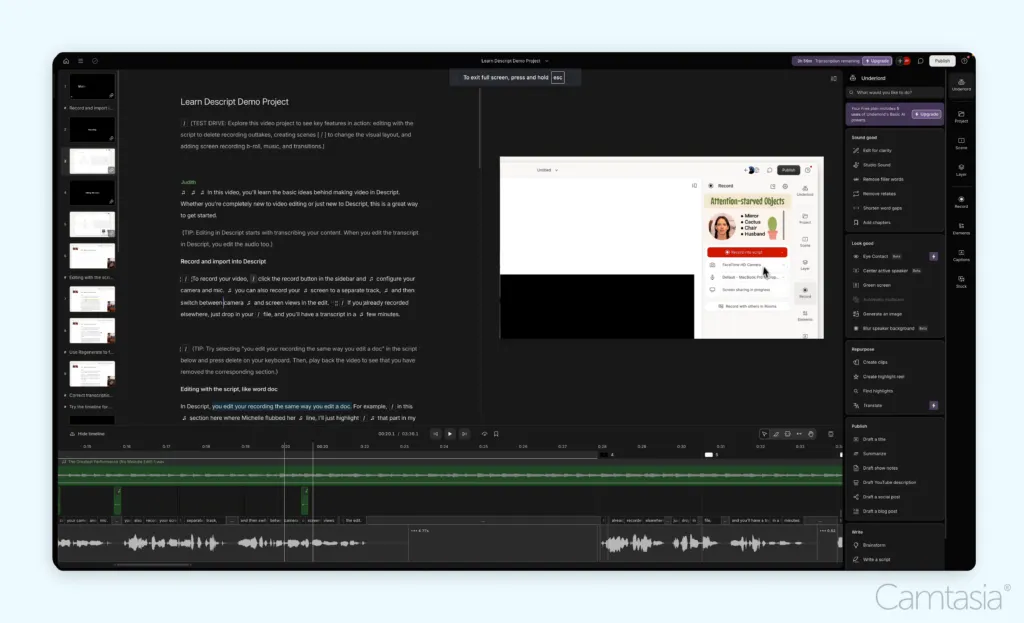
Descript is an AI-powered video and audio editor made for modern creators who want to save time and repurpose content for multiple platforms. It works on Windows, Mac, and Web, and is great for podcasters, marketers, YouTubers, and social media content creators.
What makes Descript special is its text-based video editing you can edit your video by just editing the transcript like a document. It also removes filler words like “uh” or “um” automatically and generates short clips for social media using AI.
| Pros | Cons |
| Edit videos by editing text super beginner-friendly | Free version has limited export quality and tools |
| AI removes filler words automatically | Requires internet for most features |
| Great for turning long videos into short clips for social media | Might not suit those who prefer manual editing |
| Includes a stock media library | Some advanced tools are behind a paywall |
Notable Stats and Facts:
- Used by content creators, podcast editors, and marketing team
- Features AI video editing, transcription, and clip generation
- Works smoothly across Windows, Mac, and browser
- Ideal for repurposing content across YouTube, Instagram, TikTok, and podcasts
20. TikTok
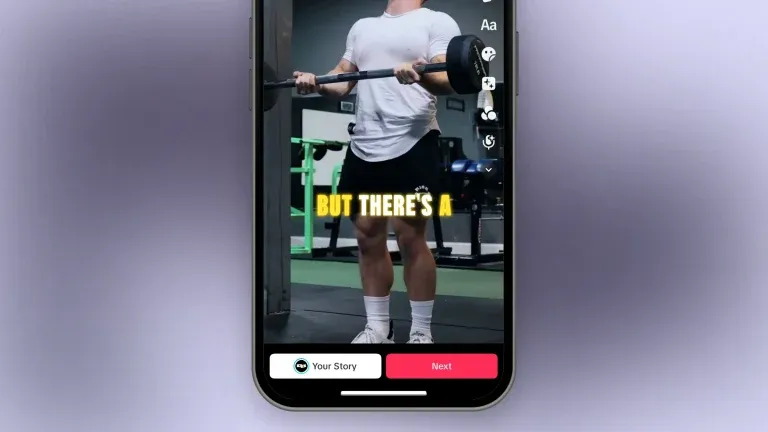
TikTok isn’t just a popular app for sharing videos it also comes with a built-in video editor that helps you create quick and fun content in minutes. With basic trimming tools, text overlays, filters, effects, and access to a massive music library, it’s perfect for short-form content.
It’s ideal for users who want to make engaging social media videos without using extra editing software. Just shoot, edit, and upload all from the same app like TikTok.
| Pros | Cons |
| Simple and easy-to-use interface | Only supports short video formats |
| Huge variety of filters, effects, and stickers | Lacks advanced editing tools |
| Direct access to popular music and trending audio | Not suitable for complex or professional edits |
| Fast editing and publishing right inside the app | Requires a stable internet connection |
Notable Stats and Facts:
- TikTok’s editor is built directly into the app
- Used by millions of creators worldwide for short-form videos
- Popular for trending content, challenges, and viral videos
- Completely free and available on iOS and Android
Other New and Lesser-Known Apps Like CapCut
Most of us know the big names like iMovie, Filmora, and other top video editors. But what about the newer or lesser-known ones that are just as good or even better for certain creators?
Well, this isn’t your average blog post. We’re shining a light on four fresh and underrated video editing apps that you probably haven’t heard of (but should definitely check out).
Let’s dive in and discover some new favorites that might just surprise you!
1. VLLO
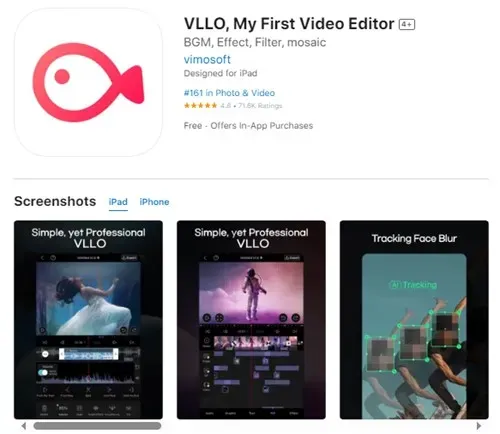
VLLO is a user-friendly and free video editing app, perfect for anyone looking to make great social media videos without needing advanced skills. It comes with easy drag-and-drop tools, lets you edit videos in just a few minutes, and even supports cinematic effects. You also get access to free music, stickers, and 4K editing support.
Whether you’re making content for Instagram, TikTok, or YouTube, VLLO helps you get the job done quickly and easily.
| Pros | Cons |
| Thousands of royalty-free music and sound effects built-in | Some users report sudden crashes during editing |
| Simple pinch-to-zoom feature for easy control | Most premium stickers and effects are locked in paid plan |
| Supports 4K video editing for high-quality output | |
| Over 5,000 animated stickers and moving text styles |
Notable Stats and Facts:
- 10+ million downloads on the Google Play Store
- Available in English, French, Chinese, and 10+ other languages
- Featured under “Apps We Love” on the Apple App Store
- Offers royalty-free music for worry-free publishing
2. YouCut
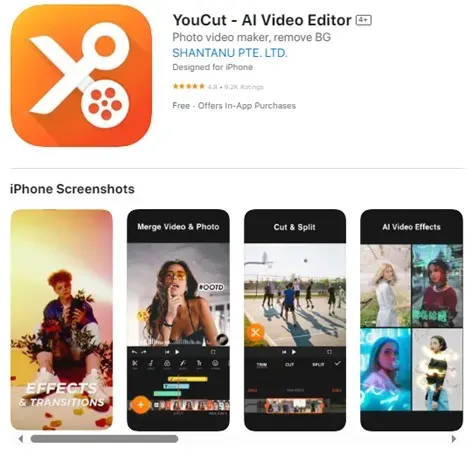
YouCut is a newer video editing app compared to CapCut, but it has quickly become super popular with millions of users. It’s a free, easy-to-use app that gives you powerful editing tools and the best part? No watermarks and no annoying ads on your videos.
With YouCut, you can cut, trim, and edit your videos like a pro. Whether you’re making content for TikTok, Instagram, or YouTube, this app makes editing smooth and beginner-friendly.
| Pros | Cons |
| Slow and fast motion editing (0.2x to 100x speed) | Some advanced features are locked in paid version |
| 100+ built-in sound effects and music tracks | Export options are limited in free version (mostly 720p) |
| AI filters and movie-style effects | |
| Easily change background or add blur |
Notable Stats and Facts:
- No watermark on exported videos even in free version
- Includes AI art and video effect tools
- Allows direct sharing to TikTok, Instagram, and YouTube
- Over 100 million downloads on the Google Play Store
3. 1 Min AI
1 Min AI is a smart video editing app that uses powerful AI tools to help you create amazing videos in just a minute just like its name says. It’s a strong CapCut alternative, especially for solo creators, educators, influencers, and students. Whether you’re editing content, designing, podcasting, or posting on social media, 1 Min AI makes it fast and simple.
It’s packed with advanced features, yet still super easy to use even if you’re a beginner.
| Pros | Cons |
| Uses top AI tools for content creation, photo editing, and social media | Free version has limited features |
| Super easy to use with a clean, user-friendly interface | Premium pricing may feel expensive for some users |
| Includes AI background remover, image upscaler, and more |
Notable Stats and Facts:
- Powered by top AI tech including OpenAI, Midjourney, Stability AI, Google AI, Meta, and more
- Used by 100,000+ creators across different industries
- Trusted by platforms like AWS Startups, Slashdot, Trustpilot, and SourceForge
- Fully AI-driven platform for faster, smarter content creation
4. Splice
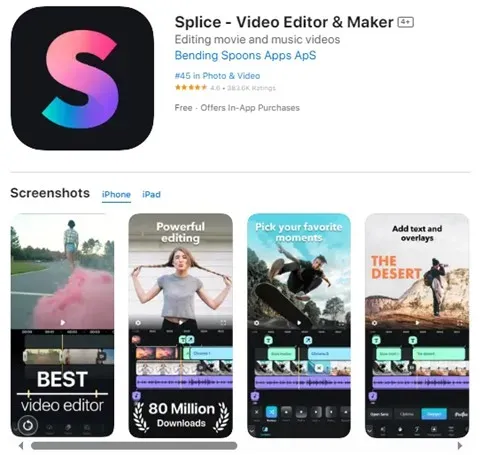
Splice is a powerful mobile video editing app like CapCut but made for people who want a mix of professional tools and easy controls. Available on both iOS and Android, Splice lets you edit videos fast, add music, and apply cool effects without feeling overwhelmed.
It has features like speed ramping (to slow down or speed up clips), drag-and-drop editing, and a massive library of sounds and music. Whether you’re new to editing or a seasoned creator, Splice gives you the tools to create polished content on the go.
| Pros | Cons |
| Packed with advanced tools for professional editing | Subscription and in-app purchases can be pricey |
| Super easy and smooth interface | Some premium features only in paid version |
| Great for both beginners and experienced users |
Notable Stats and Facts:
- Over 70 million users worldwide
- More than 125,000 reviews on Google Play
- Popular in the US, UK, Canada, Italy, India, and many more countries
- Around 44% of Splice users are from Gen Z
Best Extra Tools to Help With Apps Like CapCut
Most video editing apps give you everything in one place music, effects, templates, and editing tools. That’s great when you just want to make a quick video. But sometimes, these built-in features are limited, especially if you’re using the free version. You may need to pay for advanced tools or more content.
That’s where extra (supporting) tools come in handy.
Whether you need free music, better templates, or fresh video ideas, these extra tools can take your editing to the next level. Below, we’ve listed some of the best platforms to help you get more creative and get the most out of apps like CapCut without always needing to upgrade to a paid plan.
Subtitle Editors
Adding subtitles to your videos is a smart way to make your content more accessible and engaging. Whether it’s for social media, YouTube, or professional projects, subtitles help more people understand and enjoy your videos. Here are some popular tools you can use to create and edit subtitles with ease:
-
Visual Sub Sync
Visual Sub Sync is a free tool that helps you create subtitles by showing the audio as a waveform. This makes it easier to match subtitles with speech. It supports popular formats like SRT and SSA/ASS, and also comes with helpful features like error checking and speed suggestions to improve your subtitle timing and quality.
-
Subtitle Workshop
Subtitle Workshop is another easy-to-use, free program that supports over 60 subtitle formats. You can create, open, edit, and convert subtitle files with its built-in subtitle API library. It also includes smart tools like text cleanup, automatic line adjustments, and customizable settings perfect for both beginners and advanced users.
-
Aegisub
Aegisub is a powerful, open-source subtitle editor that works on Windows, Mac, and Linux. It offers advanced features like text styling, timing tools, and real-time video previews, making subtitle creation and editing smooth and precise. Great for users who want more control over how their subtitles look and behave.
Image Editors
Sometimes you have great photos or graphics, but they need some fixing maybe the focus is off, the quality is low, or there are unwanted things in the background. That’s where image editing tools help! Here are some useful photo editors to improve and adjust your pictures easily.
-
PhotoDirector Essential
PhotoDirector Essential uses AI to help you create amazing images. You can turn simple photos into stunning pictures, remove backgrounds with a click, and enhance your photos automatically. It also offers features like face swapping, AI-powered replacements, and quick retouching all in one easy-to-use app.
-
MyEdit Image Editing Tool
MyEdit is a smart AI photo editor that helps you improve your images or create new ones from scratch. It’s user-friendly and fast, making it simple to get beautiful results using the power of artificial intelligence.
-
Promeo
Promeo is an AI-powered creative studio designed for brands, products, and social media ads. It lets you generate custom backgrounds, remove unwanted objects, enhance images, and use many templates to create eye-catching visuals quickly and easily.
Royalty-Free Music Platforms
No video feels complete without good music unless you’re making ASMR videos! Here are some great sites where you can find royalty-free music for your projects.
-
YouTube Audio Library
If you create videos for YouTube, the YouTube Audio Library is a perfect choice. It offers lots of free music and sound effects you can use in your YouTube videos. Keep in mind, you need a YouTube Studio account, and the music can only be used on YouTube.
-
Bensound
Bensound has a large collection of royalty-free tracks for YouTube, Instagram, Twitch, and many other platforms. You can download music easily, but you need to give credit to the artist when you use their music.
-
Chosic
Chosic is another good site for free music, though it has some ads. You can find a variety of music styles from soft and sweet melodies to energetic instrumentals. It’s great for YouTube, social media, and commercial use.
Editable Video Template Platforms
Sometimes, starting with a ready-made template is all you need to make your video look great quickly. Here are some top platforms where you can find editable video templates.
-
Motion Array
Motion Array is known for its excellent After Effects templates. When you visit their site, you’ll see tons of templates right away. They also provide presets for Adobe Premiere Pro and DaVinci Resolve. Besides templates, you can find footage, music, sound effects, graphics, and plugins. You can try it for free, but the subscription price might be a bit high for some.
-
Envato Elements
Envato Elements is a popular platform packed with video templates, graphics, and other design assets. It offers a large collection of royalty-free templates. Though the subscription isn’t cheap, many users find it worth the price for the wide variety of high-quality resources.
-
Wave.Video
Wave.Video offers free video templates that help you create attractive videos easily. Their templates are sorted into categories like live streaming, new arrivals, popular choices, and special deals. You can also find intro/outro templates, listicle styles, and testimonial formats to fit your needs.
Voice Generator Tools
Not everyone feels comfortable using their own voice or speaking into a microphone. That’s where AI voice generator tools come in handy.
-
Speechify
Speechify is great if you want someone to read books or scripts aloud for your videos. It even features voices from famous celebrities like Gwyneth Paltrow, Snoop Dogg, and Mr. Beast. With over 250,000 reviews, Speechify is ranked #1 in the Magazines and Newspapers category on the App Store.
-
VoiceGenerator
VoiceGenerator is a handy text-to-speech tool offering hundreds of voice options. Though it includes some ads, it’s easy to use. You can also try their VoiceChanger feature to add cool effects to the voice.
-
WooTechy
WooTechy offers more than 3,000 realistic AI voices in over 100 languages and accents. It includes features like AI voice cloning and voice changing. You can even pick voices from popular anime characters like Goku or Optimus Prime.
Idea Generator Tools
Creative blocks can hit anyone, anytime. When that happens, don’t worry! These idea generator tools can help you find fresh inspiration easily.
-
Ahrefs
Ahrefs is known for SEO, but it’s also great for generating free AI-powered content ideas. Just enter your topic or niche, choose your preferred style, and get ideas for blogs, videos, social media posts, or YouTube content.
-
Google Trends
Google Trends lets you discover what’s popular right now worldwide. It’s simple to use and perfect for finding hot topics to create your next video or post.
-
Writesonic
Writesonic is a free AI tool that helps you come up with catchy YouTube video ideas. Just add your topic, keywords, tone, and language, and it will suggest creative ideas to get you started.
How to Pick the Best CapCut Alternative
There are lots of apps like CapCut that help you make amazing videos for social media and marketing. But the best choice depends on what you need. Here are some things to keep in mind when picking a CapCut alternative.
-
Easy to Use
Look for an app that’s simple and clear to use. The interface should be easy to understand, smooth to navigate, and friendly for beginners.
-
Helpful Tips and Guides
Good apps often include tutorials, tips, or pop-up guides to help you get the most out of their features. This makes learning faster and easier.
-
Strong Editing Features
Check if the app has a variety of editing tools like trimming, filters, effects, stickers, text options, and music editing. The more features, the better your videos will look.
-
Lots of Extras
Make sure the app offers a big collection of extras like effects, stickers, and design elements to make your videos stand out.
After choosing your video editor, you might also want to explore apps like Omegle for live chatting or consider building your own video sharing app like Instagram. If you do, a trusted mobile app development company can help bring your idea to life.
Final Thoughts
CapCut has been a favorite for a long time, but now there are many great video editing apps like CapCut available. People use these tools to create amazing videos and get lots of attention online.
We’ve carefully chosen the best apps and platforms for video editing and sharing to help you find the right fit. We hope this guide helps you pick the perfect tool for your needs. Enjoy making your videos!
Frequently Asked Questions
What key features should you look for in apps like CapCut?
When choosing apps like CapCut, keep an eye out for these important features:
- Easy-to-use and simple interface
- Large collection of effects, stickers, and other assets
- Strong editing tools like trimming, transitions, and filters
- Helpful tips, tutorials, or guides to assist you
Can apps like CapCut be used for professional video editing?
Many content creators on YouTube and social media use apps like CapCut for quick and simple edits. However, for more advanced and professional work, software like Adobe Premiere Pro and DaVinci Resolve are the top choices in filmmaking and entertainment industries.
Which platforms do CapCut alternatives work on?
CapCut alternatives are available on all major platforms, including Windows, Mac, Android, and iOS. Check out our full list to see which app works best for your device.
Do any CapCut alternatives support 4K video editing and export?
Yes! Many apps like CapCut support 4K editing. For example, DaVinci Resolve is a top free option that lets you edit and export 4K videos easily. It’s perfect for creators working with high-resolution files.
What are the best CapCut alternatives for beginners?
If you’re just starting with video editing, here are some easy-to-use CapCut alternatives that are great for beginners:
- Movavi Video Editor – Simple and user-friendly with helpful tools.
- KineMaster – Mobile-friendly with lots of effects and templates.
- OpenShot – Free and open-source with basic editing features.
- iMovie – Great for Apple users; clean and intuitive design.
- Lightworks – Has a learning curve but comes with strong editing tools.
- Biteable – Web-based, perfect for quick and stylish videos.
- InShot – Best for short social media videos.
- Lumen5 – AI-powered and great for text-based content.
- Animoto – Drag-and-drop video maker with templates.
- LightCut – Mobile app that uses AI to make editing simple.