A few missing dollars. A sudden, unexpected refund. A voided transaction nobody remembers and claims approving. Behind the scenes of running a restaurant. None less than a constant battle for your margins.
You witness food going to waste, argue over rising ingredient costs, and schedule shifts down to the minutes. But there is an invisible leak, which might be draining your profits in plain sight: Internal shrinkage. It is rarely obvious as a hand grabbing cash from the till anymore. The theft that happens today is all done digitally, hiding inside your point of sale system.
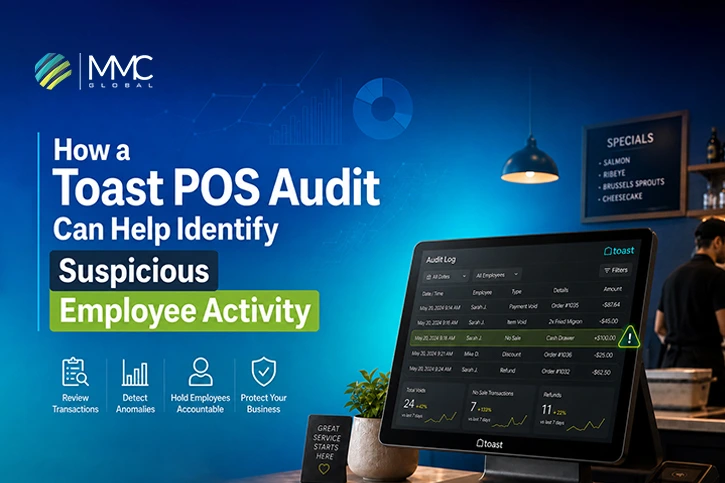
This is where a Toast POS audit becomes necessary. Every action performed inside Toast POS leaves behind digital proof. The main challenge is not collecting the data, but knowing exactly what to look for.
A properly executed Toast POS audit for suspicious employee activity lets restaurant owners unveil patterns that manual reviews mostly ignore.
Before you can identify suspicious behavior, this guide breaks down exactly how the entire process runs.
1: Inside Toast POS: Understanding Employee Activity Data Flow
Every single tap on a Toast terminal screen triggers an automated sequence of background data events, recording system actions to build a continuous, tamper-proof architectural map of restaurant traffic.
Event Tracking Layer
The moment an employee interacts with the user interface, the system creates a localized telemetry event. This background log tracks screen interactions in real-time, documenting changes to menu configurations before sending data packages over secure networks.
User Identity Mapping
Toast ties every active system session to a specific login profile through unique alphanumeric identifier tokens. The application database uses role-based validation to make sure that permission levels match the active user ID for every single menu modification.
Transaction Linking System
The backend framework binds all operational events to a single, permanent ledger entry using an auto-incrementing transactional database structure. This method connects every open ticket, payment type, and hardware terminal directly to a unified digital trail.
Exception Tracking Layer
The platform treats every modification to an active payment ticket as a data exception. When items are removed, modified, or discounted, the ledger isolates these changes within a specialized database table designed for POS fraud detection.
Audit Output Layer
Once the cloud servers process these transaction logs, the system structures the raw data entries into an immutable format. This layer converts background metrics into organized transaction audit logs that business owners can review for security investigations.
2: How To Run A Toast POS Employee Activity Audit?
To catch funny business, you have to know where the data hides. This is your practical guide to navigating the dashboard, digging into daily shifts, and pulling out the exact proof you need.
Open Reports
- Log in to your main Toast Web back-office on your browser.
- Head over to the left-hand menu, and click on Reports.
- From there, jump straight into the Cash and Loss Management section, which serves as your main hub for tracking employee slip-ups, hidden register tweaks, and cash drawer discrepancies.
Filter Employees
Don’t waste time looking at twenty staff members at once.
- Use the dropdown filters to narrow your search to specific dates, high-risk shifts, or individual server profiles.
- Isolating data this way lets a targeted Toast POS employee activity audit show you one person’s timeline without the noise of the rest of the crew.
Check Transactions
- Once your filters are set, click into the specific transaction rows to view the full history of a table’s bill.
- Look past the final payment amount and examine the line-by-line history to see when items appeared on the screen and when they mysteriously vanished before checkout.
Review Activity
- Now, look for weird habits and repeated actions that break standard operating procedures.
- Compare how often a specific server handles cash orders against their total number of deletions.
- Look closely for spikes in drawer openings that don’t match up with actual, completed food sales.
Generate Report
When you find a pattern that looks wrong, hit the export button to download the data as a clean spreadsheet or PDF file.
Saving these parsed files gives you an unchangeable Toast POS suspicious activity report that you can use for staff meetings, write-ups, or deeper financial reviews.
3: 3 Common Employee Scams – How Toast POS Audit Catches Them
When someone decides to play with your system, they get incredibly creative with their keystrokes. It is a digital hide-and-seek game where staff use specific buttons to make cash sales completely disappear from your daily ledger.
If digging into these sneaky patterns feels overwhelming, the professional Toast POS auditors can step in to handle your data monitoring, turning your register back into a secure profit center.
Void Abuse
The classic “wagon wheel” maneuver is a favorite for servers who prefer to keep their cash tips on a much larger scale. The server takes a cash order for a high-cost item, serves the guest, collects the cash, and then treats the item like an accidental screen tap.
- The Hustle: The main goal here is to make the item vanish from the active ticket right before closing it out, allowing the employee to slide the cash directly into their pocket without leaving an unpaid balance on the register.
- The Digital Footprint: Running a targeted Toast POS void transaction audit immediately exposes it by highlighting transactions where a high-value item was deleted long after the initial order entry, showing a massive time gap between the kitchen ticket and the screen wipe.
- The System Flags: The audit logs will reveal a high volume of post-printing voids assigned to a single user ID, often occurring right at the end of a shift or paired with repeated manager credential overrides that happen when a supervisor isn’t actually standing at the terminal.
Fake Refunds
This trick is the absolute holy grail for dishonest staff, as it allows them to extract money from a cash drawer that was already counted and settled hours ago. It turns a closed, perfectly normal customer interaction into an artificial loss.
- The Hustle: The employee accesses a closed receipt from earlier in the day, claims the guest returned their food or complained about a bad experience, and processes a return to pocket the cash balance or transfer it to a personal debit card.
- The Digital Footprint: Conducting a rigorous Toast POS refund audit exposes these phantom returns by finding the root cause of exactly when the transaction occurred, which terminal was used, and which staff account initiated the payback sequences.
- The System Flags: The backend report pulls back the curtain on high-volume card-not-present returns, revealing a pattern where refunds consistently happen on cash-heavy shifts, or when specific user profiles execute credit balances right before clocking out for the night.
Discount Misuse
This is a common, subtle way to drain profits, where employees use the restaurant’s own promotional tools to play “Robin Hood” for their friends or pocket extra cash from unsuspecting guests.
- The Hustle: The server pockets the full cash amount from a standard guest check, but before closing the ticket in the system, they apply a heavy coupon or a 50% “Friends and Family” discount to make the final balance match the remaining cash left in the drawer.
- The Digital Footprint: The system logs track every single discount trigger, automatically building a comprehensive Toast POS suspicious activity report that stacks individual server discount percentages against the rest of the team’s shift averages.
- The System Flags: The data will flag individual accounts that have massive spikes in high-percentage discounts, frequent usage of manual dollar-off overrides, or recurring promotional applications on cash transactions compared to credit card tables.
4: Simple Steps To Auditing Your Transactions
Now that you know what to look for, it is time to build a solid case. Validating suspicious activity requires a careful, disciplined approach to your data, so that you sort out actual malicious behavior from simple, honest mistakes.
The following steps outline how to isolate the data, extract the necessary proof, and cross-reference your records to find out exactly what happened on the restaurant floor.
1. Define Data Window
Start by narrowing your focus to a specific timeline where inventory or cash shortages occurred.
Pinpoint the exact dates, hours, and terminal locations to avoid sifting through weeks of irrelevant sales information, giving you a manageable window for your investigation.
2. Export Exception Logs
Pull the raw data files for the specific timeline you have chosen. Focus on downloading the complete lists for voids, returns, and cash drawer openings, making sure you have the full backend details.
3. Match Labor vs Transactions
Line up your shift schedules and clock-in times right next to those transaction adjustments. Checking this timeline guarantees that the employee tied to a suspicious transaction edit was actually clocked in and working at the exact moment the change was made.
4. Verify Manager Approvals
Examine the supervisor permissions used to clear those high-value edits. Review the timestamps of the overrides to confirm that the manager associated with the security code was physically present at the station to authorize the change, uncovering any shared passcodes.
5: Why Manually Checking Audit Reports Are Becoming Outdated?
Deep inside every knows that sitting in a back office staring at rows of numbers after a 60-hour workweek is exhausting. Running an occasional Toast POS employee activity audit is a great starting point, but relying entirely on manual oversight leaves your cash flow vulnerable.
The harsh reality of traditional data checking is that it forces you to act like a detective looking backward at a crime scene rather than stopping the damage as it happens. When you manually read through data files, you run into serious structural limitations that make it incredibly difficult to stay ahead of internal fraud.
Scalability Issues in Manual Audits
- High-volume restaurants generate thousands of transactions every day, creating a big wall of information that is incredibly tedious for a busy operator to filter through line by line.
- Spending hours every week trying to spot subtle errors in spreadsheets takes you away from managing your floor and training your team.
- When manually scrolling through extensive logs, it is incredibly easy to miss out on small, repeating anomalies that hide inside normal-looking transactions.
- Trying to balance and track individual employee behaviors across several restaurant locations at the same time is practically impossible using manual spreadsheet reviews.
Shared PIN and Credential Risks
- Standard 4-digit numerical passcodes are easily observed over a shoulder or shared among busy staff members during a rush.
- When employees use leaked manager credentials to bypass restrictions, your transaction audit logs lose their integrity because the system records an unauthorized action under a supervisor’s name.
- Old point-of-sale setups do not feature advanced or physical verification steps, meaning the system only confirms that a passcode was entered, not who actually typed it.
- When access controls are weak, tracing the real identity of a user behind a suspicious system edit becomes a guessing game, making it incredibly difficult to enforce true staff accountability.
Reactive Security Delays in Manual Audits
- Because manual reviews usually happen on a weekly or monthly basis, internal issues are typically discovered days or weeks after the cash has already left the building.
- Discovering a problem long after a shift has ended means the financial loss has already hit your bottom line, severely reducing your chances of recovering those stolen funds.
- Standard reporting frameworks do not provide immediate warnings, leaving you completely in the dark while live transaction manipulation is actively happening on the floor.
- Relying on retrospective reviews forces your restaurant loss prevention strategy to stay completely reactive, meaning you are always cleaning up financial messes rather than actively preventing them.
6: When To Consider Professional Toast POS Audit Services?
Knowing when to step back and bring in professional help can save your restaurant thousands or even millions of dollars in lost revenue. While running basic reports is a great habit, certain business milestones and red flags demand sharp eyes to untangle the data. In such cases, professional Toast POS Consulting Services can help you analyze transaction patterns, identify risks, and prevent ongoing revenue loss before it escalates.
If you are noticing discrepancies but cannot pin down the source, it might be time to stop guessing and bring in external expertise. Here are the clear indicators that your operation has outgrown basic DIY reporting and needs a professional data intervention.
- Frequent Cash Variances: Repeated mismatches between recorded sales and actual cash balances left in your drawers at the end of the night.
- Refund Irregularities: Unexplained increases in refunds, reversals, or post-shift transaction adjustments that drain your profits.
- Excessive Void Activity: High numbers of voided orders are stacking up on the system, especially from specific employees or during specific shifts.
- Sales Discrepancies: Noticeable differences between your expected floor revenue based on guest traffic and the reported transaction totals.
- Multi-Location Complexity: Growing difficulty trying to monitor complex employee activity and stick to security rules across several restaurant locations.
- Employee Misconduct Concerns: Suspicious transaction patterns that strongly suggest unauthorized staff behavior or intentional system manipulation.
- Inventory Shrinkage: High inventory and ingredient losses that simply cannot be explained through your standard recorded sales data.
- Limited Audit Visibility: An inability to identify exactly who performed specific unauthorized or suspicious actions within your POS system logs.
- Delayed Issue Detection: Operational fraud or major cash balancing issues are discovered days or weeks after they actually occur on the floor.
- Resource Constraints: Restaurant managers are completely lacking the extra time or data expertise required to perform detailed audit investigations.
- Compliance Requirements: A pressing need for documented audit findings to support formal internal reviews, terminations, and accountability measures.
Let MMC Global Save Your Margins With Toast POS Audit Services
Real talk: you did not open a restaurant to play digital detective or spend your rare nights off scrolling through endless rows of backend logs. Your margins are already fighting rising ingredient costs and tight labor budgets; the last thing you need is an invisible leak at the cash drawer undoing all your hard work.
While running a standard Toast POS audit by hand is a great first step, it simply isn’t built to scale with a busy floor. Relying on retrospective reviews means you are always playing catch-up, spotting anomalies days or weeks after the revenue has already vanished.
MMC Global is the ultimate savior to remove the struggle of manual spreadsheet filtering and broken audit trails by handling the heavy technical lifting for you. We analyze your transaction flows, track credential risks, and isolate the exact patterns causing your shortages, turning your POS data into a sharp tool for restaurant loss prevention.
Let’s connect today, audit your system the right way, and build a bulletproof safeguard that keeps your hard-earned revenue exactly where it belongs, in your business.