Mobile applications are supposed to make life easy. But not every other is built with this mindset. Suppose you have a check in your hand, and a cherry on top, you need to cash it out for urgent money. When you log in to the platform, you are just stuck staring at screens loading, steps piling up, and approval drags on forever.
A true nightmare, but sadly also a reality for many unbanked individuals.
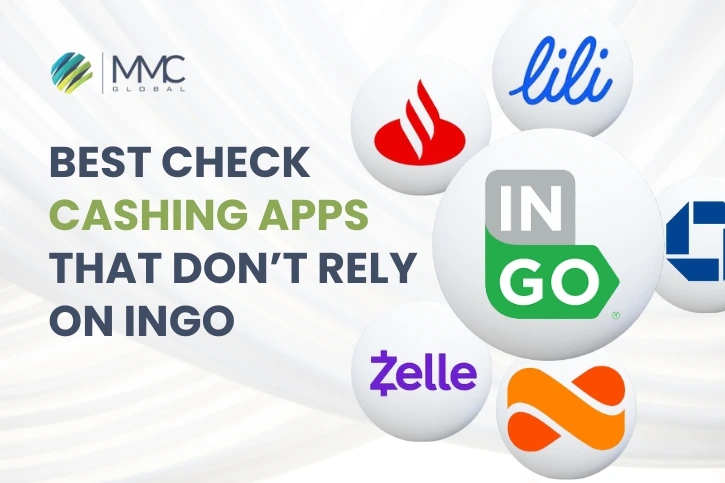
Most of the check-cashing apps rely on Ingo for processing requests and keeping the operations secure, but that’s exactly where things also start to feel less “instant” and a lot more complicated.
If you have faced this friction in literally every other fintech platform, then consider this as your golden opportunity to introduce an Ingo-free platform in the market.
Let’s check how to develop check cashing app without Ingo dependencies. When you rely blindly on a single third-party middleman, all you get is high fees and rigid rules that your team has no power to fix.
Dive in right now to build a financial product that moves at the speed of the real world.
The Rising Demand For Digital Check Cashing
Paper checks are still running in the market. The check cashing service industry is absolutely booming, exhibiting a CAGR of 10.4% from 2025 to 2026, valuing it at staggering $36.07 billion.
There are 2 major reasons why this piece of paper still holds so much power:
- The World Bank unfolded that there are still 1.4 billion unbanked individuals around the globe, relying on paper checks. They have no access to bank accounts.
- Most of the companies still refuse to leave the checks behind, even in 2026. A report by Research And Market highlighted that according to AFP, 91% businesses in the U.S still use paper checks.
Gig workers and unbanked families alike are receiving checks regularly, but no one wants to waste their lunch hour standing in the queues at physical banks or storefronts.
However, by forcing individuals into 5% fees and a slow approval process, the popular names in the app market are missing the mark. The indication for the creation of an independent platform can actually handle the urgency.
Constraints Of Ingo-Based Check Cashing Solutions
When you create an application on top of Ingo, you are not the one setting the rules. You are basically following someone else’s system. A major part of the platform ends up relying on an outside layer, bringing in limits that you cannot completely control.
Instead of shaping the product freely, you begin revolving around restrictions that don’t align with the users’ needs.
Let’s understand the actual hurdles that come along, depending on a single third-party platform, while planning to build a modern check chasing app:
- High Customer Fees: Cuts 5% on personal checks and 2% on payroll checks, reducing the hard-earned money of the users.
- Opaque Fraud Declines: Proprietary, “black-box” risk systems often reject transactions with generic error codes, which leaves your customer support teams clueless.
- Low Processing Caps: Strict transaction thresholds limit users to a maximum of $5,000 per week.
- Forced Funding Delays: Holding consumers’ funds for up to 10 days if they do not pay expedited processing fees.
- Rigid Brand Constraints: Depending on pre-built plugin flows makes it extremely hard to design a native user interface.
- API Traffic Limits: Structural throttling limits the app to process 5 requests at the same time, creating artificial lag as the platform scales.
- Restricted Check Types: Automated rejections on starter checks or any paper checks missing a pre-printed writer address.
These limitations are the sole reason many product teams are opting for better controls through developing check cashing app without Ingo to replace massive fees and slow approval steps for full ownership of the system.
How Do Check Cashing Apps Work Without Ingo?
Removing third-party limitations, like Ingo provides your platform with access to handle the check cashing journey on its own, making it direct and predictable. The fintech platform manages each step from the beginning to the end. This is how the process works inside a modern setup built for speed, clarity, and user convenience.
Capturing And Uploading Checks Digitally
The user snaps a picture of the front and back of the check within the application. Built-in image analysis automatically crops, improves, and reads the data immediately.
It analyzes the routing number, account number, and the exact payment amount to save users from typing anything manually.
Verifying User Identity And Checking Details
The system runs background checks to confirm the identity of the user through secure databases. At the same time, it cross-references the check’s routing and account numbers against national risk networks.
Rather than checking a live bank balance, which is not possible across different banks, this step verifies that the issuing bank is real and the account does not have a history of bounced checks. This double-layer identification guarantees that the check is authentic before moving forward.
Managing Risk And Fraud Prevention
Before clearing the amount, automated security tools run quick risk scans to flag potential issues right away. The system cross-references national databases to make sure the check has not been deposited anywhere else and scans for signs of forgery.
Processing Funds Securely
After the automated risk filter clears the transaction, the platform routes the deposit straight through the bank’s network you have partnered with.
The funds bypass third-party delays completely, dropping the verified cash balance instantly onto the user’s linked debit card or digital wallet for immediate use.
Essential Features Every Check Cashing App Should Have
Simplicity wins more users as compared to interfaces flooded with fancy elements. Nobody likes to jump through hoops to get their money. In that case, the platform’s layout must feel friendly and completely obvious.
These are the exact features your check cashing should have to grab your target audience smoothly.
-
User Registration And Identity Verification
The signup flow needs to feel welcoming and fast. People must interact with a clean screen that guides them through taking a quick picture of their ID and a headshot. To keep things going smoothly and safely, setting up an easy identity access management system is important.
By skipping messy multi-page forms, you keep the initial drop-off rate incredibly low.
-
Mobile Check Deposit
Mobile check deposit lets people submit checks remotely. Users can upload pictures of their checks via the platform, review the information before submission, and track the deposit status.
-
Real-Time Check Verification
This keeps users informed throughout the entire submission process by offering timely updates on the status of their checks,
Rather than waiting without visibility, consumers can track progress, get confirmation updates, and be aware of any required actions.
Real-Time check verification improves transparency and builds a smoother experience.
-
Instant Or Scheduled Fund Availability
Users gain flexibility in how and when they receive their cash with the help of instant or scheduled fund availability. As per their needs, they can pick quicker access to funds or wait for a standard payout timeline.
Offering numerous payout options allow accommodate different financial situations while giving users control over their transactions.
-
Transaction History And Notifications
Real-time notifications and overall transaction history keep users’ account activity in one place. People can easily review previous deposits, track transaction statuses, and get updates whenever important actions occur, improving visibility and helping individuals stay informed throughout the journey.
-
Multi-Bank And Digital Wallet Integration
Users can link multiple financial accounts and select where they want their funds delivered. Whether transferring money to a bank account or a preferred digital wallet, users get greater flexibility and convenience, expanding payout options and supporting a more personalized experience.
-
Admin Dashboard And User Management
This one is for platform operators. Via dedicated dashboards, teams manage user accounts, review transaction activity, and handle support requests easily.
It gives a centralized view of platform operations, which makes it easy to track activity and address any additional issues whenever needed.
-
Security And Compliance Controls
Robust security ensures protecting user accounts, safeguarding sensitive information, and maintaining trust across the entire check cashing application.
People benefit from secure access options and transparent privacy settings, strengthening confidence in the platform.
What Technologies Power Modern Check Cashing Apps?
On the surface, users interact with simple screens while using the check cashing apps without Ingo, but there is an entire network of frameworks that handle the financial operations safely.
| Technology | What It Powers | Why It Matters |
| Optical Character Recognition (OCR) | Reads information from checks and turns it into digital records. | Reduces manual work, improves accuracy, and helps process checks faster. |
| KYC And Identity Verification | Confirms that users are genuine before they access financial services. | Helps prevent misuse, builds trust, and supports compliance requirements. |
| Banking And Payment APIs | Connects the app with banks and payment networks. | Makes it possible to move money between accounts quickly and securely. |
| Fraud Detection Systems | Identifies unusual activity and risky transactions. | Helps protect users, reduce losses, and maintain platform reliability. |
| Cloud Infrastructure And Data Security | Supports data storage, application performance, and information protection. | Keeps the platform stable, secure, and ready to grow with user demand. |
Embedding these technologies together into one smooth system is what makes your app run without continuous human intervention and protects your bottom line from bad deposits and threats.
Step-By-Step Process To Build A Check Cashing App Without Ingo
Building a custom software that does not rely on Ingo offers complete control over how your app deals with check cashing, keeps data safe, and stops fraud right at the first step.
Step 1: Define Business Model And Compliance Scope
- Decide who will use your app the most. Are they gig workers? Freelancer? Or small businesses that are in need of quick check deposits?
- Select how your app will generate revenue, whether you charge a small fee or a monthly subscription.
- Pick the regions you want to launch based on local laws and licensing rules.
- Define your legal needs early, like KYC and AML.
Step 2: Run Market And Risk Analysis
- Break down how your audience interacts with legacy processing tools to identify systemic delays and gaps you can fulfill.
- Evaluate fraud risks like fake checks, identity misuse, or repeated submissions.
- Run detailed performance overviews on current alternatives in the industry to find gaps in the check cashing app development.
- Check banking feasibility and define safe transaction limits for multiple types of users.
Step 3: Select a BaaS Provider
- Choose a preferred Banking-as-a-Service (BaaS) partner that handles main tasks like opening accounts and moving money.
- Make sure it can easily support you in your selected states and can handle a growing user base.
- Learn which legal tasks the BaaS provider will handle and which ones your team will look after.
- Confirm that it aligns with long-term check cashing software flexibility without Ingo instead of locking you in.
Step 4: Design Trust-Based UX
- Build a simple signup process that does not require too much information all at once.
- The check photo steps must be clear so users know exactly how to align and snap a good picture.
- Offer easy-to-understand updates to your users in case a check is approved, rejected, or sent to human review.
- Show clear timelines for when the money will get into the users’ accounts, so they feel safe using your check cashing app without Ingo.
Step 5: Architect Using BaaS & APIs
- Connect banking tools, KYC, and payment flows altogether through APIs.
- Let BaaS handle money movement while the check cashing app focuses on coordination.
- Use verification and OCR layers in the background so they can read photos without slowing down the process.
- Organize your backend as a centralized hub that links all these services smoothly during check cashing app development.
Step 6: Build Compliance MVP
- Develop the minimum viable product with just the basic features like taking pictures of the checks, verifying users, and payment flows.
- Keep full transactional records for audit and tracking purposes.
- Design a scalable backend which imporoves over time when usage grows without rebuilding the system.
- Set up a cloud-enabled foundation right away to keep the app stable, secure, and running.
Step 7: Add Fraud Controls Early
- Write rules that prevent a check from being scanned and processed twice on your check cashing app.
- Compare the name printed on the front of the check with the verified account of the user to block identity fraud.
- Limit the number of checks or the amount of money that can be processed in a single day.
- Build a private dashboard where your team can look over checks that seem suspicious.
Step 8: Test for Security And Compliance
- Validate all KYC and AML flows to guarantee regulatory readiness.
- Run security tests to secure user data and financial records.
- Put the check cashing app without Ingo under voluminous traffic to check how the system behaves under pressure.
- Test failure scenarios like a cut-off internet mid-transfer to avoid breakdowns during real usage.
Step 9: Launch With Controlled Rollout
- Launch the cash checking app in a small area or city to identify bugs and fix them before everyone else gains access.
- Review live charts to check how well the mobile application is running and how fast payouts are clearing in real time.
- Track fraud patterns and adjust rules as needed.
- Set up compliance reporting before scaling further.
Step 10: Optimize And Scale
- Improve cash rollout speed to get money into the users’ debit cards even faster.
- Introduce different verification levels for different types of consumers.
- Expand banking and BaaS partnership to support more regions.
- Use smart AI tools to handle basic check flags.
Quick Note: Do you know you investment matters the most when you decide to build a check cashing app without Ingo? That’s why we have already cut to the chase with our blog “cost to build an app like Chime”. Have a look.
Compliance Requirements For Check Cashing App Development
The main part to build check cashing apps without Ingo is following proper local and global compliance. These laws make sure that the platform functions within legal boundaries and meets financial regulations across different regions.
Each stage of check cashing app development should align with these obligations to avoid risks.
KYC Compliance
- Identity verification is needed under AML/KYC frameworks, such as CIP rules in regulated markets.
- Onboarding users should follow risk-based due diligence expectations set by financial regulators.
- Compliance obligations differ by region but generally follow FATF standards.
AML Regulations
- Anti-money laundering rules apply under frameworks like the Bank Secrecy Act (BSA) in the U.S and similar global regulations.
- Transactions should be analyzed for suspicious activity patterns.
- Sanctions screening is often aligned with OFAC or similar national watchlists.
- Compliance programs are expected to follow internationally accepted AML guidelines like FATF recommendations.
Data Privacy And Security Standards
- The critical financial data of the users must comply with privacy laws, like GDPR.
- Security expectations include PCI-DSS if the system processes payment card data.
- A lot of check cashing apps without Ingo follow ISO 27001 or SOC 2 standards for data protection.
- Regional privacy laws like CCPA may also apply, as per the location of your user.
Record Keeping And Reporting Requirements
- Fintech platforms need to maintain transaction records under FinCEN reporting rules in applicable regions.
- Data retention rules typically require storing records for a defined regulatory period for audit purposes.
Common Challenges In Building A Check Cashing App
Now, time for the most important factors that every custom software brings along with it. One must know that to develop check cashing apps without Ingo, it involves more than just building a functional product. There are regulatory obligations and several other factors that can easily impact growth and sustainability.
Understanding these risks and challenges early helps businesses make intelligent fintech app development decisions and avoid costly setbacks later.
Compliance Complexity
Financial regulations differ by region, which makes compliance difficult to manage when the platform expands. Missing even one requirement can cause penalties or restrictions.
Smart Move: Map out compliance obligations during the planning phase and review them daily as regulations change.
Fraud And Risk Management
Check-cashing fraud, identity theft, and suspicious transaction activity remain the main concerns for such platforms. Exposure to risks typically increases when transaction volumes grow.
Smart Move: Create risk management into the product strategy from the start. Establishing clear review processes and tracking practices early reduces losses and increases platform reliability.
Banking Partnerships
Choosing the right banking partner can be a bit difficult, especially when different institutions have different compliance standards and working requirements.
Smart Move: Clearly analyze banking compatibility and prioritize partnering with the one that offers continuous scalability.
User Trust And Adoption
Users look for speed and transparency during financial transactions. Even minor delays or unclear communication can impact confidence in the platform.
Smart Move: Build a transparent user experience with clear status updates, realistic timelines, and consistent communication.
The fintech industry is indeed filled to the brim with such challenges. You cannot afford to play around with these risks casually by technically executing everything alone.
The check cashing apps without Ingo require a clear understanding of banking infrastructure and risk management to fulfill user expectations.
This is why partnering with a region-specific technical team, like an app development company in NYC, can help in reducing hurdles and accelerating launch timelines.
Start Your Ingo-Free Check Cashing App Development With MMC Global
Watching Ingo decide YOUR user limits, trigger random declines, and then go on to take a huge margin from every single check is infuriating for you and the users. Developing check cashing apps without Ingo gives you 100% ownership of your own product. When you cut out additional layers, you gain complete access to user experience and a much healthier bottom line.
The market is booming with opportunities, but as we have explored above, the thin line between a profitable software and a compliance nightmare comes down to underlying architecture. That’s exactly what we handle. MMC Global develops enterprise-level check cashing platforms that offer reliability and security to your users and keep you in proper control of your entire fintech product.
We have tackled multiple challenges tied to banking structures by complying with security and regional compliance and integrating strong APIs so the platform keeps scaling without limits.
Capture a chunk of the $36+ billion market? Hurry up now and discuss your disruptive idea with our expert fintech developers today!
Frequently Asked Questions
What apps allow users to cash a check instantly?
The apps that allow users to cash a check instantly are fintech platforms like Chime, Cash App, Netspend, and PayPal. The tier-1 banking apps like Chase and Wells Fargo Mobile also allow instant clearing.
What check cashing apps do not use Ingo?
The check cashing apps that do not use Ingo include Chime and Cash App. They connect directly to an independent partner bank. Major retail Banks also surpass Ingo by directing deposits via their own internal processing networks.
How long does it take Ingo to cash a check?
Ingo’s automated risk engine takes 3 to 5 minutes to instantly check cashing. Manual reviews take up to an hour. If the user selects the standard free tier, it takes 10 business days to clear.
What checks does Ingo approve?
Ingo approves standard U.S. payrolls, personal, business, and government checks made out t account owner. However, Ingo automatically rejects starter checks, third-party checks, and traveler’s checks.