
Trusting a software for your business gets really interesting when one product covers so many different categories. Microsoft Dynamics 365 is a great example in this context. It has become a major part of Microsoft’s business software offering, giving companies options for managing everything, which goes from internal operations to customer-facing activities.
However, with multiple apps running under the same name, it becomes quite difficult to figure out what you exactly need.
This is what makes getting familiar with Dynamics 365 worthwhile. There is a lot to explore beyond its familiar ERP and CRM systems. The fun part is that you do not need to be a Microsoft expert to make sense of it.
Our Dynamics 365 guide brings the different pieces into focus so that you can understand what the suite could mean for your business.
What Is Dynamics 365?
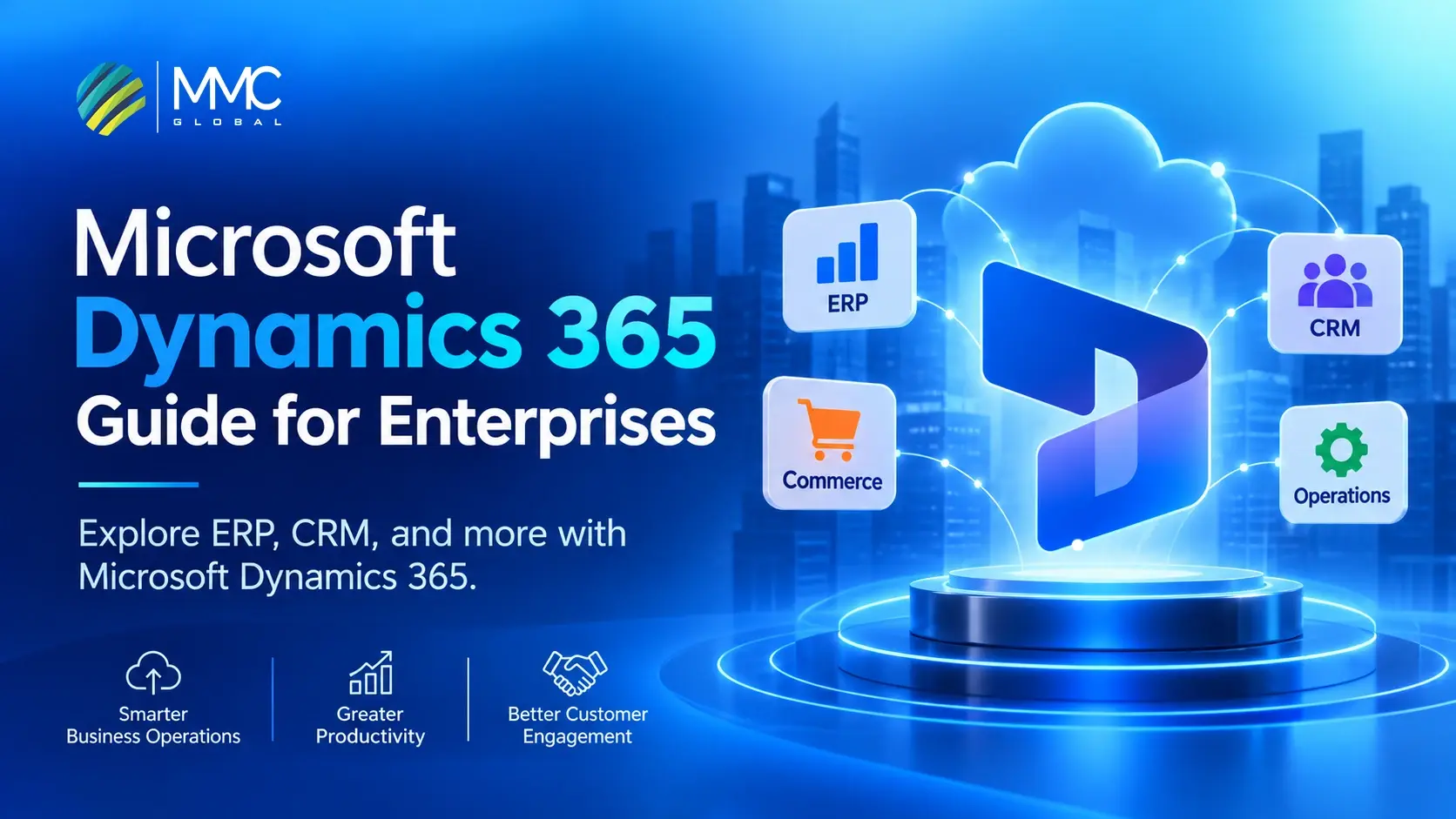
Microsoft Dynamics 365 is a software suite that offers powerful applications that help in managing different areas of a business. What you need to know first is that its product range covers 2 major categories: ERP and CRM. The role of ERPs is to deal with internal business functions like accounting and supply chain services. Meanwhile, CRM applications focus solely on sales activities.
Microsoft divides these operations across individual products instead of one universal application. This means Dynamics 365 has different offerings for businesses with different operational requirements. Its adoption is also widespread, as reported previously that more than 300,000 organizations across the world are using Microsoft Dynamics.
It also connects with other Microsoft technologies, which include Power Platform, Power BI, and Azure, to offer additional options for application development, automation, and cloud infrastructure.
Is Dynamics 365 Part of Microsoft 365?
No. It is easy to mix up D365 and M365 easily since they both are offered by Microsoft, but they serve differently.
Microsoft 365 offers workplace tools like Word, Excel, Outlook, Teams, and SharePoint to enable communication and establish daily productivity. On the other hand, Dynamics 365 focuses more on business engagement through ERP and CRM apps, as we have mentioned above.
Both of them can work together, though. For instance, you can use Outlook alongside Dynamics 365 to manage customer communications without switching between systems.
Let MMC Global pinpoint the Dynamics 365 applications your business actually needs.
Plan My SetupWhat Are the Dynamics 365 Modules?
Now, this is where things start to get interesting. Microsoft does not bundle each business function into one giant application and call it a day. Instead, it offers separate platforms that tackle different responsibilities. You will often hear them called Dynamics 365 Modules, although Microsoft refers to them as applications.
To make things easier, you can group them into the following broad categories:
| Business category | Dynamics 365 applications |
| ERP and business management | Business Central, Finance, Supply Chain Management |
| CRM and customer engagement | Sales, Customer Service, Customer Insights |
| Specialized business operations | Commerce, Field Service, Project Operations |
Of course, these categories are not strict boundaries. Some apps cover functions that overlap across departments.
Next, let’s get into the 2 major sides of Dynamics and see what each of them has to offer.
ERP Applications in Dynamics 365
When it comes to ERP, Dynamics 365 applications address different stages of running a business. The requirements of a growing company are not quite the same as those of global manufacturers. This is the reason why Microsoft provides different ERP products, so that every business can benefit as per its demands.
Dynamics 365 Business Central
Business Central is built for small and medium-sized businesses that need to manage their finances and daily workflows through one ERP system. It is the modern successor to Microsoft Dynamics NAV. Its core capabilities are:
- Financial management.
- Purchasing and inventory.
- Sales management.
- Project management.
Dynamics 365 Finance
It is one of the modern successors to Microsoft Dynamics AX. Dynamics 365 Finance offers services for managing financial operations across multiple entities for larger organizations with complex financial structures.
Key services include:
- Financial accounting: Manage general ledgers and financial transactions.
- Budgeting and planning: Set budgets and monitor actual expenditure.
- Cash management: Track liquidity and manage cash flow.
- Financial reporting: Consolidate financial information across legal entities.
Dynamics 365 Supply Chain Management
Also part of the modern Dynamics AX product lineage. Supply Chain Management focuses on the operational side of enterprise resource planning. It allows manufacturers and distributors to coordinate activities from procurement through production and fulfillment.
- Procurement: Manage purchasing activities and supplier orders.
- Inventory management: Track stock across warehouses and locations.
- Manufacturing: Plan production and coordinate shop-floor operations.
- Warehouse management: Organize receiving, storage, picking, and shipping.
- Supply planning: Match demand forecasts with inventory and production capacity.
Dynamics 365 Project Operations
Dynamics 365 Project Operations connects project delivery with financial management, particularly relevant to professional services and project-based businesses.
It helps in:
- Planning projects and allocating resources.
- Tracking employee time and project expenses.
- Monitoring project costs and profitability.
- Managing project estimates and customer billing.
Dynamics 365 Commerce
Dynamics 365 Commerce caters to retailers managing sales across physical stores and digital channels.
- Manage store operations and POS transactions.
- Organize product catalogs and merchandising.
- Coordinate customer orders and fulfillment.
- Connect online and in-store shopping experiences.
CRM Applications In Dynamics 365
Managing customers is another major part of Dynamics 365 offering. The CRM applications cover the work involved in maintaining customer relationships using relevant software to support different stages of the customer lifecycle. Throughout the sales process, these apps give businesses dedicated tools for their customer-facing operations.
Dynamics 365 Sales
Dynamics 365 Sales keeps the sales process in one platform, starting with new leads and continuing all the way to closed deals. Sales teams can qualify leads, create new opportunities, and keep track of every deal as it moves through the pipeline. Moreover, it records every customer interaction, so important conversations do not get lost along the way.
Dynamics 365 Customer Service
Next up, we have Dynamics 365 Customer Service to take care of the support side of customer relationships. It offers agents a shared view of customer requests, previous interactions, and ongoing cases. Teams can manage issues from the first report to resolution, whereas tools like case routing and knowledge articles help them handle requests more efficiently.
Customer Service also supports multiple service channels and SLAs to give organizations more control over delivering customer support.
Dynamics 365 Customer Insights
Customer data and marketing engagement come together in Dynamics 365 Customer Insights. The data capability pulls records from different resources to build unified customer profiles, offering businesses a clearer picture of their audience. Its Journeys capability puts those profiles to use by creating customer segments and personalized campaigns.
Dynamics 365 Field Service
Dynamics 365 Field Service extends customer services beyond online requests to the work happening at customer locations. It lets businesses manage installations and maintenance visits through work orders and technician scheduling.
Teams can assign jobs as per technician skills and availability, while field workers use the mobile app to access instructions and update job progress.
Bring Dynamics 365, your existing platforms, and business data together with MMC Global.
Book A ConsultationWhat Are the Key Dynamics 365 Features?
Here comes the part when business owners move from individual applications to searching up for answers to “What are the Core Dynamics 365 features involve?” The suite packs in capabilities that help businesses automate daily tasks, put data to use, and adapt their systems as workflows scale. Here are a few listed below:
Workflow Automation
Gone are the days when you had to spend an entire day chasing approvals or updating records. Microsoft Dynamics 365 supports automated workflows for daily tasks like lead assignment, request approvals, and follow-up notifications. With Power Automate, you can take it further by connecting Dynamics 365 to other apps and automating tasks across systems.
AI and Copilot Capabilities
Artificial Intelligence has also taken over Dynamics. Copilot brings assistance directly into business apps to help you summarize conversations, draft emails, analyze information, and find relevant insights.
Some apps also offer AI agents that can take over different workflows to perform specific tasks. The available features differ across products, but the idea is really simple: give teams more time for work that actually needs their attention.
Reporting and Business Intelligence
Making sense of business data requires the real hard work. Dynamics 365 offers dashboards, reports, and performance indicators to help you keep an eye on business activity. Need to dive a bit deeper? Power BI adds interactive visualizations and advanced reporting, which makes spotting patterns and comparing results easier.
Customization and Integration
Dynamics 365 also lets businesses customize forms, dashboards, workflows, and rules to fit their requirements. It also connects with Microsoft 365 and third-party platforms through connectors and APIs. This means you can extend your setup without building every capability from scratch.
How Does Dynamics 365 Licensing Work?
Before we jump on to the pricing part, there is one thing that every business owner must know: Microsoft Dynamics 365 Licensing. Microsoft does not sell the entire suite as one package. Its licensing is based on the apps you need and the level of access your users will require.
Dynamics 365 Application Licenses
Each Dynamics 365 application has its own licensing requirements. Businesses purchase subscriptions for products such as Business Central, Sales, Customer Service, Finance, and Supply Chain Management.
Licenses are generally assigned to individual users, although certain applications also support device-based or tenant-based licensing.
Base and Attach Licenses
Here’s something worth knowing if one employee needs access to multiple Dynamics 365 applications. Microsoft uses a “Base” and “Attach” licensing model for eligible products:
- Base license: The first full-access application license assigned to a user. It must be the highest-priced qualifying license for that user.
- Attach license: A reduced-price license that lets the same user access additional eligible applications.
For example, an employee with a qualifying Dynamics 365 Sales base license may be eligible to add Customer Service at attach pricing. However, not every application combination qualifies, so Microsoft’s licensing eligibility rules matter.
User Types and Licensing Requirements
Not everyone needs full access to Dynamics 365. Microsoft offers different licensing options based on what employees actually do:
- Full users: Employees who work extensively in an application, such as sales representatives or finance managers.
- Team Members: Employees who mainly need basic access, such as viewing records or completing limited tasks.
- Activity users: Employees who need more functionality than a Team Member license provides but don’t require full application access.
Businesses can also license shared devices or certain tenant-level services where applicable.
How Much Does Dynamics 365 Cost?
Microsoft prices its applications separately, and the final bill depends on which products your business needs and how many people require access. To give you a clearer picture, the tables below use Microsoft’s published US prices in USD, with annual billing.
Dynamics 365 ERP Pricing
The ERP applications have different price points depending on the size and complexity of the business they support. Business Central has Essentials and Premium plans, while Finance and Supply Chain Management offer standard and Premium editions.
| ERP application | Price per user/month |
| Business Central Essentials | $80 |
| Business Central Premium | $110 |
| Finance | $210 |
| Finance Premium | $300 |
| Supply Chain Management | $210 |
| Supply Chain Management Premium | $300 |
Dynamics 365 CRM Pricing
CRM pricing varies by application and edition. Sales and Customer Service offer multiple plans, while Field Service has its own user license. Customer Insights is priced differently because it’s licensed per tenant rather than per user.
| CRM application | Price |
| Sales Professional | $65/user/month |
| Sales Enterprise | $105/user/month |
| Sales Premium | $150/user/month |
| Customer Service Professional | $50/user/month |
| Customer Service Enterprise | $105/user/month |
| Customer Service Premium | $195/user/month |
| Field Service | $105/user/month |
| Customer Insights | $1,700/tenant/month |
Additional Costs Beyond Licensing
The subscription is only one part of the budget. Getting Dynamics 365 ready for everyday business use can involve several other expenses:
- Implementation
- Customization
- Integrations
- Data migration
- Training and support
These costs depend on the project’s scope, the number of applications, and the complexity of your existing systems. A business implementing Business Central will likely have a different budget from an enterprise deploying Finance and Supply Chain Management across multiple locations.
What Does Dynamics 365 Implementation Involve?
Getting Dynamics 365 up and running involves more than purchasing licenses and creating user accounts. The applications need to match your business processes, work with your existing systems, and give employees the right tools to do their jobs. The implementation process can vary depending on the products you’re adopting, but a typical project covers a few important stages.
Requirements and Application Selection
First, you need a clear picture of what the business actually needs. This means reviewing existing processes, identifying operational gaps, and deciding which Dynamics 365 applications address them.
Configuration and Customization
Once the applications are selected, the setup moves to configuration. This includes defining user roles, setting up workflows, adjusting forms, and establishing business rules. If standard features don’t cover a particular requirement, custom development may also be necessary.
Data Migration and Integrations
Your existing business data needs a proper route into Dynamics 365. This involves cleaning records, mapping data fields, and transferring information from legacy systems. Integrations are also configured to connect Dynamics 365 with platforms such as Microsoft 365, Power BI, or third-party business applications.
Testing, Training, and Deployment
Before launch, the system goes through testing to check whether workflows, integrations, and migrated data work as expected. Employees also need training based on their roles. Once everything is ready, the applications can be deployed for everyday use.
Ongoing Support and Maintenance
Implementation doesn’t end at deployment. Businesses may need technical support, performance monitoring, security updates, and further configuration as their requirements change. Working with experienced Dynamics 365 consulting services can help manage these requirements, from initial application selection to post-launch support.
Take The Right Dynamics 365 Step With MMC Global
Dynamics 365 has plenty of possibilities, but getting the right setup takes more than choosing a few applications and switching them on. One wrong call can leave you with a system that doesn’t quite fit the way your business works.
That’s why the technical side deserves just as much attention as the software itself. MMC Global brings hands-on Microsoft expertise to the table, helping businesses plan, implement, customize, and connect Dynamics 365 applications around their actual operations. Our Microsoft consulting services also cover the wider Microsoft stack, so your business isn’t boxed into one product or a fixed setup.
Have a specific requirement? Or a Dynamics 365 project that needs a fresh direction? We’re ready to get into the details, challenge assumptions, and find the right technical approach. No copy-paste implementations.Just a team that knows its Microsoft solutions and knows how to put them to work.
From configuration to custom development, MMC Global is ready to get your Dynamics 365 project moving.
Start My ProjectFrequently Asked Questions
What is Dynamics 365 used for?
Dynamics 365 is used for managing everyday business operations across finance, supply chains, sales, and customer service. Companies use its modular applications to run internal processes smoothly while building better relationships with their customers.
What is the difference between Microsoft 365 and Dynamics 365?
The main difference between Microsoft 365 and Dynamics 365 lies in their overall purpose. Microsoft 365 provides daily productivity and communication tools like Word, Excel, and Teams, while Dynamics 365 delivers business management software for ERP and CRM tasks.
What are the advantages of Microsoft Dynamics 365?
The main advantages of Microsoft Dynamics 365 include its flexible pay-for-what-you-need model and built-in automation capabilities. It allows businesses to run operational and customer data on one platform while connecting directly with tools like Power BI and Microsoft 365.
Does Dynamics 365 support AI?
Yes, Dynamics 365 supports AI through built-in tools like Microsoft Copilot and automated assistant workflows. These features help teams summarize conversations, generate email replies, analyze complex data, and automate repetitive tasks across various applications.
Can I integrate Dynamics 365 with external applications?
Yes, you can integrate Dynamics 365 with external applications using pre-built software connectors and standard APIs. This capability allows businesses to link their ERP and CRM setup with third-party software, custom databases, and existing tools.