
HubSpot is a great choice, and you must have picked it up for a reason. Yet, the interesting part is what you build around it.
A few processes deserve to be rebuilt. Others only require a cleaner space. There will be data worth keeping and data that has been sitting in your old systems for years without actually serving anyone.
In addition to that, the highly familiar sales processes can look very different once you have to articulate exactly when a lead becomes qualified or what makes a deal ready to move forward.
So, we are presenting you with this detailed HubSpot implementation guide to take you through that work. But the most important part still remains understanding the decisions behind every single step.
What Is HubSpot Implementation?
HubSpot indeed handles a lot. But that does not mean each business should set it up the same way.
If you are already dealing with HubSpot for enterprise or even new to it, chances are you might have whispered, “What is HubSpot implementation?” at least once.
To put it simply together, implementation means making HubSpot work around your business. You take the way your teams perform their daily tasks and build that into the platform. Some organizations might need a straightforward CRM system. Others may be bringing over years of data or connecting multiple systems.
The platform begins reflecting the way the company actually runs instead of forcing everyone into a default setup.
HubSpot Implementation vs. HubSpot Onboarding
The difference between HubSpot onboarding and HubSpot implementation comes down to a few basic concepts. They might overlap, but the distinction is clear.
Onboarding gets you started with HubSpot, while implementation adjusts the platform as per your business processes.
Onboarding includes platform setup guidance and technical support. It also involves training and recommendations as per your goals and existing tech stack. Moreover, HubSpot also offers advanced onboarding for more involved requirements, which includes migration and deployment planning.
Implementation has a broader scope. It includes restructuring the CRM, transferring existing data, and connecting different systems.
| HubSpot Onboarding | HubSpot Implementation |
| Helps new customers get started with HubSpot | Builds HubSpot around business requirements |
| Provides technical and strategic guidance | Covers configuration and execution across the CRM |
| Introduces relevant tools and setup | Defines how data, processes, and systems work together |
| Can support initial setup and enablement | Can involve migration, integrations, automation, and custom configuration |
| Usually tied to adopting or expanding HubSpot | Can happen during initial adoption or later when the portal needs major changes |
They can easily overlap. You might just finish onboarding and later realize maybe you are adding a new Hub or maybe your CRM has become a mess.
That’s implementation territory.
What Does a HubSpot Implementation Include?
The work in HubSpot implementation moves through a few practical stages:
- Strategy: Set the direction and define what HubSpot needs to achieve.
- Architecture: Plan the CRM structure and data model.
- Configuration: Build the setup inside HubSpot.
- Migration: Clean and move the data that matters.
- Integration: Connect the systems that need to work with HubSpot.
- Automation: Reduce repetitive manual work.
- Testing: Check the setup before it reaches the wider team.
- Adoption: Help users work confidently in the new setup.
- Optimization: Improve the system as business needs change.
The depth of each stage defined above depends on the business.
Stop guessing where your setup breaks down. Our team audits your portal line by line to fix hidden gaps and boost pipeline growth.
Request CRM AuditWhat Should You Define Before Implementing HubSpot?
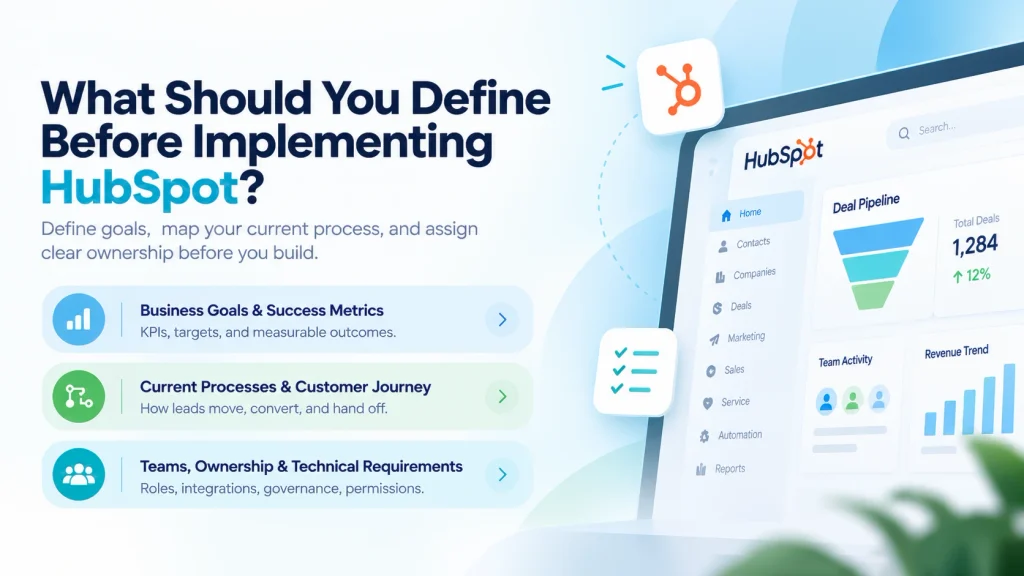
Honestly, clicking around HubSpot’s settings is pretty easy. The tough part is knowing why you are actually changing them.
Jumping directly into workflows and contact imports without a clear plan can leave you with the same old problem in a new CRM. Before starting anything, get these 3 things right: where you want to go, how the business currently works, and who is responsible for specific operations.
Business Goals and Success Metrics
There is a core problem behind every business owner looking for a HubSpot implementation guide. It can be sales losing opportunities due to inconsistent follow-ups. Marketing struggling to connect campaigns with revenue. Or operations spending hours delivering information between systems.
To make this implementation a win, ask yourself:
- What should HubSpot improve?
- What are your revenue or speed targets? (For example: cut lead response time from 8 hours to 30 minutes or increase pipeline velocity by 20%.)
- Which KPI will prove that the implementation succeeded?
- What must look different 6 months after launch?
If you cannot measure it, you simply cannot celebrate it either. Write the numbers down so you can hold the platform and your team accountable later.
Current Processes and Customer Journey
Here is a golden rule of software development updates: Automating a broken process is going to give you automated chaos.
Before you move further to rebuild your entire operation inside HubSpot, grab a whiteboard and identify what really happens when a customer interacts with your brand. Walk through every single step.
- Marketing: How do users find you, and what makes them show interest in your service or product?
- Lead Management: Who decides a lead is actually “worth it”, and how do they get handed off?
- Sales: What stages does a deal go through before closing?
- Customer Service and Onboarding: What information does the service team receive after the sale?
This shows that you are not trying to copy every existing step during HubSpot implementation. You are searching for the parts worth keeping and the ones that need to change.
Teams, Ownership, and Technical Requirements
Deploying a CRM without clear ownership can quickly become unmanageable. When everyone is loosely responsible for HubSpot, nobody is actually accountable for it.
Begin by naming a single Implementation Owner. This is your quarterback, the person who keeps the project moving and prevents scope creep in its tracks. Around them, bring in responsible members from marketing, sales, service, IT, and executive leadership so every team gets a say in how their daily tools are created.
Once ownership is sorted, look at what HubSpot needs to work with:
- User roles and permissions.
- Technology stack and integrations.
- Data sources.
- CRM governance.
How Do You Design the HubSpot CRM Architecture?
A good CRM setup begins with how your business data must appear inside HubSpot. You need to know the records you will manage, lead classification, and sales stages your team will use.
Answering these questions offers you a clearer starting point for how to implement HubSpot CRM.
Define Objects, Properties, and Associations
List the exact information your teams need to manage prospects and revenue. You are setting up the main records and deciding what data fields belong on each one.
Define how these records link together before you start configuring the system. Connecting records properly from the start keeps your data assembled, avoids duplicates, and provides your team a clear view of every account.
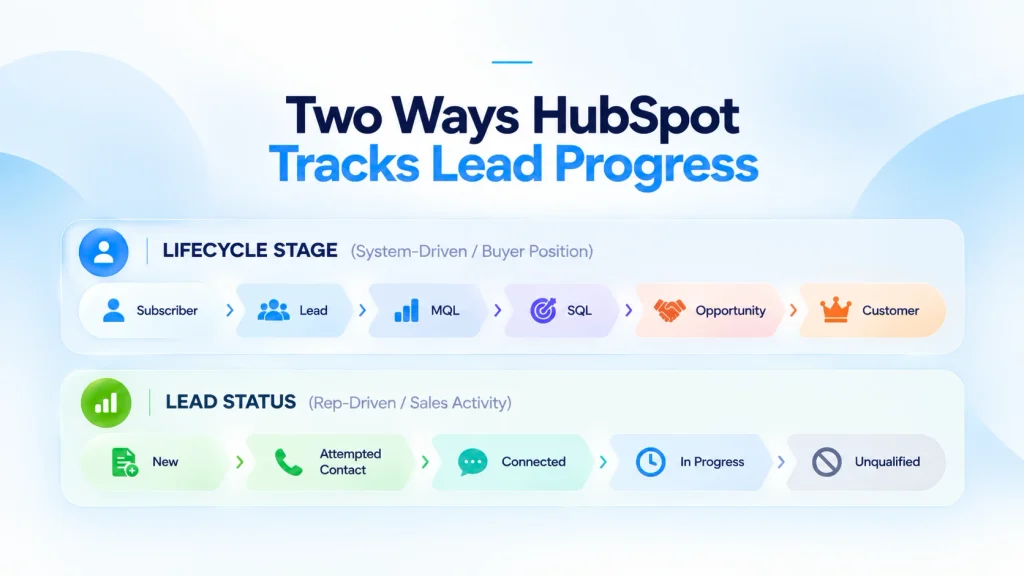
Configure Lifecycle Stages and Lead Status
Nothing causes fights between sales and marketing faster than a messy definition of a “good lead.”
Sit both teams down and set the ground rules:
- What turns a random website visitor into an actual Lead?
- What action makes them an MQL ready for sales?
- When does a rep mark someone as Unqualified and move on?
Translate those rules into HubSpot Sales using Lifecycle Stages for the big picture and Lead Status for the daily follow-ups.
Build Pipelines Around the Real Sales Process
Base your deal stages on what the customer actually does to make a purchase, not on internal admin tasks.
Set clear rules for moving a deal from one stage to the next. Make key details required fields before a deal can advance. This keeps your records complete and your revenue estimates accurate.
How Do You Configure HubSpot for Marketing, Sales, and Lead Generation?
Configure HubSpot centered on the actions your teams need to take after a prospect interacts with your business. Start with the points where leads enter the CRM, define how they are qualified, automate the right follow-up, and connect qualified opportunities with sales.
This makes how to implement HubSpot for lead generation a matter of constructing a working system rather than simply adding marketing tools.
Implement Lead Capture and Conversion Paths
Bring your website’s conversion points into HubSpot. For every capture point:
- Create the form or CTA in HubSpot.
- Map submitted fields to the correct contact properties.
- Set up contact creation and record updates.
- Add tracking to relevant website pages.
- Define what should happen after a visitor converts.
Review each conversion path before proceeding. A form that collects a lead without capturing the information your sales team needs creates more cleanup later.
Build Lead Qualification and Routing
Decide what makes a lead worth pursuing and configure those rules in HubSpot. Use lead scoring to evaluate engagement and fit. Use lifecycle stages and lead status to show where each contact stands.
Then define the actions that follow qualification. Assign leads to the appropriate representative, notify the sales team, and create follow-up tasks when the required criteria are met.
Keep these rules aligned with your actual sales process. If marketing and sales use different definitions of a qualified lead, the CRM will not produce consistent results.
Connect Marketing Automation to Sales
Create processes based on the actions that should happen after a prospect converts. A new lead may need an immediate confirmation, additional nurturing, internal notification, or sales follow-up depending on its activity and qualification status.
Use workflow enrollment criteria to control these actions rather than creating broad automations that contact every lead in the same way.
Before activating a workflow, test different scenarios. Check that records enter the workflow correctly, the right teams receive notifications, and contacts are removed or advanced when their status changes.
Configure Sales and Service Processes
Once leads are ready for sales, make the handoff part of the HubSpot setup. Configure deal stages, ownership, sales activities, and follow-up tasks so teams can act without searching through separate systems.
Then carry the same customer context into service. Configure ticket workflows and handoff rules where needed so customer information remains available after the sale.
Build a single lead path in HubSpot so every qualified prospect reaches the right rep instantly. MMC Global configures the system for you.
Schedule A Call Now!How Do You Migrate Data and Integrate HubSpot With Your Tech Stack?
Data migration and integration should be planned together but executed as separate parts of the implementation.
Migration determines what information transfers into HubSpot and how it is organized. Integration determines how HubSpot exchanges information with the systems your business already uses.
Clean and Map Data Before Migration
Do not transfer your current database into HubSpot as it is. Start with a data audit to identify duplicates, incomplete records, outdated information, and fields that no longer serve any purpose.
Then align the data you are keeping with HubSpot’s standard or custom properties. Define which records need to be imported, which can be archived, and how contacts, companies, deals, and other records should remain associated after the transition.
Before the full migration, run a test import with a limited data set. Fix any issues before importing the complete database without risking data corruption.
Connect the Systems That Need HubSpot Data
Identify every system that needs to exchange information with HubSpot. This may include an existing database, ERP, e-commerce platform, marketing tools, communication systems, analytics platforms, or internal applications.
Choose the integration method based on what each system requires. A native integration may be enough for common platforms. More complex requirements may call for middleware or a custom API integration.
Connect the systems that need shared data to support the processes you have already defined.
Establish Data Ownership and Sync Rules
Every integration needs clear rules for how information flows between systems. Define the source of truth for each important data set and decide whether information should sync one way or in both directions. Also establish:
- Systems that own each specific field.
- Schedule for data sync updates.
- Steps for resolving conflicting records.
- Process for finding failed data syncs.
- Person in charge of fixing sync errors.
These rules prevent two systems from continually overwriting each other or creating conflicting records.
Validate The Migration And Integration
Run a few real scenarios through your setup before going live. Make sure customer records land in HubSpot with their history attached, and check that updates pass back to your other tools without breaking anything.
Try standard daily tasks first. Add a new contact and update an existing customer. If the data ends up where it belongs and error alerts trigger properly when something breaks, you’re in good shape.
Hold off on complete database migration until those basic tests pass smoothly. That is how you guarantee your HubSpot implementation guide is actually ready for live data.
How Do You Test and Launch a HubSpot Implementation?
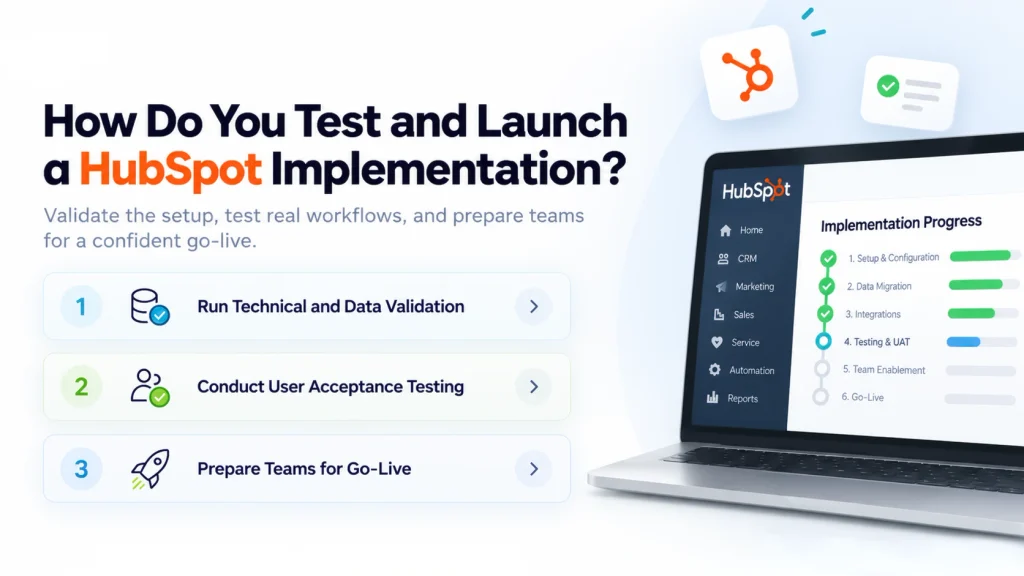
Before going live, test HubSpot against the processes, data, and workflows your teams will use every day. The goal of any solid HubSpot implementation guide is to catch configuration issues before they affect live customers or sales activity. Once the system passes technical checks, validate it with users and prepare the teams responsible for running it.
Run Technical and Data Validation
Review the CRM configuration, migrated records, associations, integrations, forms, tracking, and automation to make sure each component works as intended. Check that:
- Records contain the correct data.
- Contact, company, and deal associations work correctly.
- Forms create or update the right records.
- Tracking captures the expected activity.
- Integrations send and receive the right information.
- Workflows trigger under the correct conditions.
Do not treat successful data migration as proof that the system is ready. Test the actual actions that users and customers trigger after launch to confirm you know how to implement HubSpot properly across every channel.
Conduct User Acceptance Testing
Move beyond technical testing with user acceptance testing (UAT). Have representatives from marketing, sales, service, and management work through the exact processes they will use in HubSpot.
For example, marketing should show how to implement HubSpot for lead generation by capturing and qualifying a prospect. Sales should receive that lead and manage an opportunity, service should resolve a customer issue, and managers should pull the reports they need.
Record issues during testing and assign owners for resolving them. Re-test the affected workflow after making changes to verify your HubSpot implementation items are fully addressed.
Prepare Teams for Go-Live
Even a technically sound setup can struggle if people do not know how to implement HubSpot CRM in their daily routines. Prepare teams based on their actual responsibilities rather than giving everyone the same training.
Set up role-based training, user documentation, permissions, and internal champions who can help their teams during the transition.
Assign clear responsibilities for launch day as well. Teams should know who monitors the system, who handles issues, and who approves changes once HubSpot starts handling live business activity.
HubSpot Implementation Checklist
A HubSpot implementation can look complete in the portal while important pieces still remain missing. Your HubSpot implementation checklist should follow the project from planning to launch, with each checkpoint confirming that the work is ready for the next stage.
Pre-Implementation Checklist
Before configuration, make sure everyone agrees on what HubSpot is expected to accomplish. Your team should have a documented view of the existing processes and the people responsible for making implementation decisions.
At this point, check that you have:
- Defined business goals and KPIs.
- Documented current processes.
- Assigned key stakeholders and owners.
- Audited the existing tech stack.
- Identified all relevant data sources.
- Documented integration requirements.
- Approved the implementation scope.
CRM Configuration Checklist
With the requirements agreed upon, turn your attention to the HubSpot portal itself. The aim here is to make sure the CRM reflects the processes you have already defined.
Review the setup for:
- Required objects and properties.
- Custom properties and their purpose.
- Record associations.
- Lifecycle stages.
- Lead statuses.
- Sales pipelines.
- User permissions.
- CRM governance rules.
This is also a good point to review the HubSpot setup checklist with the people who will use the CRM every day.
Migration, Integration, and Automation Checklist
Once the CRM is ready, the next checkpoint is making sure it can work with your existing data and systems. The information needs to arrive in the right fields, retain the right relationships, and remain usable afterward.
Before moving to production, confirm that:
- Data has been cleaned and deduplicated.
- Fields have been mapped.
- A test migration has been completed.
- Production migration has been validated.
- Required integrations are connected.
- Data sync rules are established.
- Workflows are built and tested.
- Lead routing has been validated.
Testing at this stage can expose problems with missing data, incorrect mappings, workflow enrollment, or system synchronization.
Go-Live and Post-Launch Checklist
A CRM is not ready for launch just because the technical setup is finished. The people using it need to know what changed, and the system needs to be watched once real activity starts coming through.
Before and immediately after launch, verify that:
- User acceptance testing is complete.
- Teams have received appropriate training.
- Documentation has been delivered.
- Reports and dashboards are validated.
- Go-live responsibilities are confirmed.
- Production data has been checked.
- Automation is being monitored.
- User adoption is being measured.
- Ongoing optimization has been scheduled.
Keep this final checkpoint open after launch. Early usage can reveal issues that were impossible to catch during testing, giving your team a chance to refine the CRM.
How Do You Choose a HubSpot Implementation Partner?
By this point, it should be clear that implementing HubSpot is more than getting the portal configured. The bigger question is whether your team has the time, technical knowledge, and CRM experience to handle everything involved.
You can take the DIY route, use HubSpot’s onboarding support, or bring in an implementation partner. The right choice depends less on company size and more on the complexity of your setup.
When Should You Hire a HubSpot Implementation Partner?
A straightforward setup with limited data, few integrations, and standard processes may be manageable internally. HubSpot’s onboarding can also provide guidance when your team mainly needs help getting started.
A HubSpot development partner becomes more valuable when the project involves complex migrations, multiple systems, custom processes, advanced automation, or significant CRM changes. In those situations, you are not just learning how to implement HubSpot. You are redesigning how your teams work with customer data.
HubSpot Implementation Partner Checklist
Do not choose a partner based on a HubSpot badge or a long list of services. Look at what they can actually take responsibility for throughout the implementation.
Your HubSpot implementation partner checklist should cover:
- HubSpot experience: Relevant implementations rather than general platform familiarity.
- CRM expertise: Ability to plan the data model and business processes.
- Migration: Experience handling data cleanup, mapping, and validation.
- Integrations: Knowledge of native integrations, APIs, and middleware.
- Automation: Ability to turn approved processes into reliable workflows.
- Reporting: Experience creating reports that support real business decisions.
- Industry knowledge: Familiarity with the processes and requirements of your sector.
- Project management: Clear ownership, milestones, communication, and risk management.
- Documentation and training: A practical handover that your team can actually use.
- Post-launch support: Help with issues, adoption, and improvements after launch.
- Credentials: Relevant HubSpot certifications or partner credentials.
- Delivery team: Clarity on who will actually perform the implementation.
- Scope management: A transparent process for changes and additional work.
A good HubSpot consulting agency should be able to explain how they will handle these areas, not simply confirm that they offer them.
Implement HubSpot Around Your Business With MMC Global
This is what goes into the HubSpot implementation. The decisions made before configuration matter just as much as the work inside the portal. A rushed setup can leave you with messy data, disconnected systems, unreliable automation, and a CRM your teams never fully adopt.
To make this entire process easier for you and take off the technical burden, MMC Global brings the technical and strategic expertise to handle that complexity from the start. We look at your business processes first, then translate them into a HubSpot environment that supports the way your teams actually work.
Our specialists can take ownership of the architecture, migration, integrations, automation, testing, and rollout while keeping the larger business objective in view.
So you are not left with a HubSpot portal that simply works. You have an implementation your team can build on as the business grows.
Our implementation experts handle the heavy technical lifting so your teams hit the ground running with a platform built to scale.
Claim Your Implementation Strategy CallFrequently Asked Questions
How much does HubSpot implementation cost?
HubSpot implementation costs vary based on your company size, data complexity, and selected hubs. Basic setups for small businesses typically cost between $2,000 and $10,000. Mid-market projects range between $10,000 and $30,000, and enterprise projects with custom database migration and integrations range from $30,000 to over $60,000. You must also account for mandatory one-time onboarding fees ($1,500 to $7,000) for Professional and Enterprise tiers.
How long does it take to implement HubSpot?
Implementing HubSpot typically takes between 4 to 12 weeks for most businesses. Simple setups with small teams and clean data take roughly 3 to 5 weeks. Complex enterprise projects involving multiple hubs, technical integrations, and staff training usually take 3 to 6 months.
What are the core stages of HubSpot implementation?
The core stages of HubSpot implementation begin with initial discovery and business goals planning. Next comes technical setup, where you configure properties, deal pipelines, forms, and tracking. You then clean and migrate the database, set up automated workflows and integrations, and finish by training your team for go-live.
What is HubSpot used for?
HubSpot is used as a central customer platform that connects marketing, sales, content, and support operations in one place. Companies use it to capture leads, run marketing automation, manage sales opportunities, and handle customer service. It keeps all your customer records in a shared database so every department sees the same history.
What are the pros and cons of HubSpot?
The pros and cons of HubSpot center on user adoption versus long-term software growth costs. Key benefits include an intuitive interface, strong built-in automation, and clear cross-team reporting. The main drawbacks are required onboarding fees, limited customization on lower plans, and costs that rise quickly as your marketing contact list grows.