
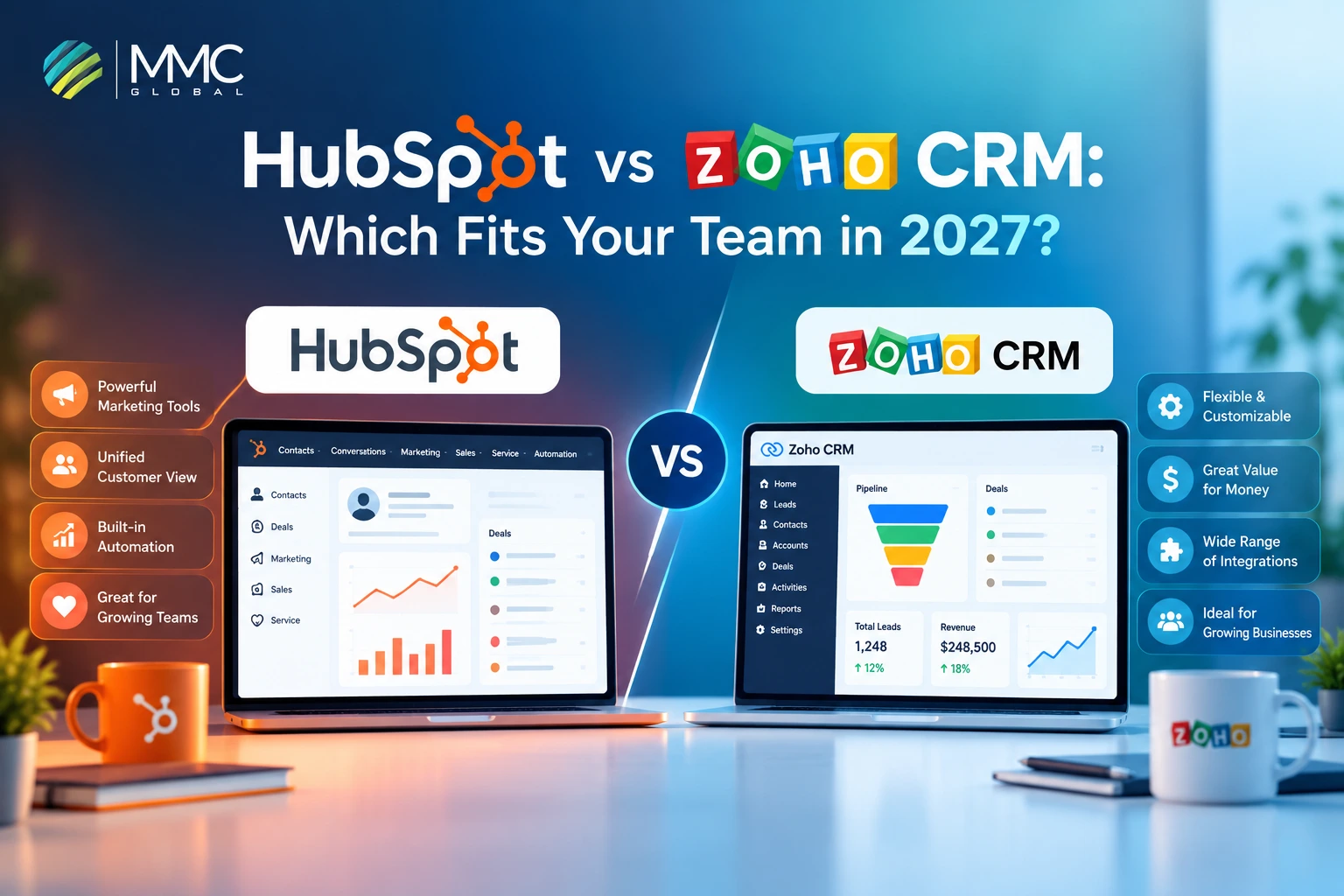
Choosing between HubSpot and Zoho CRM is a tough call for growing teams. You have moved past spreadsheets and now need one place to track leads, manage deals, and see what is working, without paying for tools you will never use.
Both CRMs cover the basics that every business needs. The difference is in how they are built and priced. HubSpot is an all-in-one platform where sales, marketing, and customer service tools work together. Zoho CRM is more budget-friendly and lets you customize a lot, but you may need extra Zoho apps to get the full picture.
In this guide, we compare the two on features, pricing by plan, ease of use, integrations, and which type of business each one suits best, so you can pick with confidence.
Disclosure: MMC Global is a consulting company that provides HubSpot services. We have written this comparison to be fair to both tools. Features and pricing come from the official HubSpot and Zoho websites and help documentation, and may change over time, so please check their pricing pages before you buy.
HubSpot vs Zoho CRM at a Glance
We have made an effort to save you some time so that you can quickly evaluate the hype of HubSpot vs Zoho CRM. Here is a snapshot at a glance:
| Comparison point | HubSpot Sales Hub | Zoho CRM |
| Free CRM | Available for up to 2 users | Available for up to 3 users |
| Core Sales Tools | Contacts, deals, pipelines, sequences | Contacts, deals, pipelines, sales signals |
| Marketing Tools | Marketing Hub | Zoho Campaigns and other apps |
| Customer Support | Service Hub | Zoho Desk |
| Content Management | Content Hub | Zoho Sites and other apps |
| Business Applications | Connected Hubs on one platform | Zoho’s wider business app suite |
| Marketplace Size | 2,500+ marketplace listings for apps, agents, and workflow templates | 2,900+ extensions across 30 Zoho products |
| CRM Marketplace Extensions | Browse sales, marketing, data, and automation integrations | 900+ CRM extensions listed in Zoho’s marketplace FAQ |
| Customization | Custom properties, objects, and enterprise-level controls | Custom modules, layouts, functions, and process controls |
| Workflow Automation | Workflows and sales sequences | Workflow rules, Blueprint, and custom functions |
| AI Assistants And Agents | Breeze AI and marketplace agents | Zia AI and supported agent capabilities |
| Sales Forecasting | Professional and Enterprise | Standard and above |
| Reporting | Plan-based report and dashboard limits | Unlimited reports from Professional |
| Developer Access | APIs, developer tools, and custom integrations | APIs, SDKs, and developer tools |
| Third-Party Connectivity | HubSpot App Marketplace | Zoho Marketplace and external integrations |
| Main Consideration | Broader native sales, marketing, and service platform | Wider configuration options and a broad business app portfolio |
We connect HubSpot with your CRM, ERP, and the other systems your team relies on, so your data stays accurate and in one place.
Book a Free ConsultationHubSpot vs Zoho CRM: Feature Comparison
HubSpot Sales Hub and Zoho CRM both cover the basics: managing deals, automating tasks, and tracking results. The real difference is how much you get in each area and which plan you need to unlock it.
Pipelines and Deal Management
HubSpot limits how many deal pipelines you can have, and the limit grows with your plan:
- Free: 1 pipeline
- Starter: 2 pipelines
- Professional: 15 pipelines
- Enterprise: 100 pipelines
If your team sells one product or runs one sales process, Starter is enough. If you manage separate pipelines for different regions, products, or business units, you will need to move up a plan.
Zoho CRM offers multiple pipelines from the Standard plan, and its pricing pages do not list a limit. This gives teams with many pipelines more room at a lower price.
Sales Automation
HubSpot ties automation to the plan you choose:
- Starter: simple automation, such as creating a task or sending a notification when a deal moves to a new stage
- Professional: up to 300 custom workflows
- Enterprise: up to 1,000 workflows, and you can start email sequences from a workflow
Zoho CRM handles automation with Blueprint, a tool that guides reps through your sales process step by step. It is available from the Professional plan. Zoho also offers AI agents that can complete tasks for your reps. HubSpot’s AI (Breeze AI) works differently, since it runs on credits that you pay for on top of your per-seat price.
Reporting and Forecasting
HubSpot offers sales forecasting from the Professional plan. At Enterprise, you can forecast across your whole team structure, from reps to managers. Reports and dashboards also grow with your plan:
- Dashboards: 10 on the free plan, up to 100 on Enterprise
- Custom reports: up to 100 on Professional and 500 on Enterprise
Zoho CRM includes forecasting from the Standard plan, which is earlier than HubSpot. At Professional, its AI assistant, Zia, predicts how likely a lead is to convert or a deal is to close. Zoho also removes the limit on reports at Professional, so you can build as many as you need.
For a quick read, check out our latest HubSpot for enterprise guide. If you are weighing HubSpot for a larger team, read it to see how it works at scale.
- Quick Takeaway
Zoho gives you more features at lower plans, such as more pipelines, early forecasting, and unlimited reports. HubSpot costs more as you move up, but it gives you a polished, all-in-one platform where sales, marketing, and service tools share the same data.
HubSpot vs Zoho CRM: Pricing Comparison
Both CRMs charge per user, per month, and both give you a free plan to start. The gap shows up as you move to higher plans, where HubSpot costs more per user and adds one-time setup fees.
| Plan level | HubSpot Sales Hub | Zoho CRM |
| Free | $0, up to 2 users | $0, up to 3 users |
| Starting plan | Starter: from $7 per user/month (yearly) or $20 (monthly) | Standard: $14 per user/month (yearly) or $20 (monthly) |
| Middle plan | Professional: $90 per user/month (yearly) or $100 (monthly), plus a one-time onboarding fee of about $1,500 | Professional: $23 per user/month (yearly) or $35 (monthly) |
| Advanced plan | No plan at this level | Enterprise: $40 per user/month (yearly) or $50 (monthly) |
| Top plan | Enterprise: $150 per user/month, plus a one-time onboarding fee of about $3,500 | Ultimate: $52 per user/month (yearly) or $65 (monthly) |
Prices are in USD and may change. Please check the HubSpot and Zoho pricing pages before you buy.
HubSpot charges a one-time setup fee when you buy a paid Sales Hub plan. The fee is about $1,500 for Professional and about $3,500 for Enterprise. You pay it once, on top of your monthly price per user.
Zoho CRM does not list a required setup fee on any plan, so you can sign up and start using it right away. If you want help getting started, Zoho offers paid support through its Jumpstart and Enterprise Business Services programs. These are optional.
In short: with HubSpot, the setup fee is part of the cost. With Zoho, you only pay for help if you want it.
Wondering what HubSpot setup involves? Read our HubSpot implementation guide to see the steps, timeline, and what to prepare.
From custom workflows and CRM integrations to tailored HubSpot setups, our certified developers help you get more from HubSpot without the trial and error.
Explore HubSpot DevelopmentHubSpot vs Zoho CRM: Customization and Scalability
HubSpot and Zoho CRM let you customize your CRM, but they go about it differently. HubSpot gives sales managers more ways to track performance and keep tabs on their teams. Zoho CRM gives you more freedom to shape your data and set rules for how your sales team works. Let’s see what that looks like in practice.
HubSpot
- Custom objects: Got business data that doesn’t fit into the usual CRM records? Enterprise lets you create custom objects to keep track of it your way.
- Workflow limits: Professional gives you up to 300 workflows to automate sales tasks. Need more? Enterprise bumps that number up to 1,000.
- Team hierarchies: Running a sales team with several layers of management? Enterprise supports nested teams and lets you track forecasts across different levels of your organization.
- Deal journey analytics: Want to know where deals are moving forward or getting stuck? Enterprise helps you see how deals progress through your pipeline.
- Conversation intelligence: Enterprise lets you review sales calls for specific words and topics. That makes it easier to spot patterns in customer conversations.
- Custom reporting: Professional lets you create up to 100 custom reports. Enterprise raises the limit to 500, giving your team more room to dig into the numbers.
Zoho CRM
- Custom modules: Zoho lets you create your own data sections, called custom modules. Standard supports up to 10, Professional up to 25, and Enterprise up to 200.
- Blueprint: Want every rep to follow the right steps instead of figuring things out as they go? Blueprint lets you set up guided sales processes with specific steps and actions. It’s available from Professional.
- Page layout controls: You can change how records look and set rules for which information reps must enter. That means fewer missing details and less chasing people to fill in the blanks.
- Approval processes: Enterprise lets you build approval steps into your process.
- Sandbox environments: Prefer to test changes before they affect your live CRM? Enterprise gives you a sandbox for testing supported changes first.
- Developer customization: Custom functions and APIs let you add CRM behavior that fits your business and connect Zoho with other systems you use.
Where the Two CRMs Pull Ahead
HubSpot is a strong pick when visibility matters most. It gives managers tools to dig into deal progress, review sales conversations, and forecast across different teams. The catch? Some of its most advanced sales insights sit behind the Enterprise plan.
Zoho CRM has the edge when you want more control over your setup. You can create custom data sections and guide reps through specific sales steps. Move up to Enterprise, and you also get approval processes and a sandbox for testing supported changes.
In short, Zoho gives you plenty of room to shape how your CRM works, while HubSpot puts more emphasis on understanding how your sales team performs.
HubSpot vs Zoho CRM: How Do Their Mobile Apps Compare?
Here comes the most important part: mobile access from anywhere. While comparing functionality, use cases, AI, and integrations, we also have to consider the ease of access and user interface in the comparison between HubSpot vs Zoho CRM.
Mobile Access for Sales Teams
HubSpot lets you check customer details and update deals right from your phone. Zoho CRM does that too. It also helps you find nearby leads and check in when visiting customers. This makes Zoho a better fit for businesses with sales teams that spend a lot of time in the field.
UI and Navigation
HubSpot makes it easy to find customer details and see recent activity before reaching out. Zoho CRM gives you more control over how the mobile interface looks and what appears on it. HubSpot keeps things straightforward while Zoho gives you more room to personalize the experience.
Offline Access
Working without internet? Zoho CRM lets you create and edit records offline. Your changes sync when you’re back online. HubSpot offers more limited offline access. You can view recently accessed records, but you can’t edit them offline. If your team often works in areas with poor connectivity, then Zoho has the advantage.
Still unsure whether HubSpot is the right fit? Our HubSpot vs Salesforce comparison shows how it stacks up against another popular CRM.
From pipelines and automation to reports and team training, we set up HubSpot around how your team sells, so you get value from day one.
Talk to Our HubSpot TeamWhat Both CRMs Still Miss: Understanding Sales Conversations
A CRM Stores the Facts, Not the Full Story
HubSpot and Zoho CRM are both built to keep records. They hold your contacts, deals, stages, tasks, forecasts, and customer details in an organized way. What they do not always show is what happened inside the conversations that move those deals forward. A deal record may say “proposal sent,” but it will not tell you what the buyer said about the price, which worries are still open, or whether the buyer agreed to a clear next step.
Where Each CRM Stands
HubSpot does offer conversation intelligence, which records and reviews sales calls, but only on its Enterprise Sales Hub plan at $150 per user per month. That is a big step up for a team that is still on Starter or Professional. Zoho CRM does not clearly list a built-in call recording and coaching tool on its pricing and feature pages, so teams on any Zoho plan may need to look elsewhere for this.
How Teams Fill the Gap
Many teams solve this by adding a separate conversation intelligence tool on top of their CRM. These tools record and summarize meetings, pull out action items, flag deal risks, and help managers coach reps. They also send the key points back into the CRM, so each deal record shows both the numbers and what the buyer actually said.
The benefit is flexibility. A team on HubSpot Starter or an entry-level Zoho plan can get call insights and coaching without upgrading the whole CRM just to unlock one feature.
What to Look For in These Tools
- It connects directly with your CRM, whether that is HubSpot or Zoho.
- It records meetings and calls and writes clear notes and next steps.
- It links each conversation to the right deal automatically.
- It prices by user, so the cost does not depend on your CRM plan.
Final Verdict: HubSpot or Zoho CRM in 2027?
There is no single winner here. The better CRM is the one that matches how your team works and what you can spend.
HubSpot is the easier choice. Reps learn it fast, the sales workflow stays in one place, and it connects well with marketing and service tools. You pay for that ease, and the cost climbs quickly once you need advanced automation, forecasting, or call insights.
Zoho CRM is the more flexible and affordable choice. You get deep customization and lower prices on the higher plans, but your team needs more time and know-how to set it up and keep it running.
A simple way to decide:
- Pick HubSpot if you want fast adoption, a smooth all-in-one experience, and you have the budget to grow into the higher plans.
- Pick Zoho CRM if you want more control, a lower price per user, and someone on your team who can manage the setup.
Ready for a Better CRM Setup? Start With MMC Global
A CRM should fit the way you sell, not force your team to change everything just to make the software work. If Zoho CRM makes more sense for your budget or HubSpot fits your sales and marketing plans, the real question is how to make your chosen platform work for your business.
MMC Global can help you make that happen. From configuring CRM modules and building custom workflows to connecting third-party systems and handling complex integrations, we get into the technical details that make a real difference.
Still weighing HubSpot against Zoho? Our HubSpot consulting services can help you assess whether HubSpot fits your requirements before you commit. And if Zoho is your choice, we can help you explore the right setup for your needs.
Our team plans and manages the full move, including data cleanup, field mapping, and rebuilding your workflows, so your sales team keeps selling without a gap.
Plan Your CRM MigrationFrequently Asked Questions
Is HubSpot better than Zoho CRM for small businesses?
It depends on what your team values. HubSpot is easier to learn and brings sales and marketing tools together in one place. Zoho CRM costs less and lets you change more of the system to fit your own process. Small teams that want to start fast often prefer HubSpot, and small teams that want flexibility on a tight budget often prefer Zoho.
How much does HubSpot cost?
HubSpot has a free CRM, and its paid plans are priced per user. For Sales Hub, the paid plans start at about $20 per user per month at list price (with a lower promotional rate on yearly billing), go to about $90 to $100 on Professional, and reach $150 on Enterprise. The price rises as you add automation, forecasting, and reporting.
Does Zoho CRM work with HubSpot?
Yes. You can link the two with ready-made connectors, third-party sync tools, or a custom setup. Many teams also connect either CRM to their databases and other business tools. Which route to use depends on how often your data changes and how much you want updates to flow in both directions.
Is it easy to move from Zoho CRM to HubSpot?
Yes, both tools let you import data from spreadsheet files or through their APIs, and you can move contacts, companies, and deals this way. The harder part is usually cleaning the data first and matching fields, then rebuilding your automations in the new system. If you want both systems to stay updated during the switch, a sync tool can help.
What is the best way to keep HubSpot and Zoho in sync?
Use an integration tool that updates records in both systems automatically, instead of exporting and importing files by hand. Look for one that works in both directions, handles conflicts when the same record changes in both places, and shows you a log of what changed. For a one-time move, a simple import is usually enough.