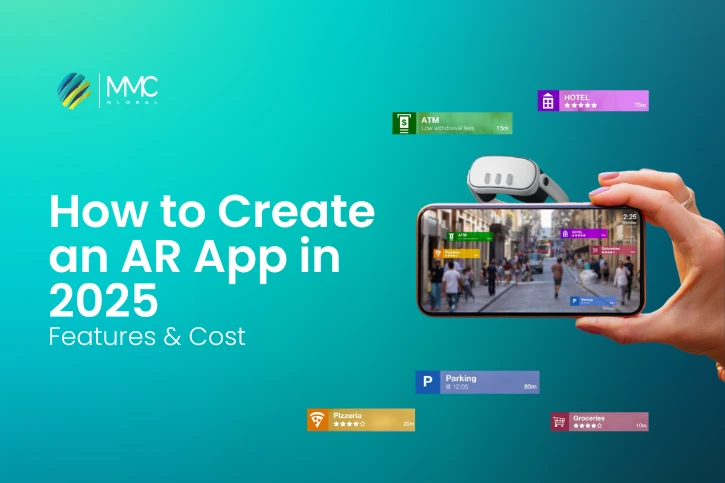
Augmented Reality app development has been around for quite some time, but its popularity is skyrocketing. With the rise of mobile AR and the launch of devices like Apple Vision Pro and Meta AR/VR glasses, the demand is only getting stronger. More and more businesses are actively looking for skilled AR app development companies to bring their ideas to life.
The growth is massive – AR-enabled devices have increased from just 1.03 billion in 2024 to an expected 1.19 billion by 2028. Excited about the future of AR and curious about how to build your own AR app? Today, several expert companies can guide you through the entire process – from brainstorming the idea to successfully launching your AR app.
A recent study revealed that mobile AR generated $18.67 billion in revenue in 2024, and this figure is expected to more than double, reaching over $39.81 billion by 2027.
But the big question many people have is: how do you actually build an augmented reality app? No need to stress, we’ve got you covered. This guide will walk you step by step through the process of creating a powerful AR app.
How to Build an AR App in 10 Easy Steps (2025 Guide)
Thinking about creating your own AR app? Great choice! Augmented Reality is growing fast, and now is the perfect time to dive in. To help you, we’ve prepared a 10-step guide that covers everything from planning to launch. Let’s get started!
1. Define Your Project Scope
Before jumping into development, the first step is to clearly define your project scope and requirements. This helps AR developers understand your vision and ensures your app works smoothly both in the front-end (what users see) and the back-end (how it operates).
Here’s what you’ll need:
Business Idea
Write down the main goal and vision of your AR app. What problem will it solve, or what experience will it create for users?
App Features
List the features you want in your app. These may vary depending on your business needs, but here are some popular ones:
| Feature | Description |
| GPS Tracking | Uses the device’s GPS for real-time tracking. |
| Maps Integration | Adds maps and navigation content as AR overlays. |
| Camera Support | Gives access to the camera for scanning objects and places. |
| 2D & 3D Elements | Lets you add and interact with digital objects in the real world. |
| Gyroscope & Accelerometer | Combines real-world movement with AR experiences. |
Platforms Support
The next important step is to decide which platforms your AR app will run on.
| Platform | Products |
| iOS | iPhones, iPads, and VisionOS devices (like Apple Vision Pro). |
| Android | Phones and tablets running Android. |
| Windows | Compatible with Windows Holographic systems. |
| Web-based | Runs directly on browsers like Chrome, Safari, Firefox, and Edge. |
- ARKit → Used for building AR apps on iOS, iPadOS, Mac, and VisionOS.
- ARCore → Google’s framework for developing AR apps on Android.
2. Choose Your Development Approach & Technology
Once your project scope and goals are clearly written down, the next step is to pick the right approach and technologies for your AR app. At this stage, you’ll also share details like budget, cost, and requirements with your developers so they can move forward smoothly.
There are four main approaches to AR app development:
Native AR Apps
Native apps are built specifically for a single platform (like iOS, Android, or Windows). They use platform-specific tools and provide the best performance and user experience because they’re fully integrated with the device’s hardware and software.
Languages used in native AR development:
- Apple (iOS, iPadOS, macOS): Swift, Objective-C
- Android: Kotlin, Java
- Windows: C#
Cross-Platform AR Apps
Cross-platform apps are developed with one codebase that works across multiple platforms (like iOS and Android). This saves time and cost, but sometimes performance may not be as smooth as native apps.
Common languages & frameworks:
- C#, C++, Java, JavaScript
- SDKs like Unity, Vuforia, or Xamarin
Hybrid AR Apps
Hybrid apps are essentially web apps wrapped inside a native shell, allowing them to run on mobile devices. While they’re quick and cheap to build, they often lack advanced functionality and performance compared to native or cross-platform AR apps.
Languages used:
- HTML, CSS, JavaScript
Web AR (Web-based AR)
Web AR lets users experience AR directly through a browser no need to install an app. It works across devices like smartphones, tablets, and even desktops. While convenient, it’s usually slower than native AR apps.
For web app developers, the most widely used programming languages for creating augmented reality applications include JavaScript, HTML, CSS, Java, Python, and TypeScript.
Languages used:
- JavaScript, HTML, CSS, Java, Python, TypeScript
3. Select the Right AR Application Type
When creating your AR app, you need to decide which type of AR application best suits your business goals. Each type uses different technologies and serves a unique purpose. Below are the five most common AR app types:
| AR App Type | Description | Example |
| Projection-based AR | Projects digital images, objects, or environments onto a physical surface. | LUMOplay |
| Image Recognition AR | Scans and recognizes images, objects, or markers to display related information. | Zappar |
| Location-based AR | Uses GPS, compass, and accelerometer data to show AR content in real locations. | Pokémon Go |
| Superimposition-based AR | Replaces or overlays real objects with virtual ones, often used in healthcare & retail. | IKEA Place |
| Outlining AR | Uses cameras and sensors to highlight edges, boundaries, and outlines. | GhostPacer |
4. Pick the Right AR Development Kit
An AR Software Development Kit (SDK) is a toolbox that helps developers build augmented reality apps faster and with better performance. Choosing the right one can be tricky since there are many options for iOS, Android, and web.
Before deciding, think about your project goals, platform, budget, future plans, and monetization strategy. Here are the top 5 AR SDKs you should know about:
1. Vuforia
- Supports: iOS, Android, Windows
- Price: Free basic plan, custom pricing for premium
- Why choose it:
Vuforia is one of the most popular AR SDKs. It works with both marker-based and markerless AR. It also offers features like:
- Ground Plane (place digital text/objects on surfaces)
- VuMarks (custom markers for recognition)
- Visual camera support
2. Wikitude
- Supports: iOS, Android, Windows
- Price: Starts at €490/year (free for Snapdragon Spaces developers)
- Why choose it:
Wikitude is known for cross-platform AR apps. It supports image recognition, scene tracking, instant tracking, and even cloud-based recognition. Great for businesses that want flexible AR solutions.
3. ARKit (by Apple)
- Supports: iOS only
- Price: Free
- Why choose it:
If you’re building an iOS AR app, ARKit is the best choice. It supports advanced features like:
- 4K video support
- Depth API with LiDAR
- Motion capture
- Scene geometry and people occlusion
Perfect for high-quality AR experiences on iPhones and iPads.
4. ARCore (by Google)
- Supports: Android, iOS, Unity, Web
- Price: Free
- Why choose it:
Google’s ARCore is great for cross-platform AR development. It lets you create world-scale AR apps in 100+ countries. Key features include:
- Motion tracking
- Light estimation
- Depth sensing
- Environmental understanding
5. Maxst
- Supports: iOS, Android, Windows
- Price: Free trial for non-commercial use, from $59/month for commercial apps
- Why choose it:
Maxst is a powerful AR SDK that comes with SLAM (Simultaneous Localization and Mapping) technology, making it great for mapping and tracking. It also supports image recognition, QR/barcode scanning, and Unity integration.
5. Create the First Design
This is where the real development begins. Start by reviewing your business goals and turning them into an initial design mockup for your AR app. Work closely with your UI/UX team to build wireframes and mockups so developers can clearly understand the flow and features.
Keep in mind, even the smallest details matter. Each platform (iOS, Android, Web) has its own design rules and style guides, so your design must follow them. This ensures your app looks professional, user-friendly, and works smoothly on every device.
6. Build Your AR App Team
After your mockup is ready, the next step is to bring the right team on board. Make sure you have skilled AR developers who understand the process, and share all design files and project details with them. Along with an AR developer, you’ll also need:
- A web developer
- A project manager
- A QA tester
- A 2D/3D designer
Once your team is ready, focus on setting up the basics:
✔ Project Management Tools
Choose a tool like Trello or Jira to assign tasks, track progress, and stay organized.
✔ Communication Channels
Good communication is key. Set up tools like Slack, Microsoft Teams, or Skype to share files, chat, and schedule meetings.
✔ Management Approach
Pick a workflow style that fits your project. For example, Agile for flexibility or Waterfall for a step-by-step approach.
7. Kick Off the Development Process
Once your team is ready, it’s time to actually build your AR app. The process usually involves three main steps:
🔹 Planning
Review the project details with your team, assign roles, and clearly define each task.
🔹 Coding
Your AR developers begin writing the code and building the app’s core architecture using the chosen SDK (see step 4 for popular toolkits).
🔹 Content & Integration
Add 2D/3D elements, animations, and digital objects. You can either design them from scratch or use pre-built libraries to speed things up.
8. Partner With an AR App Development Company
Building an AR app isn’t always smooth sailing. From planning and wireframing to SDK selection and coding, things can easily go off track. To avoid setbacks, it’s smart to work with a trusted AR app development company.
A professional team can bring your idea to life whether it’s an AR Zone–style app, AR mapping tool, or custom AR tracking solution. With their expertise, you’ll save time, reduce risks, and build a stronger final product.
9. Test Your AR App Thoroughly
Even when development is complete, your AR app isn’t ready for launch yet. The next step is testing. A Quality Assurance (QA) team will carefully test your app against the original requirements.
They’ll check:
- ✅ If all features work as expected
- ✅ Whether performance is smooth across devices
- ✅ If there are any bugs, glitches, or missing functions
Once testing is complete, the QA team prepares a report. Any issues found should be fixed immediately by the development team before the app goes public.
10. Launch Your AR App
You’ve made it to the final step launching your AR app and making it live for users to download and enjoy. If your app has passed QA testing and all final touches are complete, it’s time to publish it.
For mobile AR apps (iOS or Android):
- Read and follow the guidelines of the Apple App Store or Google Play Store.
- Add your app details like name, description, and category.
- Upload your logo, screenshots, and promotional images.
- Provide privacy policy and required compliance information.
- Submit your app for review, then wait for approval.
- Once live, track downloads, reviews, and user feedback.
For web-based AR apps:
- Buy a domain name.
- Set up a hosting server (cloud or on-premises).
- Upload your AR app files to the server.
- Install an SSL certificate for security (mandatory).
Pro Tip: Always create technical documentation for your app. It makes updates, bug fixes, and future upgrades much easier for your team.
Also Read: How to Build a Sports App in 2025.
Understanding AR Technologies and Devices
ARKit for Apple Devices
ARKit, built by Apple, is one of the most powerful tools for creating AR apps on iOS and iPadOS. Combined with RealityKit and Apple’s creative tools, developers can design immersive AR experiences quickly and effectively.
What’s New in ARKit 6?
The latest version, ARKit 6, takes AR development to the next level with 4K video capture, new location anchors (Montreal, Sydney, Singapore, and more), multiple enhancements for immersive user experiences, and exciting possibilities for social media app ideas.
Here’s a breakdown of ARKit 6 features:
| Feature | Description |
| 4K Video | Capture ultra-high-resolution AR videos for social media, film production, or professional editing. |
| Image & Video Capture Enhancements | Supports HDR video, EXIF tags, and high-quality background images for improved object reconstruction. |
| Depth API | Uses LiDAR Scanner to map environments at a per-pixel level for ultra-precise AR interactions. |
| Scene Geometry | Creates detailed topological maps with labeled elements (floors, walls, doors, windows, etc.). |
| Instant AR | Enables fast plane detection for placing AR objects without lengthy scanning. |
| People Occlusion | Makes AR objects behave naturally by moving behind or in front of people in real time. |
| Motion Capture | Tracks body movement live, perfect for gaming and fitness apps. |
| Dual Camera Mode | Use front and back cameras at once for advanced face and world tracking. |
| Extra Improvements | Better body pose detection, plus enhanced motion capture (even tracks ears). |
For more information, resources, and documentation, see ARKit 6.
RealityKit
RealityKit works alongside ARKit to give Apple developers advanced tools for realistic and smooth AR experiences. It focuses on high-quality rendering, physics simulation, and simplified coding with Swift API.
Here’s what makes RealityKit powerful:
| RealityKit Feature | Description |
| Object Capture | Convert iPhone/iPad photos into lifelike 3D models optimized for AR. |
| Custom Shaders | Add physically accurate textures, lighting, and motion blur for realism. |
| Dynamic Assets | Load customizable assets to adapt experiences on the go. |
| Character Controller | Build interactive AR characters with movement and jumping. |
| Custom Systems | Use Entity Component System (ECS) to create complex functionality. |
| Scalable Performance | Harness CPU/GPU power for smooth physics and rendering. |
| Object Occlusion | Virtual objects interact naturally with real-world objects via LiDAR. |
| Shared AR Experiences | Simplifies multiplayer AR by managing network states and connections. |
| Video Texture | Apply videos to surfaces (like AR TV screens or animated characters). |
| Swift API | Lightweight coding with Swift makes development faster and more efficient. |
Creation Tools
Apple offers a set of powerful creation tools that help developers preview, design, and build spatial content for VisionOS and iOS apps. These include:
Reality Composer Pro
A professional tool bundled with Xcode that makes it easy to view, create, and organize 3D assets like models, materials, and sounds for VisionOS apps.
Reality Composer (iOS & iPadOS)
Perfect for beginners and pros alike, it allows you to design, test, and fine-tune AR experiences directly on iPhone or iPad.
Reality Converter (Beta)
This Mac tool lets you convert and personalize USDZ 3D objects with a simple drag-and-drop interface. You can import formats like .obj, .gltf, and .usd, customize textures, and edit metadata for seamless AR integration. It’s important to know how to check if it supports the latest macOS updates and act accordingly.
ARCore for Android Devices
On the Android side, Google ARCore is one of the most widely used cross-platform AR frameworks. Available in over 100 countries, ARCore works with Android, iOS, Unity, and Web to build immersive AR apps. It also integrates with Google Maps for location-based AR features.
ARCore Fundamentals
| Feature | Description |
| Motion Tracking | Uses SLAM (simultaneous localization and mapping) to track phone movement relative to surroundings. |
| Environmental Learning | Detects surfaces and feature points to better understand the real world. |
| Depth Understanding | Builds depth maps using the phone’s RGB camera. |
| Light Estimation | Reads light intensity and color to improve AR visuals. |
| User Interaction | Uses hit-testing to map user gestures and place objects in real-world coordinates. |
| Oriented Points | Lets you place virtual objects on angled surfaces. |
| Anchors & Trackables | Anchors keep objects stable in real-world positions over time. |
| Augmented Images | Triggers AR experiences with images like posters or product packaging. |
| Sharing | Cloud Anchors make it possible to build multiplayer AR apps across Android and iOS. |
Learn more about ARCore fundamentals and start building.
ARCore Advanced Features
| Feature | Description |
| Geospatial API | Attach AR content to real-world locations via Google Street View. |
| Scene Semantics | Uses ML to recognize objects and improve environment awareness. |
| Recording & Playback API | Record AR sessions and replay them later as if they were live. |
| Depth API | Adds realism with occlusion, immersion, and object interaction. |
| Persistent Cloud Anchors | Save indoor AR maps for reuse in later sessions. |
| Streetscape Geometry | Visualize and interact with real-world buildings and terrain in AR. |
Also Read: Best Food Delivery Apps in Los Angeles.
Mobile AR Platforms: iOS (ARKit) vs. Android (ARCore)
When it comes to building augmented reality (AR) apps, two main platforms lead the way: ARKit by Apple and ARCore by Google. These software development kits (SDKs) give developers the tools to create immersive AR apps for iOS and Android devices.
In this guide, we’ll look at the strengths and weaknesses of both platforms so you can decide which one fits your project best.
Pros and Cons of ARKit
ARKit was launched by Apple in 2017. It is free to use and has evolved with each iOS update to include more advanced AR features.
Pros of ARKit
- Seamless Apple Integration
ARKit is designed only for Apple devices, so it works smoothly with iPhones, iPads, and Vision devices without extra setup.
- Simple AR Integration
With tools like Reality Composer and USDZ support, you can easily turn 3D models into interactive AR content.
- Better Tracking Accuracy
ARKit excels at gesture, motion, and image tracking, making it perfect for apps that require precise movement detection.
Cons of ARKit
- Apple-Only Platform
It does not work on Android, so you’re limited to iOS users.
- Compatibility Issues
Newer ARKit versions may not always work on older Apple devices.
Real-World Example of ARKit
IKEA Place App
IKEA used ARKit to create an app that lets customers place virtual furniture in their homes before buying. This helped shoppers make better decisions and boosted sales.
Pros and Cons of ARCore
ARCore was released by Google in 2018. While it started as an Android-only SDK, it now also supports iOS. ARCore is popular among developers for creating immersive AR games and cross-platform apps.
Pros of ARCore
- Strong for Gaming
With Unity3D support and a massive Android user base, ARCore is great for building interactive AR games.
- Advanced Graphics & Lighting
ARCore handles color, depth, and lighting effects well, making virtual objects look more realistic.
- Powerful Mapping Capabilities
Backed by Google Maps, ARCore is highly accurate in location-based AR experiences.
- Cross-Platform Support
Developers can build apps that run on both Android and iOS.
Cons of ARCore
- Limited Device Support
Not every Android device supports ARCore, though the list is expanding.
- Weaker on iOS
While it works on iOS, ARKit still outperforms ARCore for Apple devices.
Real-World Example of ARCore
Beer Pong AR
Google created this game to show ARCore’s potential. Players throw a virtual ball into cups, just like the classic party game, but without the mess.
Also Read: Recap and Relive GITEX’23 With MMC Global.
Cross-Platform Development in Unity
AR Foundation
Unity’s AR Foundation is a powerful framework that lets you build one AR project and deploy it across multiple devices mobile or wearable. This means less coding for each platform and faster development.
Unity 2022 LTS
The Unity 2022 LTS version is the most stable release so far. It comes with:
- A faster AssetBundle pipeline for handling assets
- A more efficient package manager
- Speed improvements through a burst compiler-optimized engine
These upgrades make development smoother and more reliable for creators working on real-time 3D projects.
Immersive Game Development with DOTS
Unity’s Data-Oriented Technology Stack (DOTS) uses the Entity Component System (ECS), making it possible to handle large-scale and complex projects with better performance. Developers can switch between entity-based development and GameObject-based code, giving more flexibility to design immersive games.
Multiplayer Game Development
Unity also provides an ecosystem for building and scaling multiplayer games. With Unity Gaming Services, you get tools like:
- Relay
- Lobby
- Game server hosting
- Matchmaker
- Voice and text chat
These features allow you to create, launch, and grow live multiplayer experiences.
Realistic Environments & Graphics
With the High-Definition Render Pipeline (HDRP), Unity enables creators to design lifelike environments. You can add:
- Water systems
- Volumetric materials
- Cloud layers
- Volumetric clouds
For visuals, Unity supports advanced rendering options like Forward+ lighting, LOD crossfade for smoother transitions, and Temporal Anti-Aliasing (TAA) for cleaner, sharper graphics.
Enhanced Performance & Platform Support
Unity pushes performance further with:
- DirectX 12 optimization
- PlayStation VR2 support
- Improved stability with the latest ray tracing features
This allows developers to maximize their platform’s potential and speed up iteration while keeping projects future-ready.
Required Packages for AR Foundation
When working with Unity’s AR Foundation, you need platform-specific plug-ins to unlock AR features. These plug-ins allow your app to run on different devices with the right capabilities.
Supported Plug-ins by Platform:
- Android → Google ARCore XR Plug-in
- iOS → Apple ARKit XR Plug-in
- VisionOS → Apple VisionOS XR Plug-in
- HoloLens 2 → OpenXR Plug-in
- Meta Quest → Unity OpenXR: Meta
Feature Comparison
Here’s a breakdown of what AR Foundation supports across different platforms:
| Feature | Details | ARCore (Android) | ARKit (iOS) | OpenXR (VisionOS / HoloLens / Meta Quest) |
| Session | Start, stop, and configure AR | 🟢 | 🟢 | 🟢 |
| Device Tracking | Tracks device position & rotation | 🟢 | 🟢 | 🟢 |
| Camera | Renders images + light estimation | 🟢 | 🟢 | VisionOS 🔴 / HoloLens 🔴 / Quest 🟢 |
| Plane Detection | Detects flat surfaces | 🟢 | 🟢 | 🟢 |
| Image Tracking | Detects 2D images | 🟢 | 🟢 | VisionOS 🟢 / HoloLens 🔴 / Quest 🔴 |
| Object Tracking | Tracks 3D objects | 🔴 | 🟢 | 🔴 |
| Face Tracking | Tracks human faces | 🟢 | 🟢 | 🔴 |
| Body Tracking | Tracks human body | 🔴 | 🟢 | 🔴 |
| Point Clouds | Reads feature points | 🟢 | 🟢 | 🔴 |
| Raycasts | Casts rays to detect surfaces | 🟢 | 🟢 | HoloLens 🟢 / VisionOS 🔴 / Quest 🟢 |
| Anchors | Place & track objects in space | 🟢 | 🟢 | 🟢 |
| Meshing | Builds 3D meshes of environment | 🔴 | 🟢 | VisionOS 🟢 / HoloLens 🟢 / Quest 🔴 |
| Environment Probes | Creates cubemaps for reflections | 🟢 | 🟢 | 🔴 |
| Occlusion | Hides AR objects behind real ones | 🟢 | 🟢 | 🔴 |
| Participants | Tracks other devices in shared AR | 🔴 | 🟢 | 🔴 |
Web-based AR Technologies
Unlike traditional AR apps, Web-based Augmented Reality (WebAR) doesn’t need you to install a separate app. Instead, users just scan a QR code or open a URL, and they can instantly experience AR features right from their browser.
Even though WebAR has some limitations compared to full app-based AR, it offers unique benefits like lower costs, faster development, and easier access.
Benefits of WebAR
1. Easy to Use
WebAR runs directly in a browser with no downloads, no installations. All you need is a quick scan of a QR code or a link. Since it’s simple and device-friendly, people find it more convenient with almost no learning curve.
2. Saves Time & Cost
Building a WebAR experience is quicker and more affordable compared to native AR apps. It usually uses HTML, CSS, and JavaScript, which also makes updates and maintenance much simpler.
3. Wide Reach & Shareability
Because it works through a link or QR code, WebAR content is easy to share across platforms. Brands, marketers, and businesses can distribute their AR experiences widely without worrying about app store restrictions.
4. Cross-Platform Support
WebAR works on almost any device Android, iOS, or even desktops. This flexibility makes it easier to reach a bigger audience and lets users switch smoothly between devices.
Example of WebAR in Action
One of the best examples of WebAR technology is REYDAR.
- It lets users view 3D and AR product models from every angle directly in the browser.
- Their flooring sample viewer allows homeowners to try out different flooring options virtually helping them decide without buying first.
Augmented Reality for Wearables
Wearable technology has grown rapidly in recent years, especially after the pandemic. Big tech companies are investing heavily, and one of the latest examples is Apple Vision Pro.
Even though wearable AR is still evolving, it’s already making a strong impact. From healthcare to sports and education, AR combined with wearables is shaping the future. Let’s explore some of the key use cases.
1. Training & Learning
AR wearables have completely changed the way training is done.
- In healthcare, they help doctors and nurses practice real-life scenarios safely.
- For athletes and runners, AR glasses can show real-time stats, performance data, and even health monitoring while they train.
This makes learning more immersive, engaging, and effective.
2. Rehabilitation
AR and VR are also proving to be powerful tools for rehabilitation therapy.
- Patients can follow guided exercises in a virtual space.
- The activities are designed to be challenging yet achievable, helping speed up recovery.
This makes the healing process more interactive and motivating compared to traditional methods.
3. Healthcare Imaging
Surgeons are using AR wearables to get real-time 3D imaging during complex procedures.
- Instead of relying only on CT scans, they can visualize organs, tissues, or problem areas directly in AR.
- This allows them to plan and perform surgeries with more accuracy and less risk.
For a deeper look, check out our blog on AR in Healthcare.
4. Design & Visualization
AR wearables are also helping designers and engineers.
- They can see a product in 3D before it’s built.
- Every detail can be inspected and adjusted in real-time, saving time and resources.
This improves creativity and reduces errors in the design process.
5. Education & Remote Assistance
With AR glasses, businesses and individuals can:
- Hold virtual meetings
- Deliver presentations
- Provide customer support
all without being in the same physical space.
Thanks to advanced sensors, real-time image processing, and 3D content, AR wearables make remote work and learning more interactive, efficient, and accessible.
Cost Breakdown of AR App Development
When planning an AR app, cost can vary depending on features, complexity, and development region. Below is a breakdown to help you understand the investment required.
1. Features-Based Cost
| App Level | Features | Examples | Average Cost |
| Simple | Basic UI, simple animations, and limited features | Educational apps, simple AR games | $5,000 – $50,000 |
| Medium | Better UI, multiple functionalities (tracking, interactive elements, algorithms) | AR navigation apps, training apps, simulations | $50,000 – $150,000 |
| Complex | Custom UI, advanced features (real-time data, 3D graphics, custom functions) | AR social platforms, medical AR apps | $200,000 – $400,000 |
2. Region-Based Cost
The hourly rates for AR app development differ based on the developer’s location.
| Region | Hourly Rate (USD) |
| North America | $80 – $150 |
| Australia | $60 – $100 |
| South America | $65 – $150 |
| Central Europe | $50 – $250 |
| India | $24 – $150 |
| United Kingdom (UK) | $40 – $120 |
A simple AR app may cost under $50,000, while a complex AR solution can go beyond $400,000.
Choosing the right region can significantly impact your budget, with India and Central Europe often offering more cost-effective solutions compared to North America.
Scope of AR Application Development Across Industries
Augmented Reality (AR) is no longer limited to gaming or entertainment. Today, it has found applications in almost every industry. Here’s how AR is shaping different sectors:
1. Medicine and Healthcare
AR is playing a major role in transforming healthcare.
- Surgeons use AR tools for training, tumor detection, and complex surgical procedures.
- Patients can be educated about their conditions and guided through available treatments.
- In rehabilitation, AR makes physical therapy more interactive with engaging exercises.
- Remote care is another benefit tele-doctors can diagnose and guide patients from miles away.
2. Retail and E-Commerce
The way people shop has changed with AR.
- Customers can try products virtually, like checking how furniture looks in their home or how shoes fit.
- Businesses offer interactive user manuals to simplify product usage.
- AR improves buyer confidence and customer experience, making online shopping more reliable.
3. Sports and Entertainment
AR is making both training and fun more immersive.
- Fitness and sports apps now include real-time AR trainers for guided workouts.
- Developers are creating AR games like scavenger hunts, treasure maps, or AR paintball.
- Fans get personalized AR experiences, enjoying matches, events, and media content in new, engaging ways.
4. Tourism and Hospitality
Travel experiences have been enhanced by AR-powered solutions.
- Tourists can use AR apps to navigate hiking routes with GPS overlays, audio, and visuals.
- AR provides historical facts, translations, and virtual tours of museums and landmarks.
- Hospitality businesses use AR to create interactive experiences for travelers before they even visit.
5. Education
AR is revolutionizing learning and training.
- Students can interact with 3D models, making complex concepts easier to understand.
- Companies use AR for virtual training sessions and workshops, saving both time and money.
- With AR, learning becomes more immersive, engaging, and effective for learners of all ages.
Create an AR App the Right Way
Augmented Reality is growing quickly and has many practical uses for businesses. Companies and developers are earning well from AR, and the market shows no sign of slowing down.
Read this guide carefully and follow each step to learn how to create an AR app. We hope this guide has been helpful.
FAQs
What type of AR apps are the most successful?
While AR can be applied in many industries, AR-based games tend to be the most popular, especially among Gen Z. However, success isn’t limited to games. If you have a unique idea, solid planning, and the right team, your AR app can also become a hit.
How much does it cost to build an AR app?
The AR app development cost and overall mobile app development cost depend on several factors such as app complexity, features, target platforms, and design. A simple AR app may cost around $10,000, while more advanced, feature-rich apps with custom integrations can go up to $200,000 or more.
How long does it take to develop an AR app?
Development timelines vary depending on project size, complexity, and team expertise. On average, creating an AR app can take 6 to 12 months. More complex apps may take longer due to testing, integrations, and polishing.
Do I need to hire a professional AR app development company?
Yes, it’s highly recommended. Developing an AR app requires careful planning, technical expertise, and resources. For startups or individuals, the process can be overwhelming. Partnering with an experienced app development company can save you time, reduce risks, and increase your chances of launching a successful product.