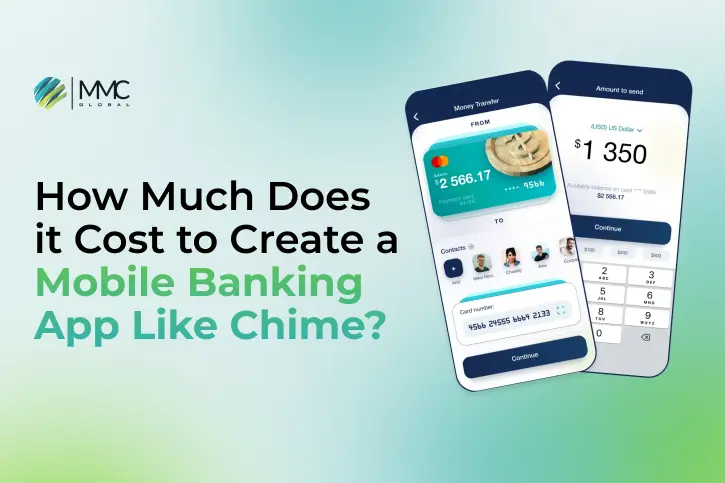
As digital technology continues to grow, mobile banking has become more popular than ever, changing the way people handle their money. Easy-to-use apps like Chime are leading this change, giving users a smooth and smart way to manage their finances on the go.
A recent report shows that by 2025, more than 217 million people will be using mobile banking. This rise shows that there’s a big market for fast and easy financial services. Chime, one of the top mobile banking apps, has already attracted over 14.5 million users by September 2022. Business of Apps also reports that Chime made around $1.8 billion in revenue in the second quarter of 2022.
With mobile usage growing and apps like Chime showing great results, it’s important to know how much it costs to create a similar app. Generally, developing a mobile banking app like Chime can cost anywhere from $35,000 to $250,000, depending on several factors that we will talk about in this article.
In this blog, we’ll look at the main things that affect the cost of making an app like Chime. We’ll also walk you through the must-have features and the step-by-step process to create a smart and secure mobile banking app that fits the needs of today’s users.
What is the Chime Mobile Banking App?
Chime is a smart mobile banking app that gives users access to all their basic financial services in one easy place. The app is free to use and lets users open checking and savings accounts online without needing to keep a minimum balance.
One of Chime’s most loved features is early direct deposit. This means users can get their paycheck up to two days before payday. The app also helps people save money automatically by setting aside a part of their paycheck without extra effort.
Chime also gives users a free debit card and access to more than 60,000 ATMs across the U.S. Users get real-time notifications about spending and transactions, helping them stay on top of their finances with less stress.
According to a Crunchbase report, Chime has raised about $2.3 billion in funding. This shows how well the app is doing and how much trust it has gained in the market. Experts also say the mobile banking industry will grow to $7 billion by 2032, with a growth rate of 16.8% every year from 2023 to 2032.
Because of Chime’s success and the growing demand for simple, low-cost banking apps, this is a great time for companies to create similar apps. Investing in mobile banking can bring good profits and meet the rising demand for fast and easy digital financial services.
How Much Does It Cost to Create an App Like Chime?
If you’re thinking about building a mobile banking app like Chime, one of the first questions that comes to mind is How much will it cost to develop an app? Let’s break down the important details that affect the total budget.
As mentioned before, creating an app like Chime can cost anywhere from $35,000 to more than $250,000. The final price depends on many things, including the location of your development team, the design of the app, and how complex the features are.
In simple terms, the more features and advanced tools you add, the more it will cost to create the app. To give you a clearer picture, we’ll share estimated price ranges based on how simple or complex the app is.
| App Type | Estimated App Development Cost | Time Frame |
| Simple App | $35,000 to $60,000 | 3 to 6 months |
| Moderately Complex App | $60,000 to $150,000 | 6 to 9 months |
| Highly Complex App | $150,000 to $250,000 | 9+ months |
Factors Affecting the Cost to Develop an App Like Chime
Creating a mobile banking app like Chime depends on many factors that can change the total development cost. From how advanced the features are to the type of technology used, let’s take a closer look at the main things that can impact your budget.
Number of Platform Integrations
One big factor that affects the cost is how many systems your app needs to connect to in the background. A banking app like Chime links with several services such as banking systems, payment gateways, card providers, and account data tools. Each connection makes the app more complex and takes extra work to build and manage. On average, expect to spend about $10,000 to $15,000 for each advanced integration.
Complexity of Features
The number and type of features you include in your app will strongly affect development costs. A simple banking app with features like viewing balances, transferring money, or finding ATMs is quicker and cheaper to create. But if you want to add advanced tools such as AI analytics, smart budgeting games, or early direct deposit access, the cost and complexity go up. It’s smart to start with essential features, then add more advanced ones over time.
Custom Designs and Templates
Creating a unique, custom-designed app interface usually costs more than using ready-made design templates. Custom designs take extra time and effort because they need to be made from scratch to match your brand. However, this investment often leads to a better, more attractive user experience that makes your app look professional and stand out from others.
Development Team Size
The number of people working on your app affects how fast it gets done. Having more developers means different tasks can be done at the same time, speeding up the process. But bigger teams also mean higher costs because you pay more hourly rates. It’s important to find the right team size that fits your project’s needs and budget. Usually, teams include developers, designers, project managers, and other specialists.
| App Development Team | Hourly Rates (Approx) |
| Project Manager | $25 to $30 |
| Tech Lead (Backend/Frontend) | $28 to $30 |
| Sr. Mobile App Developer | $25 to $30 |
| Sr. Web & Backend Developer | $24 to $30 |
| DevOps | $25 to $30 |
| Business Analyst | $20 to $25 |
| UX/UI Designer | $20 to $25 |
| QA (Quality Assurance) | $20 to $25 |
Testing Requirements
Thorough testing is crucial for any financial app, but detailed testing plans can increase development costs. Make sure to budget enough time and money for different types of testing like user acceptance testing (UAT), checking how the app works on various devices, regression tests, performance checks, automated testing, security reviews, and beta testing with real users.
Location of the App Development Firm
The location of hiring an app development company also impacts the cost to create an app like Chime. For example, companies in regions like Asia or Southern Europe tend to have lower hourly development rates compared to teams in the UK or the US. We can help you estimate the hourly rates for development across various regions worldwide.
| Region | Hourly Rates of Development |
| UAE | $60 – $65 |
| US | $95 – $100 |
| Western Europe | $80 – $90 |
| Australia | $70 – $90 |
| Eastern Europe | $50 – $55 |
| Asia | $25 – $40 |
Hosting Infrastructure
The backend hosting setup includes both initial and ongoing costs for cloud servers, bandwidth, backups, security, and DevOps engineers to keep everything running smoothly. You should plan to spend at least $15,000 per month for reliable hosting.
Experts generally estimate that building a well-planned banking app like Chime will cost between $150,000 and $250,000. This covers all key features, quality design, and thorough testing.
After launch, ongoing expenses are also important. You can expect to spend around $25,000 per month for a team of five to handle updates, bug fixes, new releases, customer support, and managing hosting. More complex apps with heavy traffic might need bigger teams and higher budgets.
Key Features for Creating an App Like Chime
Every mobile banking app needs some special features to make it unique, but there are also essential features that must be included when creating an app like Chime.
Easy Account Setup
The app should allow users to open accounts quickly and fully online, taking just a few minutes. It should ask for only the necessary information by using services that automatically fill in identity details. Users should be able to open checking, savings, and joint accounts by connecting a bank account or card as a funding source.
Using AI and machine learning helps speed up risk checks, verify identities, and follow rules, making it easier to approve users while stopping fraud. Once approved, users can get a virtual debit card right away to start spending, even before their physical card arrives.
Also, if you’re planning to create a finance app like Possible Finance, explore key features such as a smooth loan application process, secure data handling, easy credit scoring, and seamless user experience that set successful finance apps apart.
Simple Account Management
A single dashboard shows all of a user’s accounts in one place. Important info like balances, spending by category, upcoming payments, and overall net worth is easy to see. Visual tools like graphs and charts help users understand their spending, income, and account changes over time. Users can customize their dashboard by moving widgets to fit their needs. A fast search feature helps quickly find transactions, statements, disputes, and other account details.
Personalized Financial Feed
A customized feed displays pending and recent transactions, upcoming payments, account alerts, and notifications made just for the user. Bills, deposits, and other important events are shown in order of when they will happen. AI reviews spending habits and transactions to provide helpful tips, insights, and suggestions tailored to each user to support better money management.
Peer-to-Peer Payment System
By connecting with fast payment networks like PayPal, Visa Direct, or Dwolla, users can easily send money to friends or contacts linked to their bank accounts. They can also request payments from others. The app shows a feed of pending and completed transfers. Users receive reminders, confirmations, and notifications to keep track of their payment status.
External Account Linking
Let users safely connect their accounts from other banks using account aggregation services like Plaid. This lets the app combine balances, investments, and transaction records from outside accounts to give a full view of their finances. Moving money between internal and external accounts is easy and smooth. The app automatically updates data to show current balances and available funds.
Bill Payment and Scheduling
The app should include features that let users pay bills directly. They can add payees using account info or search, and set up one-time or repeating payments based on chosen dates or intervals. Users can also enable auto-pay for regular bills. The app sends reminders for upcoming payments and confirms when a bill is paid. It also keeps digital records of all paid bills for easy tracking.
Smart Debit Card Controls
Users get both physical and virtual debit cards, with card numbers kept separate from their main account for better security. If a card is lost or misplaced, it can be quickly locked or unlocked through the app. Other useful options include setting daily spending limits, getting alerts for each transaction, and turning contactless payments on or off. Virtual cards can also be added to mobile wallets for tap-to-pay at stores. For extra privacy, users can use virtual cards made for multiple uses.
ATM Finder
The app includes a built-in map that uses location data to show nearby ATMs with no fees. Users can search by distance and apply filters based on available services. When they’re close to a partner ATM, the app can send helpful reminders. Each ATM location shows details like the address, open hours, and directions making it easier for users to find and withdraw cash.
Mobile Check Deposit
Users can deposit checks quickly by taking a photo with their phone. The app uses smart image tools to read details like the payee, amount, and account numbers. It also checks the image to make sure the check is real. This cuts down the need for manual review, speeds up processing, and makes the money from approved checks available sooner.
Real-Time Notifications and Alerts
Push notifications help users stay updated about their account activity right away. They get alerts for things like deposits, withdrawals, low balances, upcoming bills, fees, account updates, and possible fraud. Users can choose what types of notifications they want based on amount, location, frequency, and more. Alerts can also be set for risky or unusual activity to help keep accounts safe.
High-Level Security Features
Use fingerprint or face recognition to let users log in securely without the hassle of typing passwords. Add backup options so users can recover their accounts if they lose their phones. The app should also keep activity logs to track who accessed what and when. Include strong security tools like data encryption, fraud detection, and regular security checks. Following industry security standards helps keep user accounts safe and protected at all times.
Responsive Customer Support
Offer around-the-clock customer service through multiple channels such as phone, email, in-app chat, web-based help centers, and social media platforms. This ensures that users can get quick assistance whenever they need it. Include a well-organized FAQ section and a searchable knowledge base with step-by-step guides to support users who prefer self-service. Real-time chat with support agents should also be available for more complex issues, while chatbots can manage simple questions to ease the workload on live teams.
We recently assisted a major global bank in transforming its digital banking support by implementing advanced AI and machine learning solutions. The AI-driven chatbot we created allowed them to manage customer queries instantly, delivering 24/7 assistance and greatly improving service efficiency.
Our strong background in artificial intelligence and deep understanding of the banking industry helped us design a solution that not only streamlined their support operations but also enhanced user satisfaction and overall engagement.
How to Create a Mobile Banking App Like Chime?
Creating a mobile banking app like Chime that is both easy to use and packed with powerful features takes thoughtful planning and execution. From strategy to launch, every stage plays a vital role in the app’s success. Here are the essential steps to guide you through a smooth and efficient mobile banking application development process.
Step 1 – Start with In-Depth Market Research
Before diving into the Chime application development process, it’s essential to carry out detailed market research. This helps you understand the competitive environment and the current state of the mobile banking sector. Look into industry growth, user trends, and financial regulations. Explore how emerging technologies like AI, blockchain, and open APIs are transforming FinTech, and examine the shift toward embedded finance and modern banking models to identify untapped opportunities.
Analyze successful apps like Chime, Varro, Dave, and others. Study their features, UI/UX design, tech frameworks, and go-to-market strategies. Learn what they do well and spot areas where you can do better. This research will also give you clear insights into user needs, common challenges, and help you accurately estimate the Chime app development cost depending on your feature set and app complexity
Step 2 – Define Your Target Audience
Knowing who your app is for is very important. Look at key details like age, income, education, lifestyle, financial habits, and how often they use mobile devices. This helps you understand what your customers expect from a mobile banking app. Build example user profiles or personas that represent different types of users in your audience. This will guide your app’s design and features to better meet their needs.
Step 3 – List the Key Features
Based on your market research and what you learned from competitors, decide on the main features your app needs. You’ll need to connect with banking systems and data APIs for things like account details, transactions, payments, and account aggregation.
Make sure to include basic features that apps like Chime offer, such as account overviews, money transfers, mobile check deposits, ATM locators, bill payments, peer-to-peer transfers, debit card controls, and transaction alerts. To stand out, consider adding extra tools like financial insights, budgeting help, savings plans, investment options, rewards, joint account support, and expense tracking. Focus first on the essential features before adding more advanced ones.
Step 4 – Design a Smooth UX/UI
A great user experience is key for FinTech apps to attract and keep users. The app’s design should be simple, clear, and easy to use. Keep the look and feel consistent throughout the app. Plan out user flows and create wireframes that show the best way to arrange screens, navigation, visuals, and interactions. Make sure important actions like signing up, transferring money, depositing checks, paying bills, and receiving notifications are easy and straightforward.
Step 5 – Pick the Right Tech Stack
Choose the best technologies for building your app’s front-end and back-end based on what your app needs and how big it will grow. Common front-end tools include React Native, Swift, and Kotlin. For the back-end, options like Node.js, Python, Java Spring, and databases like MongoDB or PostgreSQL are popular choices. Make sure to use third-party APIs to connect with other services. Focus on scalable cloud platforms like AWS or Google Cloud, add AI or machine learning tools like TensorFlow for smart features, and use containerized microservices to make the app easier to expand and maintain.
Step 6 – Build Your Banking App
Now it’s time to start building the app. Put together a skilled development team experienced in FinTech and banking integrations. Use agile methods with regular sprints to develop features step by step.
Make sure your app connects smoothly with banking systems for handling accounts, payments, card issuing, and meeting compliance rules. This connection is the heart of your app’s transactions. Keep testing all parts of the banking process like account setup, transfers, deposits, withdrawals, fees, and risk checks to find and fix any bugs or problems early.
Step 7 – Test and Launch Your App
Perform detailed testing to check how well the app works, how easy it is to use, its security, and overall performance. Include penetration testing and run a pilot with a small group of users to find issues and improve the app. After making necessary fixes, submit the app to the app stores for approval. Plan your marketing strategy with digital ads, influencer collaborations, PR efforts, referral programs, social media promotions, and search engine ads to reach your audience effectively.
Step 8 – Maintain and Support After Launch
After launching, track how the app performs using analytics on user sign-ups, activity, retention, and support requests. Keep improving the app by adding new features and making updates based on feedback and data. Provide great customer support and build a strong user community to keep people engaged and satisfied.
How Do Apps Like Chime Earn Money?
Apps like Chime use different creative ways to make money. Let’s explore some of the main methods they use.
Interchange Fees
Whenever a user uses their card for a purchase, the app earns a small fee from the merchant’s bank. This creates a steady source of income without charging the user directly.
Out-of-Network ATM Fees
These apps provide many free ATMs, but they charge a fee when users withdraw cash from ATMs outside their network. This encourages users to use partner ATMs and helps the app earn extra money.
Partnership Revenues
These apps work with other financial companies and earn money through referral fees or commissions when users choose services or products from their partners.
Paid Premium Services
Apps like these offer extra features such as faster transfers or better overdraft protection for a small fee, allowing users to personalize their banking experience.
How Can MMC Global Help You Succeed in the Mobile Banking App Market?
Building a modern mobile banking app takes careful planning, smart design, strong development, and a clear focus on making digital money management easy. The cost to create an app like Chime can vary widely from $35,000 up to $250,000 or more depending on how many features you want and how complex they are.
With MMC Global’s expert fintech app development services, you can create a secure, easy-to-use banking app that goes beyond what customers expect. Our skilled developers and strategists will guide you from the initial idea all the way to launch, making sure your app meets and exceeds industry standards.
We have experience building apps with advanced features like Chime, including simple interfaces and strong security. Working with MMC Global means you benefit from our deep knowledge of the banking industry and technology, helping you bring your app to market faster and with less risk.
Recently, we built an AI-powered budgeting app designed to improve financial skills for millennials by using fun gamification and interactive tools. The smart chatbot helps users track spending and sends alerts when they go over budget, changing the way people manage their money.
Contact our team today and let’s create a new standard in mobile banking apps together.
FAQ’s
How Long Does It Take to Develop an App Like Chime?
The development time for a mobile banking app like Chime mainly depends on how complex the app is. You can build a basic version (MVP) in about 4 to 5 months. Most of this time is spent gathering requirements, designing the user experience, connecting with core banking systems, and testing. Using agile sprints, you can launch features gradually and get your app to market faster. For a more advanced app with many features, development can take around 12 to 14 months on average.
What Benefits Do Users Get from an App Like Chime?
Users enjoy several important benefits from apps like Chime, such as:
- The convenience of banking on their phone anytime and anywhere
- Quick and simple account setup without going to a bank branch
- Getting their paychecks and direct deposits early
- Avoiding common fees like minimum balance charges and overdraft fees
- Added security features like freezing cards instantly and using fingerprint or face ID to log in
What Are the Latest Mobile Banking Trends?
The mobile banking world is changing fast, and keeping up with new trends is key to staying competitive. Important trends include using Generative AI, focusing on digital transformation, exploring new work models, and updating pricing plans. AI-powered budgeting tools are becoming more common too.
Other trends involve mobile payments, stronger security like biometric logins, voice-controlled payments, smart virtual assistants, and personalized services that use customer data.
The industry is also seeing more shared platforms, fun and educational features (gamification), cardless ATM withdrawals, and the use of cryptocurrency and blockchain technology. To stay ahead, mobile banking apps are adopting these trends to provide users with easy, secure, and customized banking experiences.
What Affects the Cost to Create an App Like Chime?
The cost to create an app like Chime depends on several factors, including the features you want, the design complexity, and whether the app is for iOS, Android, or both. Security features and meeting legal compliance also add to the cost.
Other important elements include how scalable the app needs to be, the type of user authentication used, and the number of system integrations required. The location of your development team can also impact the price.
For a precise cost estimate, it’s best to talk with experienced developers who can tailor the budget based on your specific needs.