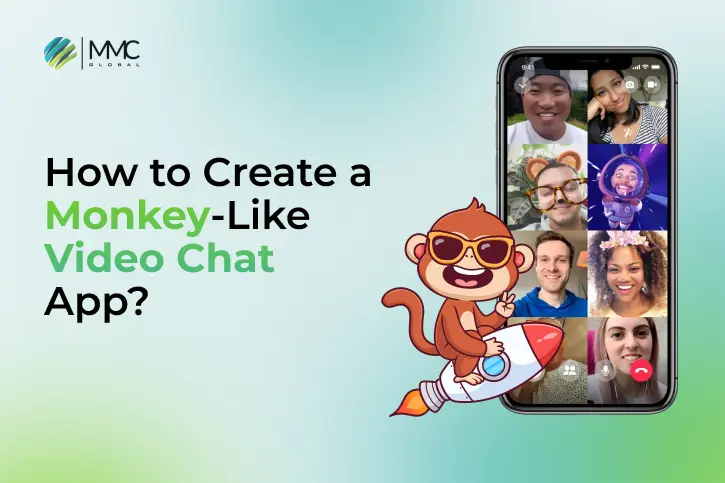
Video calling isn’t just for work or school anymore it’s now one of the coolest ways to connect, hang out, and meet new people online.
Apps like Monkey made this trend popular by offering fast, fun video chats. With over 30 million users mostly from Gen Z Monkey showed us that video-first social apps are the future of online socializing.
If you’ve got a unique idea and want to build the next big Monkey-style app, this is your moment. The video chat market is booming expected to grow from $9.99 billion in 2025 to around $28.26 billion by 2034.
In this blog, we’ll walk you through the mobile app development process to create an app like Monkey — covering core features, tech stack, and estimated cost.
Let’s dive in!
What Is the Monkey App?
Monkey is a video chat app that became super popular for letting people meet and talk to strangers through short, random video calls.
It was mainly made for Gen Z and combined the swipe feature of dating apps with the fun of live video. The goal? To help users have real, unfiltered conversations with new people from around the world all in a fun, casual way.
Top Features of the Monkey Chat App:
- Random live video chats with strangers
- Match by age and shared interests
- Timer-based calls with the option to extend
- Send text messages during or after a call
- Basic safety tools like report/block features
- Free to use with paid add-ons
Cost to Use:
- Free for everyone
- Offers in-app purchases for extra features like filters, boosts, or replay options
Market Overview: Why Random Video Chat Apps Like Monkey Are Trending
In the last few years, random video chat apps have seen a huge rise in popularity. Apps like Monkey became a hit because they offer quick, face-to-face chats something Gen Z users really enjoy. These apps focus on fun, real-time conversations instead of just texting, and the growth numbers prove it.
- The global chat app market was worth $63.78 billion in 2023 and is expected to reach $213.4 billion by 2030, growing at a yearly rate of 15.3%. (Source: Verified Market Research)
- The social networking app market could hit $310.37 billion by 2030, with an even faster growth rate of 23.7% every year. (Source: Grand View Research)
Must-Have Features to Build a Random Video Chat App Like Monkey
If you’re planning to create a video chat app like Monkey, the features you add can make or break your success. Monkey stands out because of its engaging and user-focused tools and your app should aim for the same.
Here’s a list of key features your app should include to stand out in a competitive market:
| Feature | Description |
| Instant Video Chat | Let users instantly connect via random, real-time face-to-face video calls. |
| Admin Panel & Analytics | Gives you full control to manage users, moderate content, and track performance with data. |
| Text & Voice Messaging | Allow users to chat with text, emojis, or voice notes during or after video calls. |
| AI Matching | Use AI to connect users based on age, interests, or behavior for better matches. |
| Filters & Effects | Add fun camera filters, stickers, and beauty tools to make chats more interactive. |
| Social Login | Let users sign up quickly using Facebook, Instagram, or other social platforms. |
| Virtual Gifts & Coins | Add in-app purchases like coins or gifts to boost user engagement and revenue. |
| Gender & Location Filters | Give users options to choose who they connect with based on gender or region. |
| Safety & Moderation | Use AI tools, user reporting, and block features to keep the community safe. |
| Multi-Language Support | Let users pick their preferred language to improve global accessibility. |
| Live Streaming | Allow users to go live and interact with larger audiences beyond one-on-one chats. |
Looking for design ideas? Check out the top design trends used in popular community and chat apps like Discord.
What Advanced Features Can Make Your Video Chat App Unique?
In today’s crowded app world, basic features aren’t enough. Users want more better security, smarter tools, and fun ways to interact. Adding advanced features can take your video chat app to the next level and keep users coming back.
Here are some powerful features to consider:
| Advanced Feature | Description |
| AI Assistant & Chatbot | Helps users with quick answers, navigation, and moderating chats automatically. |
| Message Editing & Deletion | Lets users fix or remove messages even after they’ve been sent. |
| Stronger Security Tools | Adds end-to-end encryption, AI-based filtering, and two-step login for safety. |
| Live Emoji Reactions | Users can react in real time with emojis while chatting. |
| Face & Gesture Detection | Recognizes faces or hand movements to trigger effects, filters, or fun actions. |
| In-App Games | Add small games that people can play together during video chats. |
| Daily Streaks & Rankings | Make chatting more fun by adding streaks and leaderboards for top users. |
| Scheduled Video Calls | Let users set up calls in advance and get reminders to join on time. |
Note: If you want to add advanced AI features to your video chat app, we’re here to help. As a top AI app development company, we create smart, scalable, and user-friendly solutions tailored to fit your app’s unique needs.
What Are the Main Steps to Build a Monkey App Alternative?
Here’s a simple breakdown of 8 important stages to create a powerful, engaging, and scalable video chat app like Monkey.
1. Discovery & Requirement Gathering
Timeframe: 2–3 weeks
This is the first and most important step in building your Monkey app alternative. The goal here is to understand your users, the market, and the problem your app will solve.
- Know Your Audience: Define who your app is for Gen Z, teens, or a global user base.
- Market Research: Look into apps like Monkey, Azar, and Omegle. What features work? What are users unhappy with?
- Unique Value: Decide what makes your app stand out maybe AI-powered matching, fun in-app games, or stronger content control.
- Project Planning: Create a product requirements document (PRD) that outlines your app’s goals, features, tech stack, and timeline.
2. Feature Prioritization & Roadmapping
Timeline: 1–2 weeks
Once your vision for the Monkey app alternative is clear, the next step is to plan which features to build first and how to move forward.
- Start with the Essentials: Focus on must-have features like user login, basic safety tools, chat, and random video matching.
- Plan for Later Features: Some advanced tools like gesture control, face filters, or mini-games can be added after launch.
- Set Up Sprints: Break the development into small sprints with clear timelines and goals.
- Manage Budget Wisely: Distribute time, money, and resources based on how complex each feature is and how much value it adds.
3. UI/UX Design & Prototyping
Timeline: 4–6 weeks
Once you’ve finalized your features, the next step in building your Monkey app alternative is designing how users will interact with the app. A smooth and engaging design helps users feel comfortable, curious, and ready to explore from the first tap.
- Wireframes: Start with simple layout sketches to map user journeys like sign-up, video chat, and profile screens.
- Prototypes: Build interactive models using tools like Figma or Adobe XD to show how the app will work.
- User Feedback: Let real users test the prototype to collect early feedback and improve the design.
- Visual Style: Use eye-catching colors, simple layouts, and playful animations that appeal to younger audiences.
4. Backend Development
Timeline: 4–6 weeks
After designing your app, the next step to building a strong Monkey app alternative is backend development. This is the engine behind the scenes making sure everything runs smoothly, from video calls to user logins.
Here’s what happens in this stage:
- Video Chat Integration: Use tools like WebRTC or platforms like Agora, Twilio, or Daily to add real-time video calling.
- User Login & Signup: Set up a secure system for users to sign up, log in, and verify their identity.
- Database Setup: Build a scalable database (like Firebase or MongoDB) to store user info, chat logs, and preferences.
- Safety & Moderation Tools: Add features to report abuse, filter bad words, and use AI to spot harmful content.
5. Frontend & Mobile App Development
Timeline: 4–5 weeks
With the backend ready, it’s time to build the front-end the part of your Monkey app alternative that users see and interact with.
Here’s what this step involves:
- Choose the Right Platform: You can build native apps (Swift for iOS, Kotlin for Android) or use cross-platform tools like Flutter or React Native to save time.
- Build the Interface: Design clean, responsive screens for video chat, messaging, and profile features.
- Add Interactions: Use smooth animations, swipes, and button effects to keep the app fun and easy to use.
- Connect to Backend: Make sure your app syncs well with backend APIs for real-time video, chats, and user data.
Also, if you’re planning to build a messaging app, explore the key features that set private messaging apps apart from popular WhatsApp alternatives.
6. Quality Assurance & Testing
Timeline: 2–4 weeks
No matter how great your design or backend is, video glitches, crashes, or bugs can quickly ruin the experience. That’s why testing is a must when building a Monkey app alternative.
This phase is all about finding and fixing problems before your users do.
- Functional Testing: Check that video calls, chats, and login features all work smoothly.
- Performance Testing: Test the app on different internet speeds and devices to reduce lag and crashes.
- Security Testing: Make sure user data stays safe and prevent unauthorized access.
- Cross-Device Testing: Ensure the app works well on Android, iOS, tablets, and various screen sizes.
7. Launch & Deployment
Timeline: 1–2 weeks
Once your Monkey app alternative is built and tested, it’s time to release it to users. Launching means making sure your app works well and reaches the right audience.
- App Store Submission: Get your app ready for Apple App Store and Google Play by preparing screenshots, descriptions, and privacy policies.
- Beta Testing: Do a soft launch or beta test to collect feedback from real users before the full release.
- Set Up Analytics: Add tools like Google Analytics, Firebase, or Mixpanel to track user behavior, app crashes, and engagement.
- Marketing Plan: Create a launch plan using strategies from social media app development, along with ASO and influencer partnerships to spread the word.
8. Post-Launch Support & Improvements
Ongoing (especially important in the first 2–3 months)
After launching your Monkey app alternative, real users will show you issues and ideas that testing missed like crashes, usability challenges, or feature requests. You need to act fast by:
- Watch User Behavior: Track important metrics like how long people use the app, how many leave, and crash reports.
- Collect Feedback: Read user reviews, listen to suggestions, and engage with your community.
- Update Regularly: Fix bugs quickly, improve the design based on feedback, and add new features step-by-step.
- Scale Up: Increase server capacity and database size as more users join.
How Do Apps Like Monkey Make Money? Top Ways to Earn
Making money from a video chat app like Monkey isn’t just about showing ads everywhere. It’s about creating value for users while using different ways to earn revenue.
Did you know that global consumer spending on mobile apps is expected to hit $150 billion by 2025, with social and video call apps making up a big part of that?
Here are the best money-making strategies for your Monkey app alternative, depending on your users, goals, and business plan:
| Revenue Model | Description | Best For |
| In-App Ads | Show banner or video ads using services like Google AdMob. | Free apps with lots of users |
| Subscriptions | Offer paid plans with perks like no ads or premium matching. | Loyal users wanting extra features |
| In-App Purchases | Sell virtual gifts, stickers, or filters for chats. | Users who love customizing their chats |
| Pay-Per-Call | Charge for longer or private video calls. | Users who want exclusive or extended chats |
| Sponsorships | Partner with brands to sponsor content or ads inside the app. | Apps with focused or active audiences |
How Much Does It Cost to Create an App Like Monkey?
Creating a Monkey app alternative can cost anywhere from $30,000 for a basic version (MVP) to over $300,000 for a full-featured, cross-platform app. The price varies a lot depending on the features you want like real-time translation or AI moderation since each adds design, development, and cloud costs.
Here’s a simple breakdown of cost estimates:
| App Type | Description | Estimated Cost |
| Basic Video Chat App (MVP) | Core features like one-on-one video calls, text chat, and simple matching. | $30,000 – $50,000 |
| Mid-level Video Chat App | Adds group calls, user profiles, media sharing, and improved design. | $50,000 – $100,000 |
| Advanced Video Chat Platform | Includes AI matchmaking, video/audio optimization, strong security, and scalability. | $100,000 – $300,000+ |
Note: The cost estimates above are just general ranges. The final price to build your Monkey app alternative can change based on how complex your app is, what features you add, which platforms you target, and how you choose to build it.
10 Best Monkey Chat Apps Alternatives to Try in 2025
Monkey started the trend, but it’s no longer the only option. In 2025, there are many exciting Monkey app alternatives that offer fun features, better safety, and global communities to connect with.
Here’s a quick look at the top options:
| App Name | Main Use | Top Features | Best For |
| OmeTV | Random video chat | Filters by gender/location, live moderators | Quick, anonymous global chats |
| Yubo | Social live streaming | Swipe to discover, age check, friend groups | Teens looking to meet new friends |
| HOLLA | Fun video meetups | AI matching, games, real-time translation | Gamified chats and fun convos |
| Azar | Language exchange | Real-time translation, user tags | Talking to people from different cultures |
| LivU | Anonymous video chat | Filters, emoji reactions | Casual and filtered video chats |
| Ablo | Travel-style chatting | Auto-translate, match by culture | Connecting with people worldwide |
| Omegle | Web-based video chat | No sign-up, interest-based matching | Fast, no-frills anonymous chats |
| Wink LIVE | Video friend finder | Swipe profiles, chat before video | Safer way to meet and talk |
| Chatspin | AR video chat | Face masks, private video chats | Users who want visual fun without showing face |
| Tiya | Voice-first chat rooms | Topic-based audio rooms, AI bots | People who prefer voice over video, like gamers |
Create a Next-Gen Video Chat App Like Monkey with MMC Global
Want to build a fast, interactive video chat app like Monkey? MMC Global is here to help. We’re a trusted mobile app development company with experience in building powerful and engaging communication platforms.
From real-time video calling to AI-based matching and in-app engagement tools we know what today’s users, especially Gen Z, expect in a modern Monkey app alternative.
We focus on smart product strategy, smooth UX design, and future-ready technology. Whether you’re starting with an MVP or going for a full-scale launch, we work with you every step of the way to make sure your app is secure, fun, and built to grow.
Need ideas for your video chat app?
Check out our blog on the Best Video Conferencing Apps to explore what’s trending and how your app can stand out in the market.
Frequently Asked Questions:
Is it costly to keep a Monkey app alternative running?
Running a Monkey app alternative does come with ongoing expenses think server hosting, real-time video APIs, moderation systems, and regular app updates. Your monthly bill will really depend on how many users you support and how feature-rich your app is.
How Do Monkey App Alternatives Keep Users Safe?
Apps like Monkey use tools like AI moderation, manual content review, and clear community rules to create a safer space. Features like user blocking and reporting also help control bad behavior and protect users during chats.
Can I Launch an MVP for My Monkey App Alternative?
Yes, starting with a Minimum Viable Product (MVP) is a smart move. You can launch with core features like video chat, user matching, and safety tools. This helps you test your idea, get real feedback, and improve your Monkey app alternative as you grow.
How Can MMC Global Help Build Your Monkey App Alternative?
At MMC Global, we specialize in real-time communication apps. We help you at every step from turning your idea into a design, building the backend and AI features, to launching your Monkey app alternative on the App Store and Google Play.
Can MMC Global Build a Scalable Video Chat App for Thousands of Users?
Yes. MMC Global uses cloud-based architecture and real-time communication tools to build video chat apps that run smoothly, even when thousands of people are using them at the same time.
How Do I Start Building My Video Chat App with MMC Global?
You can begin by booking a free consultation. Our team will listen to your idea, understand your app goals, and help you build a clear plan to turn your vision into a video chat app like Monkey.