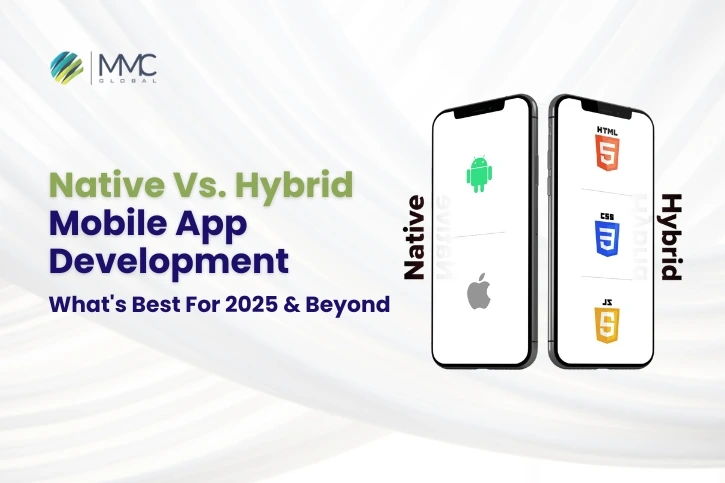
The debate of Native vs Hybrid app development continues when it comes to building high-performing, engaging, and secure apps for business. Many businesses are ready to invest heavily in mobile app development to maximize user engagement and improve operations. However, choosing between native vs hybrid mobile app development makes them more curious and uncertain about the app development success. Many factors should be considered before making the right decision to select the mobile app development platform, such as:
- Which audience do you need to target?
- What is your app development budget?
- How much time can you invest in it? and
- What features can attract your target audience? And so on.
The in-depth knowledge of understanding Native Vs Hybrid app development helps you make the right decision for your next project. In this article, we will help you uncover the true potential of each app development approach, i.e. Native and Hybrid app development, helping you understand your business needs tailored to your target audience. Let’s dive deep without further ado!
Read more: Native or Cross-Platform Mobile App Development
What Is Hybrid App Development?
Hybrid mobile app development can function on Android and iOS devices with a seamless user experience and functionalities. These apps can be built using web technologies (HTML, CSS, JavaScript) and wrapped in a native container, allowing them to run on multiple platforms (including Android & iOS) with a single codebase.
Hybrid app development is highly preferred for faster and lower-cost development. It is highly reliable for cross-platform compatibility, consistent user experience across dynamic devices, easy access to device features, and for building offline functionality.
Does it act as both a mobile app and a web app?
Yes, but with clarification:
- Mobile App: Hybrid apps behave like native apps on mobile devices. They are installed through app stores (Google Play, Apple App Store) and can access device features like GPS, camera, and notifications through plugins.
- Web App-like Experience: Since hybrid apps are built using web technologies (HTML, CSS, JavaScript), they can mimic a web application’s interface inside a mobile shell, often using frameworks like React Native, Flutter, Ionic, or Cordova.
Also Read: React Native Vs. Ionic Vs. Flutter
Moreover, Hybrid app development is widely built to target a wider audience. There are other common use cases where hybrid app development is prioritized by businesses, such as:
- Business apps with moderate complexity
- Build for content delivery apps (news, blogs, media)
- Preferred for MVPs or prototype apps
- Apps with minimal hardware dependency
Benefits of Hybrid App Development
1. Cross-Platform Compatibility
Hybrid apps are designed to work on multiple platforms primarily iOS and Android using a single codebase. This eliminates the need to build separate apps for each platform, ensuring a consistent user experience and saving significant development time. Therefore, choosing hybrid apps encourages faster platform deployment and reduced development effort.
2. Cost-Effective Development
With hybrid app development, businesses don’t need to hire separate teams for iOS and Android. A single team can handle all platforms’ development, testing, and maintenance. It reduces overall costs by 30–50% compared to building two native apps.
3. Faster Time-to-Market
Since only one application version needs to be developed and tested, hybrid apps can be launched much more quickly than native apps. Hybrid apps allow startups and businesses to test ideas faster and respond to market demands quickly.
4. Simplified Maintenance
Hybrid apps are easier to maintain and update. When an update is made to the shared codebase, it automatically reflects across all platforms without needing separate updates. It saves time and effort in version control and support.
5. Offline Accessibility
Like Native apps, many hybrid apps support offline data access using local storage or caching. While some advanced features may require an internet connection, core functionalities can still work without it. Ultimately, it enhances user experience in areas with limited or unstable internet.
6. Access to Device Features
Hybrid apps have nearly native-like performance and access without building a fully native app.
Using plugins and APIs like Cordova or Capacitor, hybrid apps can access native device functionalities such as:
- Camera
- GPS
- Contacts
- Accelerometer
- Push notifications
7. Consistent User Experience
Because hybrid apps use a single UI codebase across all platforms, the design and user interface remain consistent on Android, iOS, and browser-based versions. Hybrid apps create a uniform brand experience for users across devices.
8. Scalability and Integration
Hybrid apps can easily integrate with third-party services and backend systems using APIs. They are also scalable to handle large user bases and can be enhanced with new features without platform-specific rework. It delivers easier integration with business systems and growth-ready architecture.
9. Easy Debugging and Testing
Developers only need to test and debug one codebase, which simplifies the quality assurance process and reduces the chances of platform-specific bugs. It speeds up development and ensures smoother functionality across devices.
10. Use of Popular Technologies
It ensures long-term support, reliability, and ease of hiring skilled developers. Hybrid development often relies on well-supported technologies like:
- React Native
- Flutter
- Ionic
- Angular/JavaScript frameworks
Large developer communities and robust documentation back these frameworks.
Also Read: Best Hybrid App Development Frameworks
Real-Life Hybrid Apps Examples
X (Formerly Twitter)
X is an example of a dominant hybrid app development, utilizing hybrid architecture and incorporating web technology into native elements to deliver a highly exceptional cross-platform compatible experience. It is one of the most used social media platforms, which has a wide range of features that engage users, such as posting short messages (formerly tweets), sharing photos and videos, joining public conversations, staying updated on breaking news, following interests., etc.
Instagram is another most significant social networking sites for individuals and businesses, receiving millions of hits per day; this is a hybrid mobile app successfully used globally with the monthly active users of 2 million. Almost everyone is well-known of this platform and its compatibility of diverse platforms, no glitches, no downtime, just a smooth running ap across the globe.
Gmail
Gmail is a free email service developed by Google with 1.5 billion users. It is another popular example of hybrid app development, helping users to send emails across the world with a seamless user experience and high-performing functionalities.
Baskin Robbins
It is a widely popular American chain of ice cream and cake with more than 8000 locations, including 2500 shops in the United States and over 5000 countries. They have created a hybrid mobile app using HTML5 to provide easy access to customers to place order, pay online, and enjoy every bite of the scoop.
What Is Native App Development?
Native mobile apps are built for a single dedicated Android or iOS platform. It uses different tech stacks to build one on two different platforms, requires a realistic development timeline, and is a hefty cost. However, native apps are known for their high performance, exceptional user experience, and complete access to device-specific features, making them ideal for applications requiring advanced functionality and responsiveness. Android apps use technologies including Java and Kotlin. Similarly, iOS uses Objective-C and Swift technologies to build native iOS app development.
Native app development is best suited for use cases with top priorities: performance, stability, security, and user experience. Native app development is used when businesses require:
- Superior User Experience is a Priority
- Heavy Graphics or Animation Requirements
- Offline-First Applications
- Enterprise-grade or Scalable Applications
Benefits of Native App Development
1. Superior Performance
Native apps are developed using platform-specific programming languages Swift or Objective-C for iOS and Kotlin or Java for Android. Because they are compiled into machine code, native apps run directly on the operating system without relying on an intermediate layer or web view. This leads to faster execution, smoother animations, and better responsiveness. Whether handling heavy graphics, processing real-time data, or performing intensive calculations, native apps consistently offer high-speed performance optimized for each platform.
2. Exceptional User Experience (UX)
One of the standout advantages of native development is the ability to deliver a highly refined user experience. Native apps follow the official design guidelines of each platform Apple’s Human Interface Guidelines and Google’s Material Design. This means that UI elements, gestures, navigation patterns, and overall app behavior feel familiar and intuitive to users. With access to native components and interactions, developers can create seamless, polished interfaces that significantly enhance user satisfaction and engagement.
3. Full Access to Device Features
Native apps can leverage all device-specific APIs and hardware capabilities without limitations. This includes features like the camera, GPS, accelerometer, microphone, NFC, Bluetooth, background services, and biometric sensors (like Face ID and fingerprint scanning). Native code allows deeper integration with the device’s operating system, which is critical for apps that rely on precise hardware control or advanced system-level functionalities. This level of access is typically restricted or limited in hybrid or web-based applications.
4. Better Security and Data Protection
Security is paramount, especially for apps dealing with sensitive information like banking, healthcare, or enterprise data. Native development enables the use of built-in security tools and best practices provided by the platform, including end-to-end encryption, secure APIs, certificate pinning, and biometric authentication. Additionally, native apps are less vulnerable to common web-based threats since they don’t depend on embedded browsers or web views. This results in a more secure app ecosystem and improved trust with users.
5. Improved Scalability
Native apps are easier to scale and optimize for future updates or feature expansions. Since they are built with platform-specific languages and tools, developers have more control over memory management, performance optimization, and custom features. This is particularly useful for businesses that expect high user growth or plan to evolve their apps with time. Native frameworks also offer better support for integrating cloud services, third-party tools, and enterprise systems, enabling scalability at both the app and infrastructure levels.
6. Reliable Offline Functionality
Native apps can deliver more robust offline experiences. Because they can access the device’s local storage and work directly with native databases like SQLite or CoreData, they can store and retrieve data without an internet connection. This is particularly beneficial for productivity apps, note-taking tools, field service apps, and any application where uninterrupted access to data is critical. Offline support in native apps is typically more stable and responsive than hybrid solutions.
7. Greater Developer Support and Tools
Android and iOS platforms offer extensive development tools, libraries, and documentation for building native apps. Android Studio and Xcode provide powerful debugging, testing, and performance monitoring capabilities. Additionally, the native development ecosystem benefits from large, active communities, which means developers have access to a wealth of knowledge, support forums, and frequent updates from platform providers. This results in faster problem resolution and smoother development cycles.
8. App Store Optimization and Visibility
Native apps are generally more compliant with App Store and Google Play policies, making them more likely to be approved and promoted. They also benefit from full access to app store features like push notifications, in-app purchases, app bundles, and more. Furthermore, native apps often perform better in ratings and reviews due to their stability and quality, which helps boost visibility and download rates within app marketplaces.
Real-Life Native App Examples
Apps like WhatsApp use native development to provide secure, real-time communication with features such as end-to-end encryption, voice and video calls, background data sync, and access to local files. These functions need deep integration with the device’s operating system and consistent performance across different phones. Native coding helps apps like WhatsApp deliver fast messaging, clear call quality, and secure chats even in low internet conditions.
Spotify
Spotify is a music streaming app that relies on native development to deliver smooth audio playback, background streaming, and integration with system-level controls (like lock screen and voice assistants). It also handles caching, offline access, and seamless Wi-Fi and mobile data switching. Native development helps Spotify ensure high performance and fluid user interaction across millions of devices globally.
Uber
Apps like Uber rely heavily on real-time GPS tracking, map rendering, payment processing, push notifications, and background updates all of which demand low-latency performance and strong hardware access. By using native development, Uber ensures that both riders and drivers get instant updates and reliable service, even during peak times. This approach helps apps like Uber deliver a fast, location-aware experience that performs well and scales across global markets.
Drawbacks of Hybrid App Development
While cost-effective and faster to deploy, hybrid app development comes with several drawbacks that can impact app quality and user satisfaction. Since hybrid apps are built using a single codebase for multiple platforms, they often suffer from reduced performance compared to native apps, especially in areas like animations, real-time data processing, and high-resolution media. Access to native device features is also limited, making it difficult to implement advanced functionalities without custom plugins. The user experience may be inconsistent across iOS and Android due to differences in design guidelines, and apps optimized for one platform can feel awkward on another. Additionally, many hybrid apps rely heavily on internet connectivity, hindering offline performance. Hybrid frameworks also struggle with high-performance requirements like 3D graphics or complex animations, making them less suitable for gaming or AR-based applications.
Drawbacks of Native App Development
Native app development, while offering superior performance and user experience, also presents certain drawbacks that businesses must consider. Since native apps are built specifically for a single iOS or Android platform, developing for both requires separate codebases and development teams, leading to higher costs and longer timelines than hybrid development. This dual effort also increases maintenance, as updates and bug fixes must be implemented separately for each platform. Native apps often involve longer development cycles due to their complexity and the need to meet strict platform-specific guidelines. Additionally, users must download larger app files from app stores, which can be a deterrent for those with limited storage or slower internet connections. While essential for improvements, frequent app updates may not always reach all users immediately especially if automatic updates are disabled, potentially resulting in inconsistent user experiences across devices.
Let’s End Up Here
Native app development remains the gold standard for businesses prioritizing performance, security, UX, and deep platform integration. Although it requires more time and resources than hybrid or cross-platform development, the long-term benefits of user satisfaction, scalability, and technical control make it a worthwhile investment, especially for high-impact, customer-facing, or feature-rich mobile applications.
If you require more clearification to make decision for your next project, connect with MMC Global to acquire expert suggestion tailored to your business challenges. We help you suggest platform, tech stack, and provide professional engineers to design high performing apps by analyzing your target audience, business needs, user-centric features, etc. Let’s connect and explore opportunities with digital transformation.
Frequent Asked Questions
What is the main difference between hybrid and native mobile app development?
The main difference between hybrid and native mobile app development is that hybrid mobile apps are designed to work on any operating system using a single codebase. On the other hand, native mobile apps are for a particular operating system using a different code for different operating systems.
Which one should you choose, hybrid or native?
It depends on your business, your mission, and whom you want to target. After identifying these factors, you must consider every possible pro and con of mobile app development. Set your budget according to your business planning, identify potential outcomes that may or may not affect your business, and then decide what will be best for your company. If you want to target both, you should go for hybrid mobile app development, which will cost less. If you want quality and to maintain the standard of your organization, you should go for native mobile app development.
Which one is better, hybrid or native?
Both mobile apps have advantages and disadvantages, and a hybrid mobile app is less expensive and easy to develop, whereas a native is costly and difficult to create; however, the hybrid mobile app is not good in quality, but a native mobile app maintains its rate.